Website Theme
Website Theme
ERPNext offers sophisticated theming tools that let you modify your website's appearance and feel to better reflect your brand.
Home > Website > Setup > Website Theme
1. How to create a Website Theme
Click on New from the Website Theme list.
Type a Theme Name here.
Make your theme unique.
Choose Save.
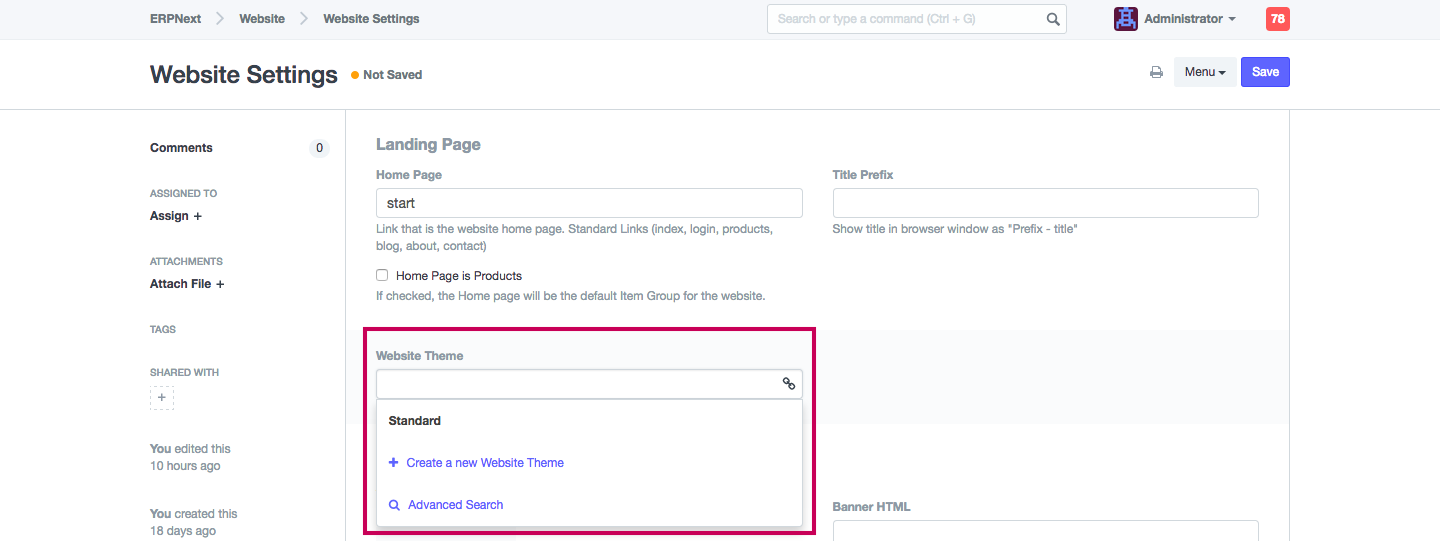
Note: For the theme to be implemented, make sure the Website Theme is set in the Website Settings.
2. Features
2.1 Theme Configuration
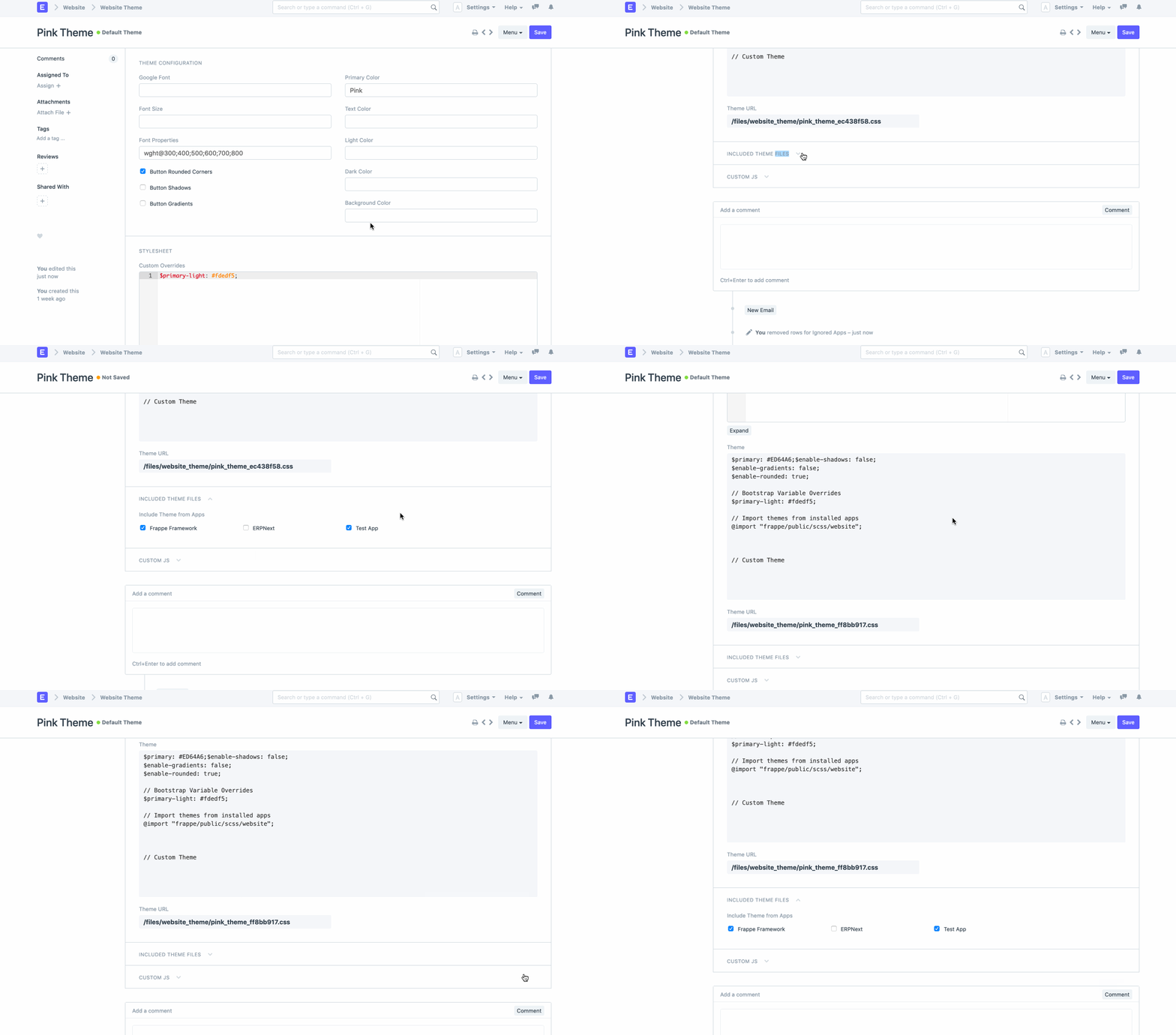
The "Theme Configuration" component can be used to bootstrap a simple theme. You can select your preferred font, color scheme, and button design here.
2.2 Stylesheet
You can manually write custom SCSS if you are familiar with Bootstrap 4 theming and SCSS.
You can overwrite any app's theme file's defined variables in the "Custom Overrides" column. This field's contents will be imported before any other SCSS. For instance, the default setting for the variable $spacer is 1rem. Simply redefine it to $spacer: 2rem; to double the size of all spaces.
You are able to include your own styles in the "Custom SCSS" column. Upon the import of the app's themes, this will be incorporated. Moreover, any given style may be overridden. For instance, just add the following if you don't like our buttons:
2.3 Included Theme Files
You can see that frappe/public/scss/website and erpnext/public/scss/website are imported in the default theme created by the configure dialog. These are the frappe and erpnext app's default theme files. If you have any other installed applications, they might also offer a website.scss file of their own.
All installed apps are listed under "Included Theme Files" in the menu. The theme file for each app is located at [app]/public/scss/website.scss. A theme may be an addition or it may be fully functional, offering styles for the entire website. It might, for instance, just style the items it adds. The theme for your website can be chosen by checking the appropriate boxes.
2.4 Custom JS
Moreover, you can create unique JavaScript that will execute when your theme is used. Use it to add or remove classes from elements, or use it with any script to alter the appearance of your elements.