Salary Slip from Timesheet
Salary Slip from Timesheet
The amount of time an employee spent working on a specific project might be used to determine his or her remuneration.
You might select to directly create the Employee's Pay Slip from a Timesheet to facilitate the same.
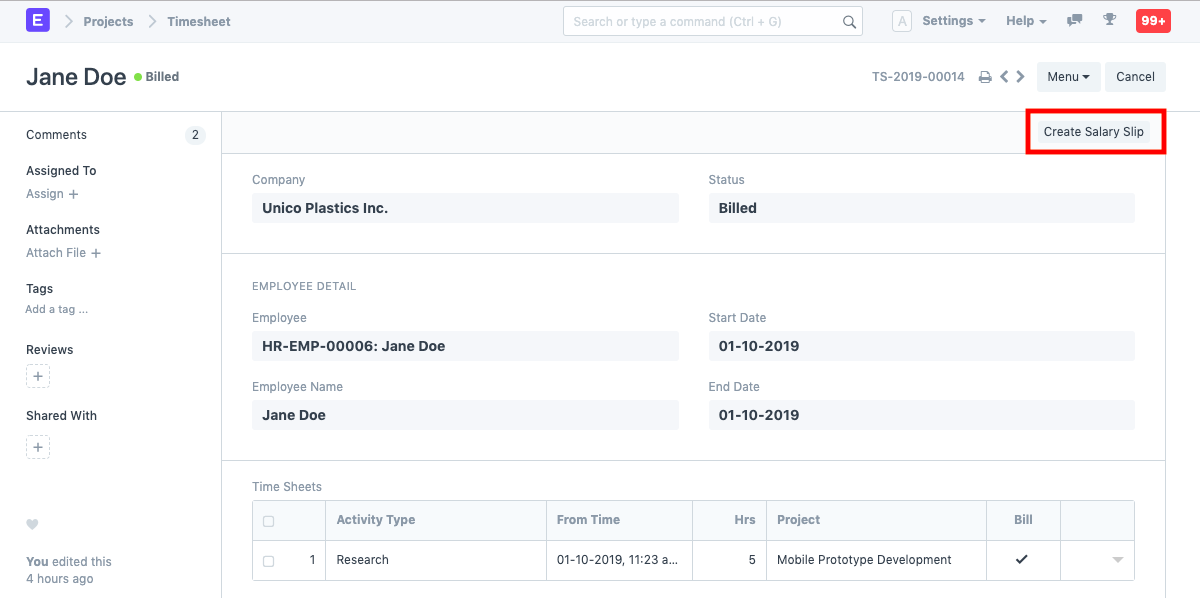
1. How to Create A Salary Slip from A Timesheet
Go to the timesheet and select "Generate Salary Slip" after the timesheet has been submitted and an invoice has been generated.
The timesheet will be used to record every piece of information, including the Employee, Employee Name, Posting Date, Business Name, Letter Head, etc.
Dates: The Start Date and End Date of this Pay Slip will automatically be retrieved from the Timesheet from whence it was prepared. The same can be altered, though.
Timesheet for Salary Slip: Information about the Timesheet used to construct the Salary Slip will be recorded. To create a single Pay Slip against numerous Timesheets, you may also add more Timesheets here.
Publish and save.
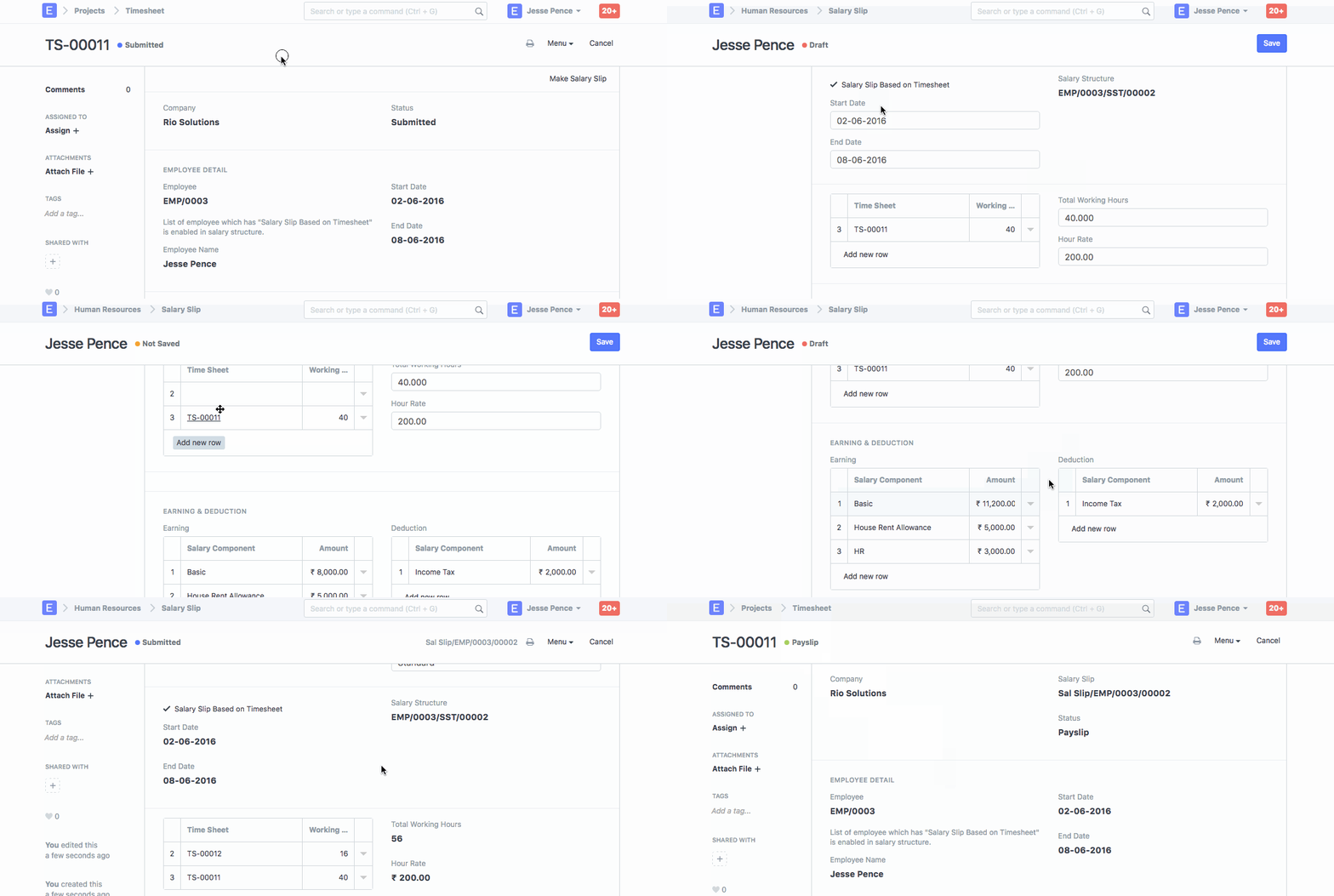
1.1. Additional Details while Creating a Salary Slip form a Time Sheet:
Earnings and Deduction: The Salary created from the Timesheet can include any Earnings like HRA, Incentives, etc. or Deductions like Income Tax, Provident Fund, etc.
Other Information: The gross payment information, loan repayment information, and net pay information will all be automatically gathered based on the employee's salary structure.
Click here for a thorough explanation of how to set up overtime using timesheets.