Apply Tax on Another Tax or Charge
Apply Tax on Another Tax or Charge
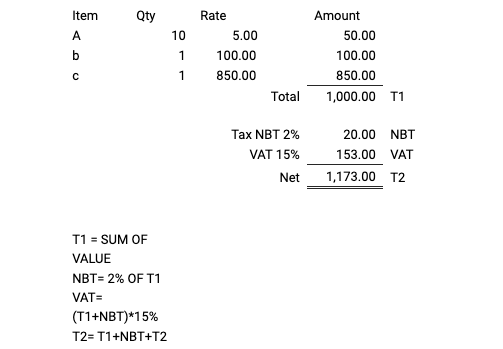
Consider a prospect who desires to impose tax on a tax. A tax (NBT) is to be applied to the net total amount of items, and then another tax (VAT) is to be applied. In the example below, 2% NBT tax is to be applied to the total value of the items, followed by 15% VAT tax.
To map this in the Sales Order/Invoice Sales Taxes and Charges table in ERPNext:
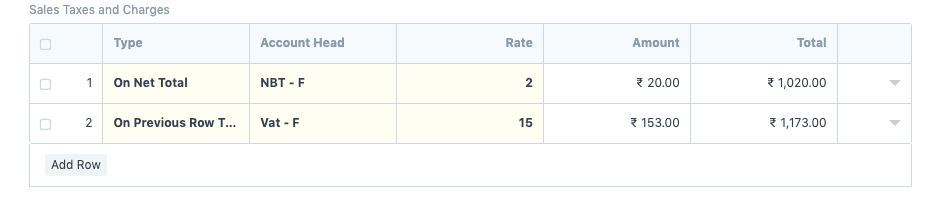
1.Select On Net Total as the tax type
2.Select or add a new tax as NBT with a 2% rate.
3.Then, add a new row and select On Previous Row Total as the tax type. Select or add a new tax as VAT and set the rate to 15%.
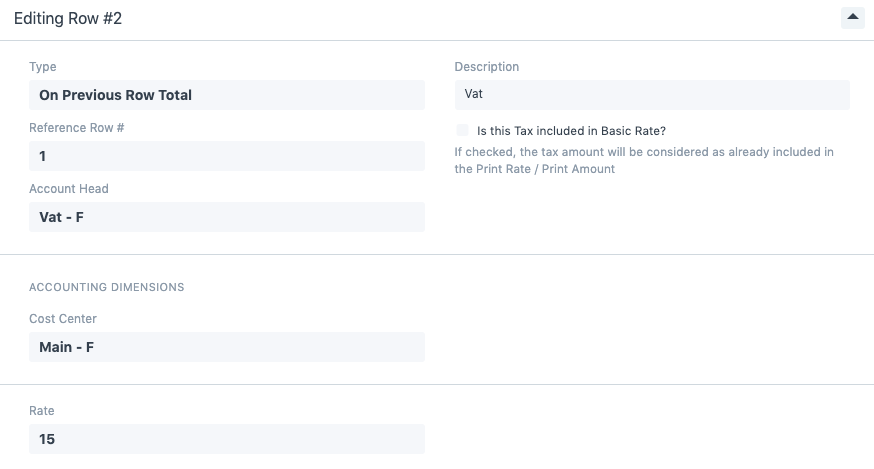
Expand the second row and add the Reference Row Number to the first position.
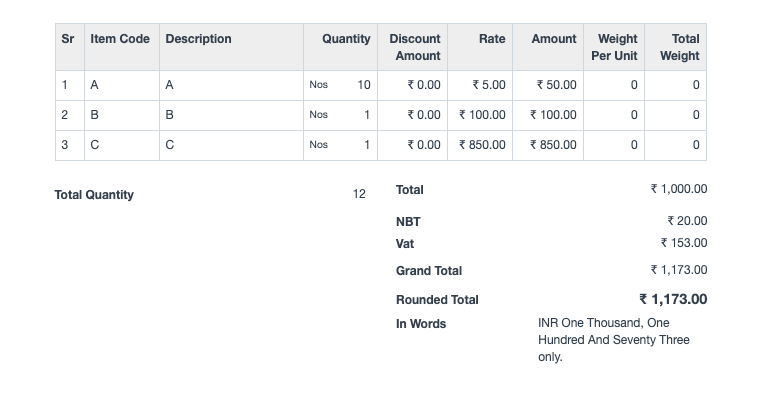
After saving the document and viewing the print preview, the document will appear as follows.