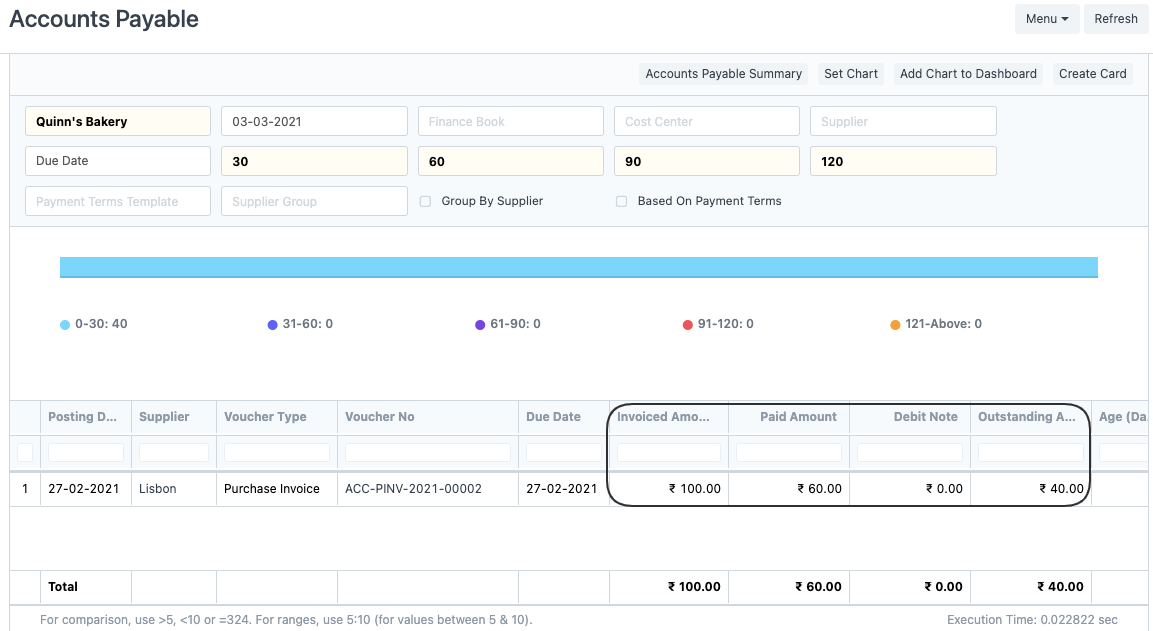
Reconcile Advance Payment made to the Supplier
Reconcile Advance Payment made to the Supplier
How to book Accounts Payable in advance and reconcile with future invoices while migrating from x application to ERPNext?
Booking Advance Accounts Payable:
Create a Journal Entry of type Opening Entry, debit the Creditor Account by selecting the appropriate Supplier, and credit the Temporary Opening Account.
Select Yes for Is Advance after expanding the Creditor's Row.
Refer to the GIF that depicts the same:
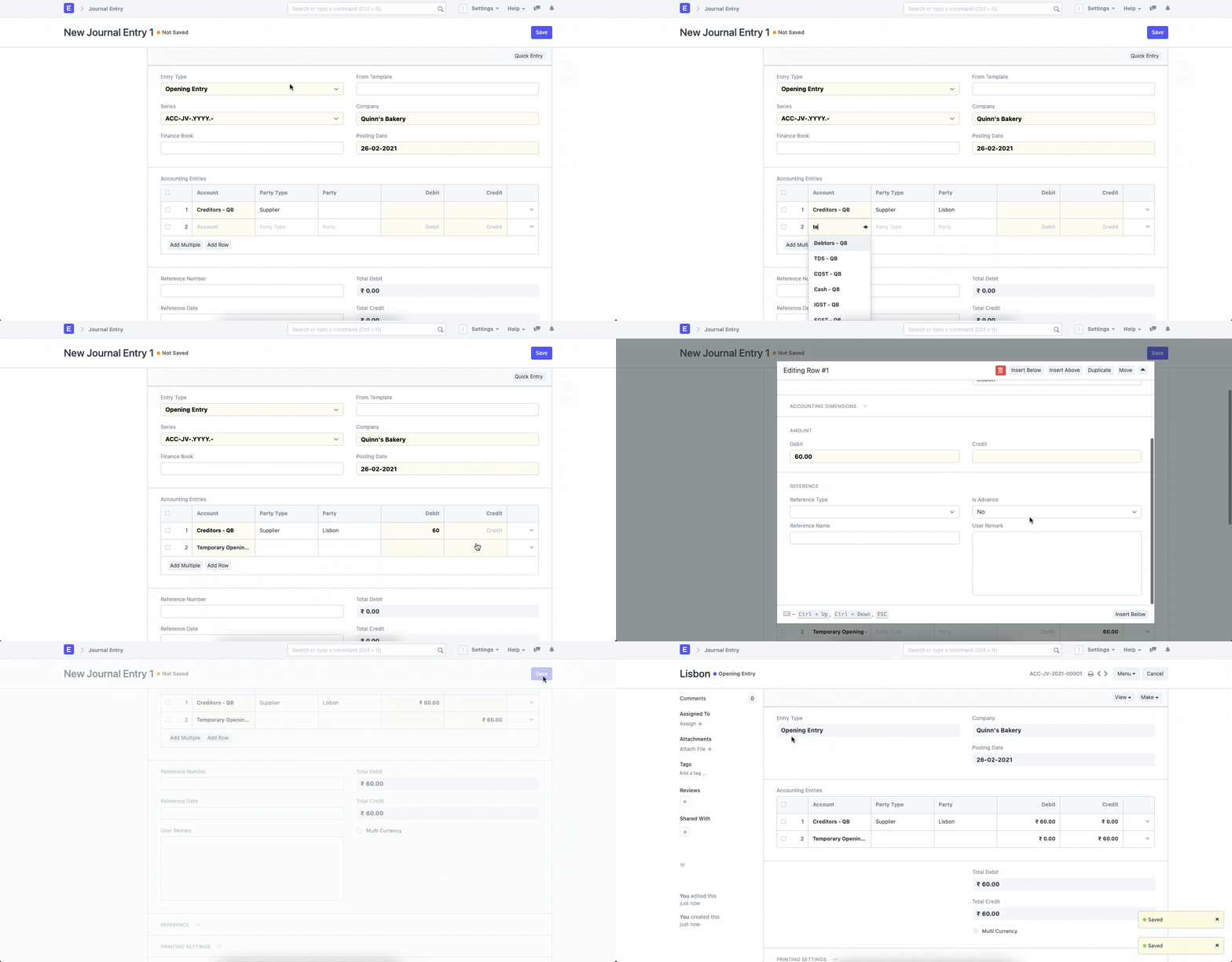
Submission of the Journal Entry will result in a negative Accounts Payable balance. It is reconciled with the Purchase Invoices by:
Refer to the Accounts Payable report after creating an Invoice for Purchase:
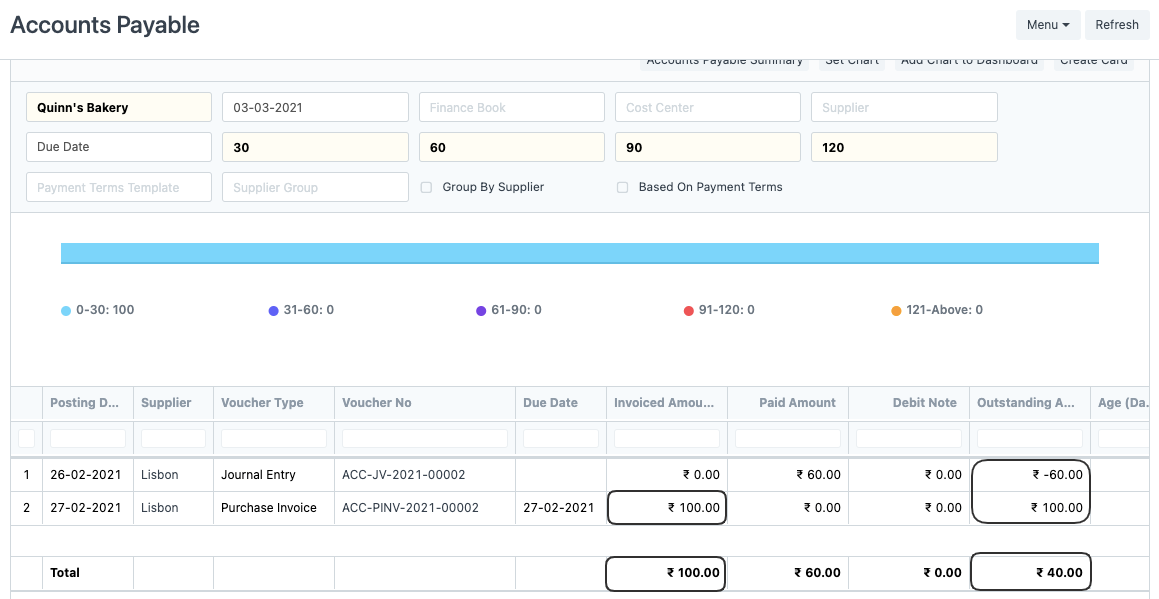
Currently, they are not reconciled and appear as two separate entries; use the Payment Reconciliation tool to reconcile these entries; see the GIF for instructions.
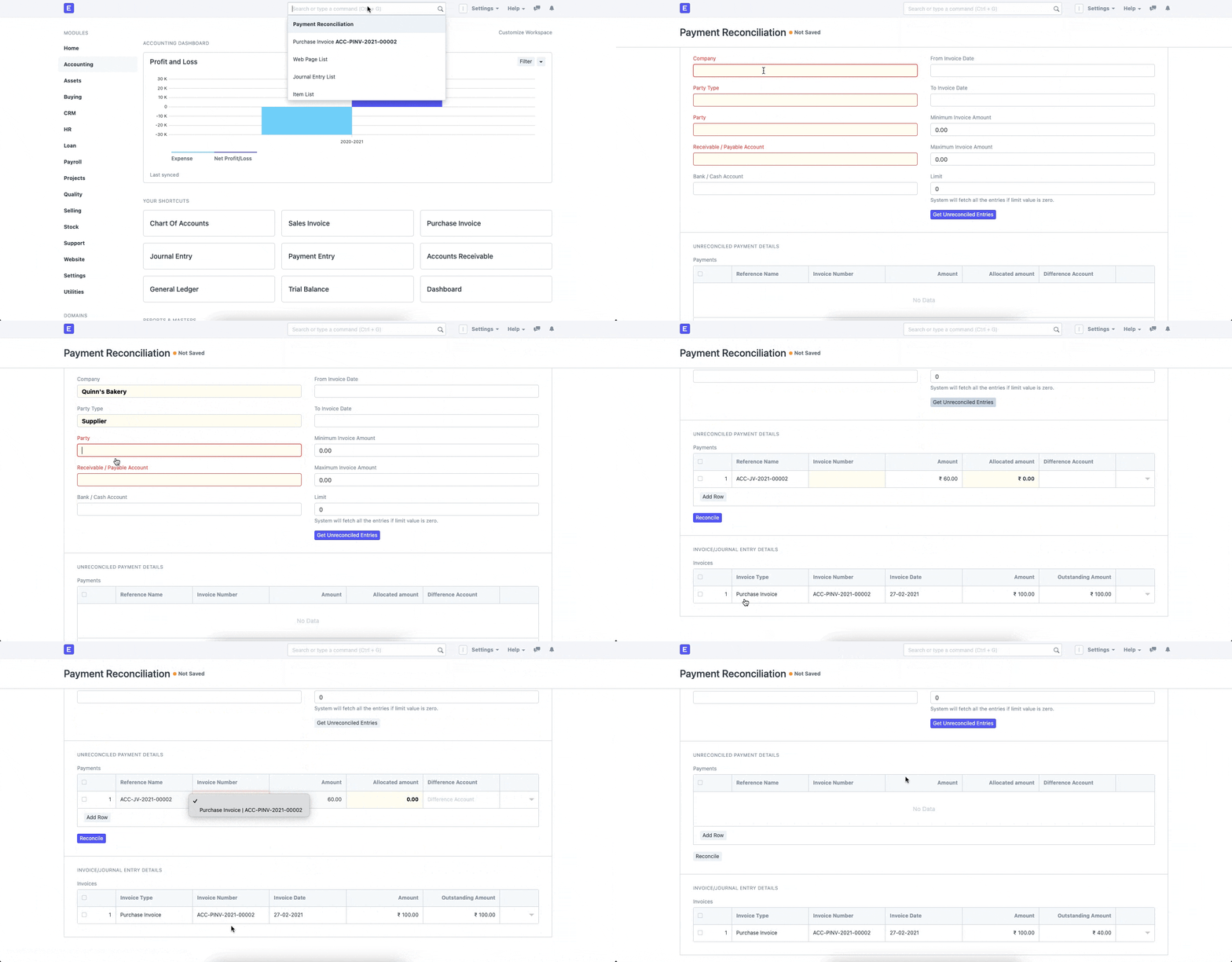
Refer to the Accounts Payable Report following reconciliation; it will no longer reflect the Journal Entry and will instead reflect (Invoiced Amount - Advance Amount):