Loan Disbursement
Loan Disbursement
Introduced in Version 13
The loan amount is prepared to be disbursed once a loan has been sanctioned. A Loan Disbursement entry is made in this regard.

Go to: to view the Loan Disbursement list.
Home > Loan Management > Disbursement and Repayment > Loan Disbursement

1. Prerequisites
You must first generate the following items before generating a loan disbursement:
- Loan
2. How to Create a Loan Disbursement
Click on New under Loan Disbursement List.
Choose the Loan to which the loan amount will be applied. The Loan will be queried to retrieve the Applicant Type and Applicant.
Date of Disbursement, enter.
Type Disbursed Amount here.
To save the draft of the loan disbursement, click "Save."
To submit the Loan Security Pledge, click "Submit."
2.1. Other ways to create a Loan Disbursement
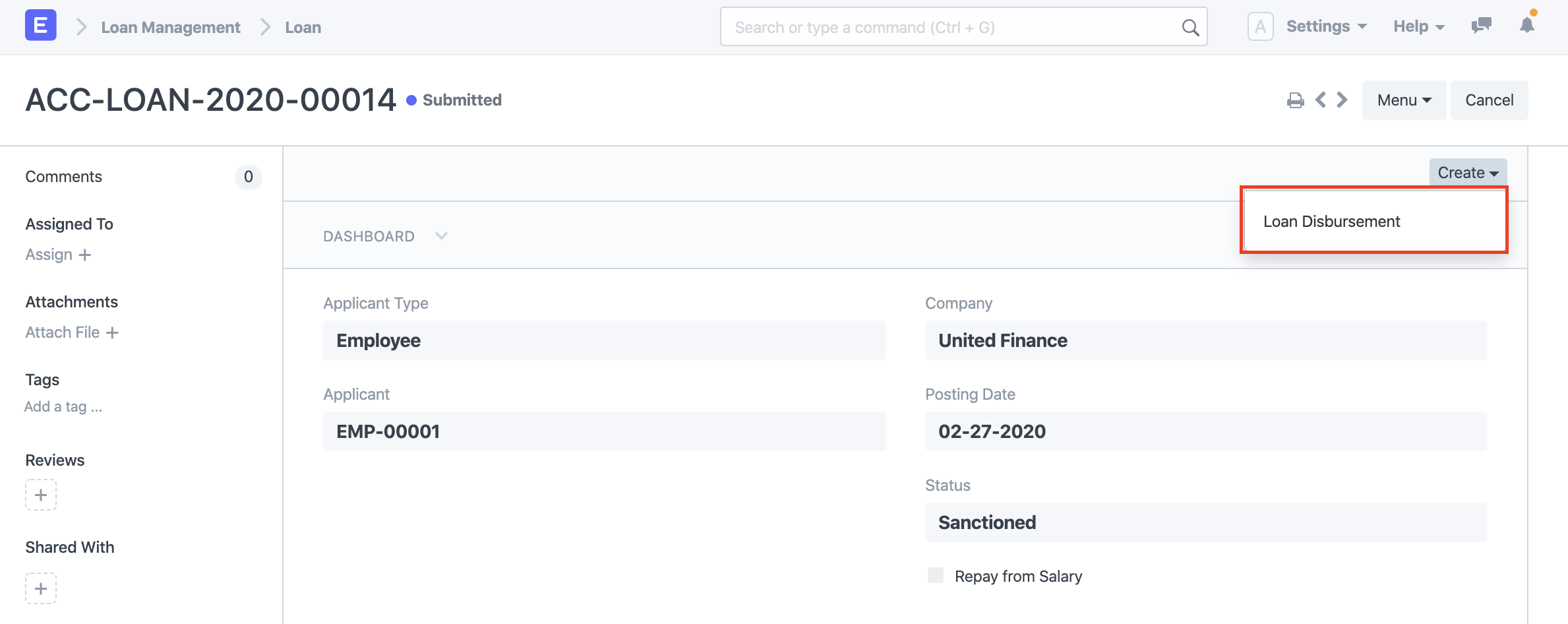
Using the Create option in the top right, you can also make a Loan Disbursement from a sanctioned Loan.
3. Features
3.1 Multiple Disbursements against a Loan
If you don't go above the permitted loan amount against a loan, you can make multiple loan disbursements.
3.2 Loan Topup
Once a portion of the loan has been returned and sufficient security is still held against the loan, loan disbursement may also be provided. One example of a loan topup is this.