Customise Cash Flow Report
Customise Cash Flow Report
The default cash flow report might not be sufficient if your chart of accounts starts to become more complicated and reporting standards alter and develop. This is due to the possibility that ERPNext may be unable to correctly determine the classification and function of each account in the charts of accounts. The inability to modify the report format to suit your requirements may be another complaint you have.
This won't be an issue anymore thanks to ERPNext's new feature that lets users customize the cash flow report.
Technical Overview
The addition of two new doctypes—Cash Flow Mapper and Cash Flow Mapping—allows for customization. Both document types have the data necessary to produce a cash flow report.
While Cash Flow Mapper obtains all of the Cash Flow Mappings that correspond to the three sections of a cash flow statement, Cash Flow Mappings illustrate how accounts in your charts of accounts map to a line item in your cash flow report.
You can create precise cash flow reports according to your needs with this. This may not make much sense at first, but it will after we use an example.
Example
Background information
Let's say we wish to create a cash flow report for a hypothetical corporation. Currently, the cash flow report looks like this:
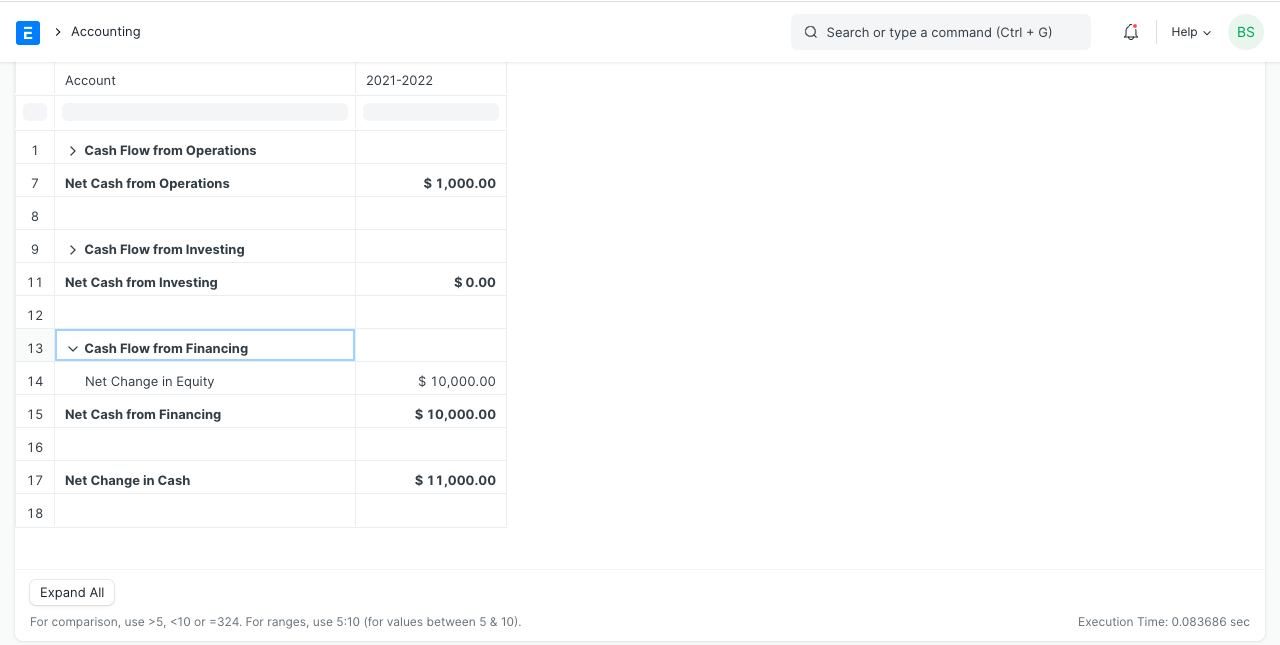
The following are the reasons why we don't like the report: - The reporting structure is too brief. - The "Net Cash From Operations" calculation is inaccurate
Customisation Process
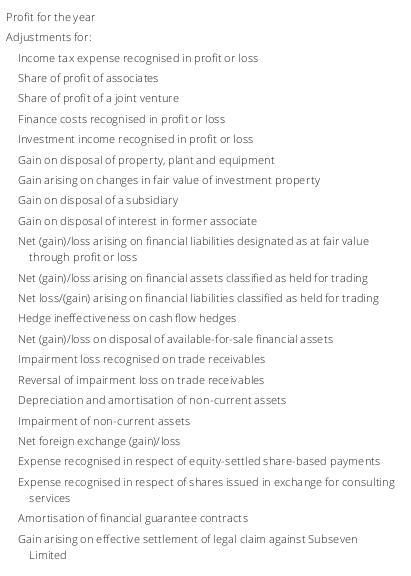
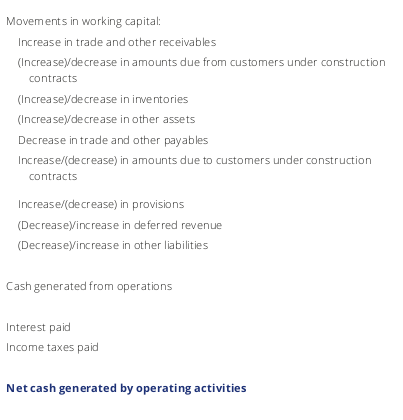
The format in the images below is what we want the Cash Flow Report to resemble:
Activate Customised Cash Flow Report
To do this, select the "Use Custom Cash Flow Format" checkbox in the Accounts Settings window. Due to this, ERPNext will only generate cash flow reports in your unique format.
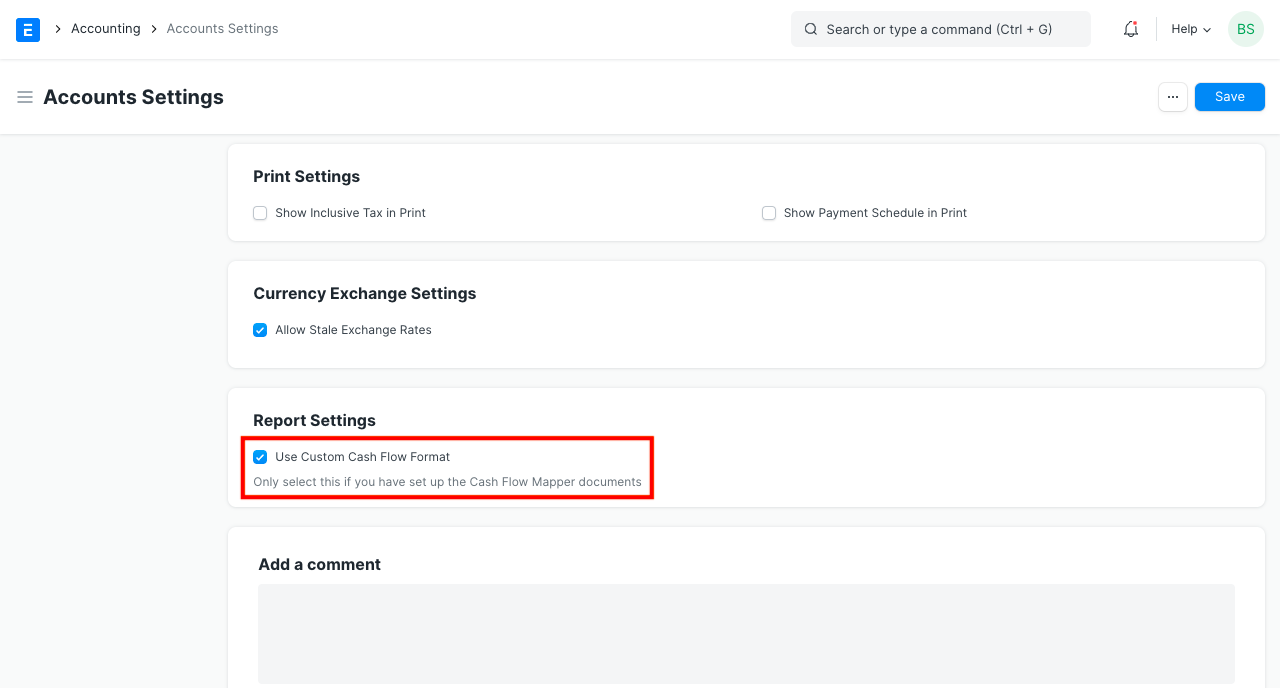
To build the report, go to the following section.
Create Cash Flow Mappings We must make a Cash Flow Mapping document to reflect each line.
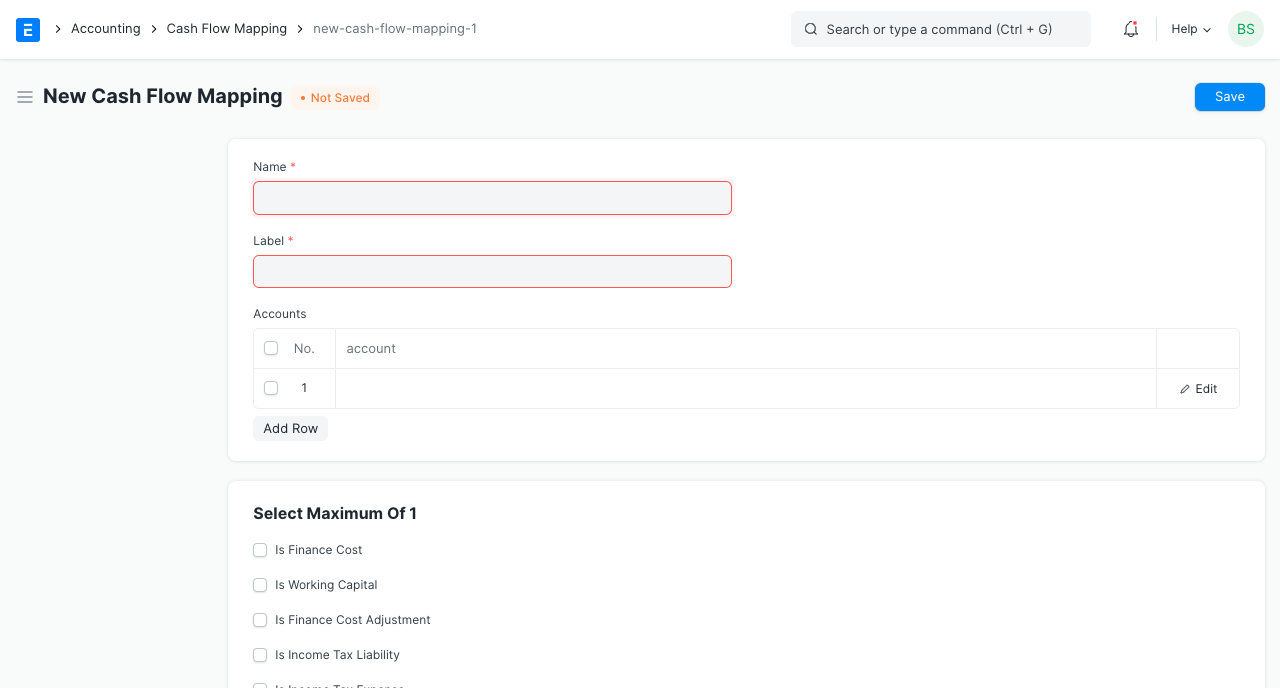
The Cash Flow Mapping can be viewed as an illustration of each line in the Cash Flow Report. A Cash Flow Mapper, which will be discussed later, is the parent of a Cash Flow Mapping.
Create Cash Flow Mappings to indicate the addition of non-cash costs that have previously been recognized in the profit or loss statement. These should appear as follows on the cash statement: - Income taxes that are included in profits or losses - Accounting for finance costs in profit or loss - Non-current asset depreciation
Open a fresh Cash Flow Mapping form first.
The Cash Flow Mapping doctype's fields are as follows: - Name: Use this to give this document a name. Give it a name that corresponds to the label. This will appear on the cash flow statement, according to the label. All of the accounts to which this line is related are listed in this table.
Let's go ahead and make the Cash Flow Mapping Document for the line "Income taxes recognized in profit or loss" using this information.
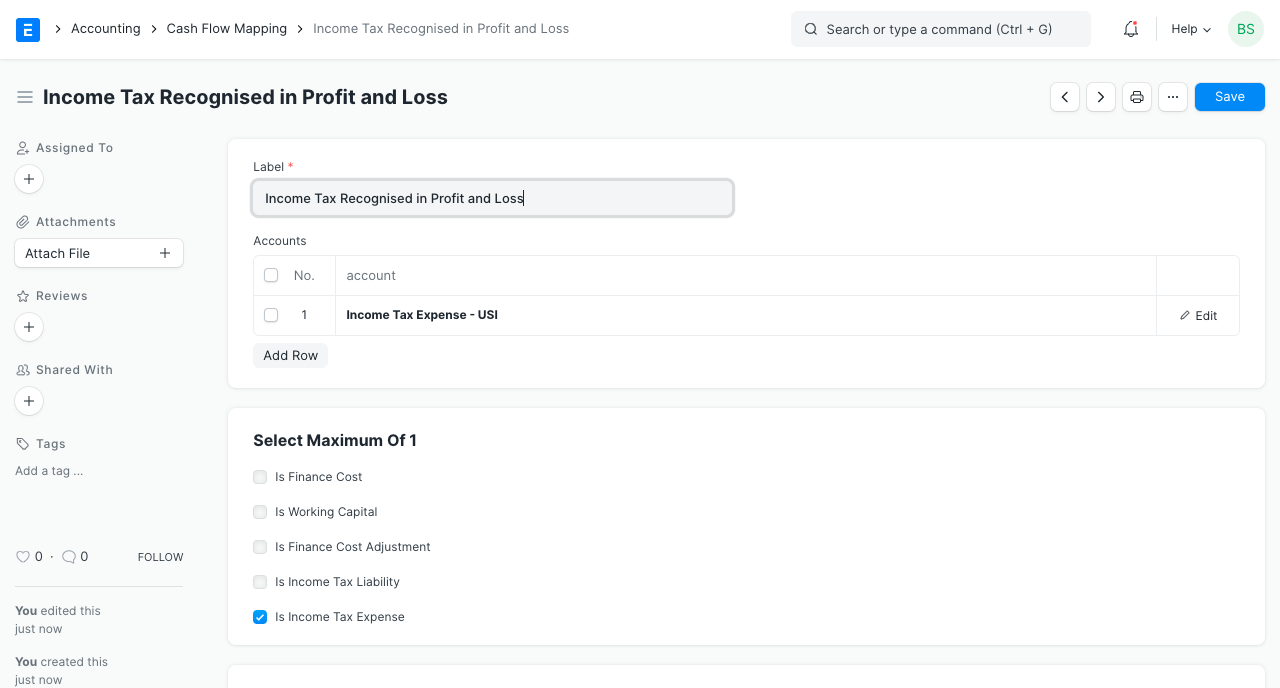
I've given it the names "Income Tax Charge" and "Income taxes recognized in profit or loss." We want the income tax charges from our profit or loss statement to appear on this line. As "Income Taxes" (an cost) is the name of the account in our chart of accounts where this occurs, I have added it to the accounts table. You should include all of your accounts that indicate income tax expenses if you have any more accounts.
Check the "Is Income Tax Expenditure" checkbox if the cash flow statement needs to make further adjustments for income tax expense. This will make it easier for ERPNext to calculate the necessary modifications.
While ERPNext will calculate the net change of all children accounts when the selected account is a parent account, it is recommended to let parent accounts have child accounts that receive the same treatment for cash flow reporting reasons.
I have created the remaining two mappings in a similar manner.
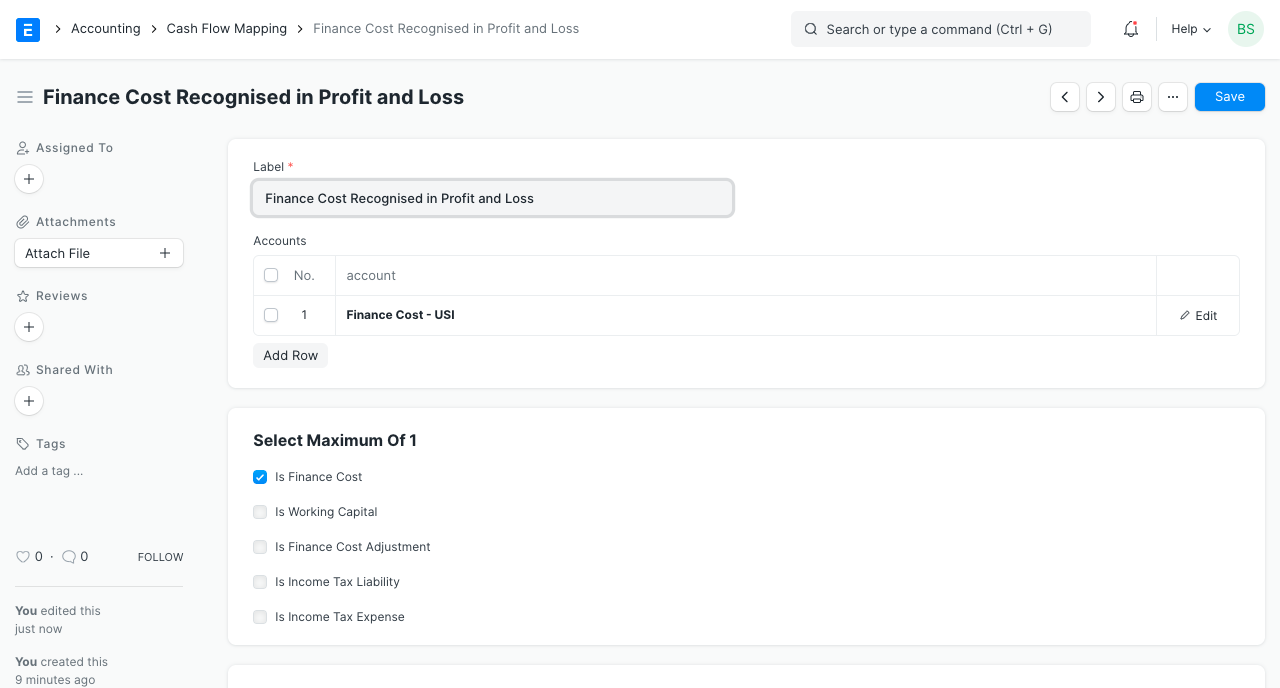
Make careful to tick the "Is Finance Cost" item because finance charges also need to be modified.

Adding Cash Flow Mapping for items that display changes in working capital is the next step:
1.Changing/declining other liabilities
2.Recurring trade and other receivables (increase)/decrease
3.Change in the amount of trade and other payables
4.VAT is due.
5.Inventory (increase)/decrease
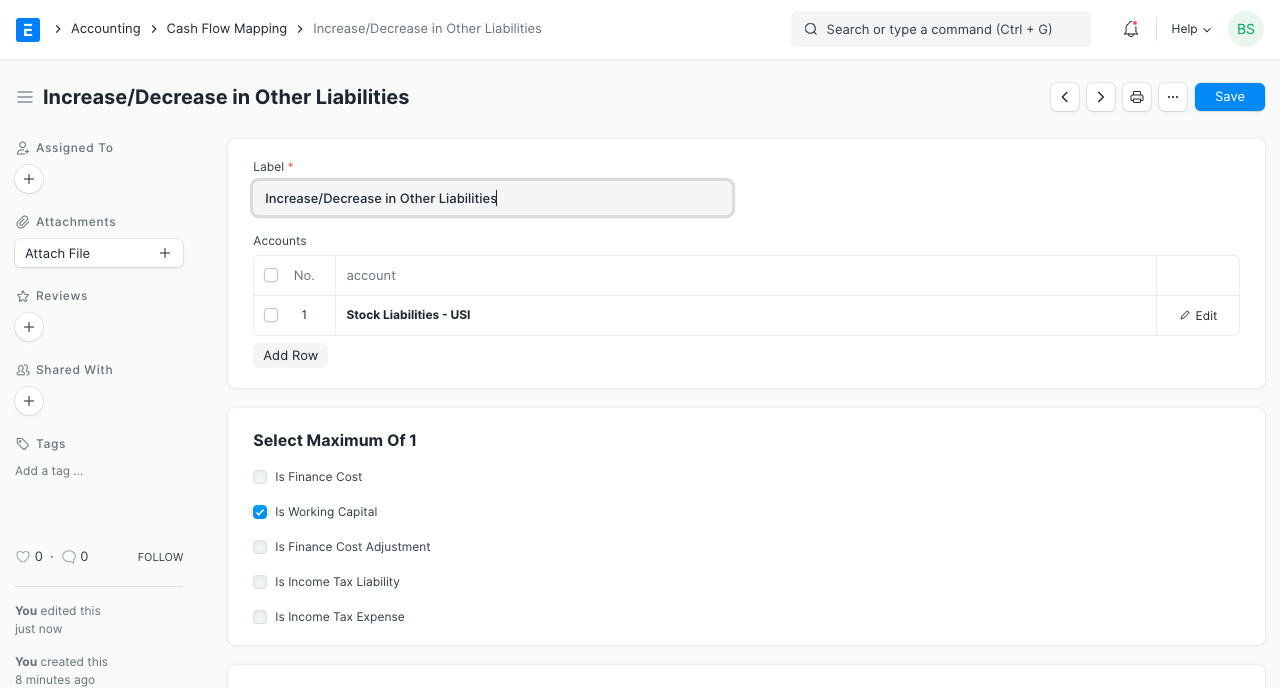
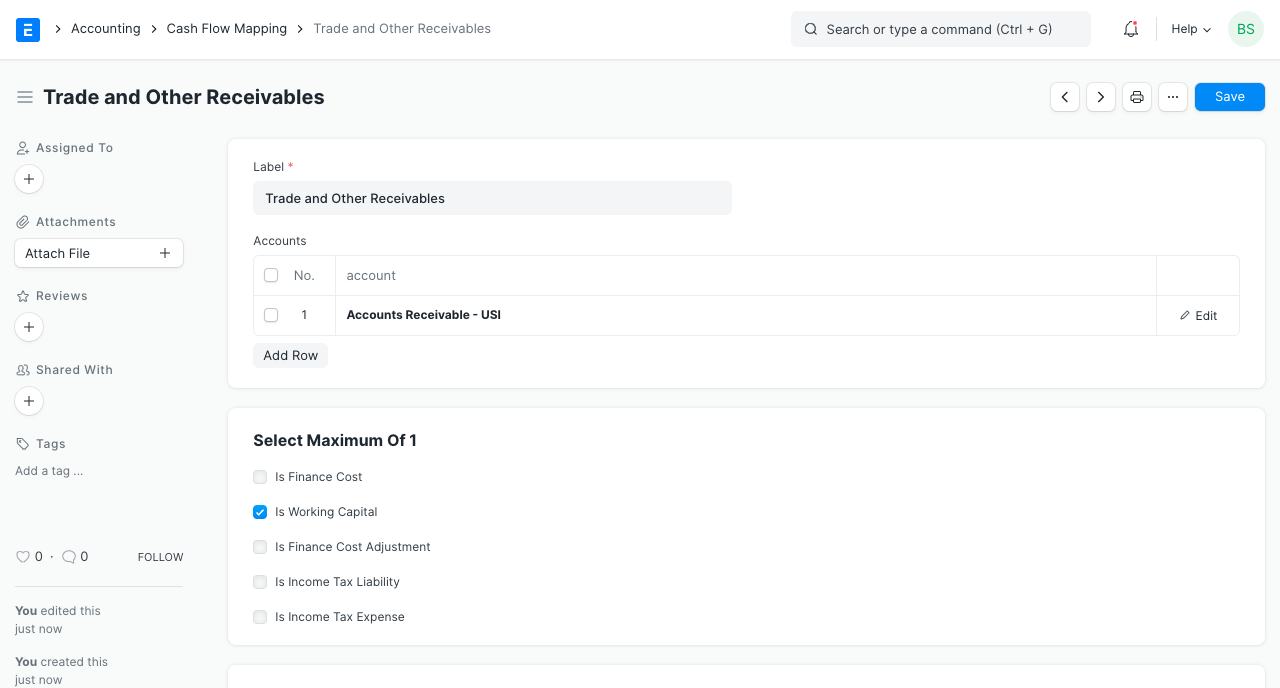
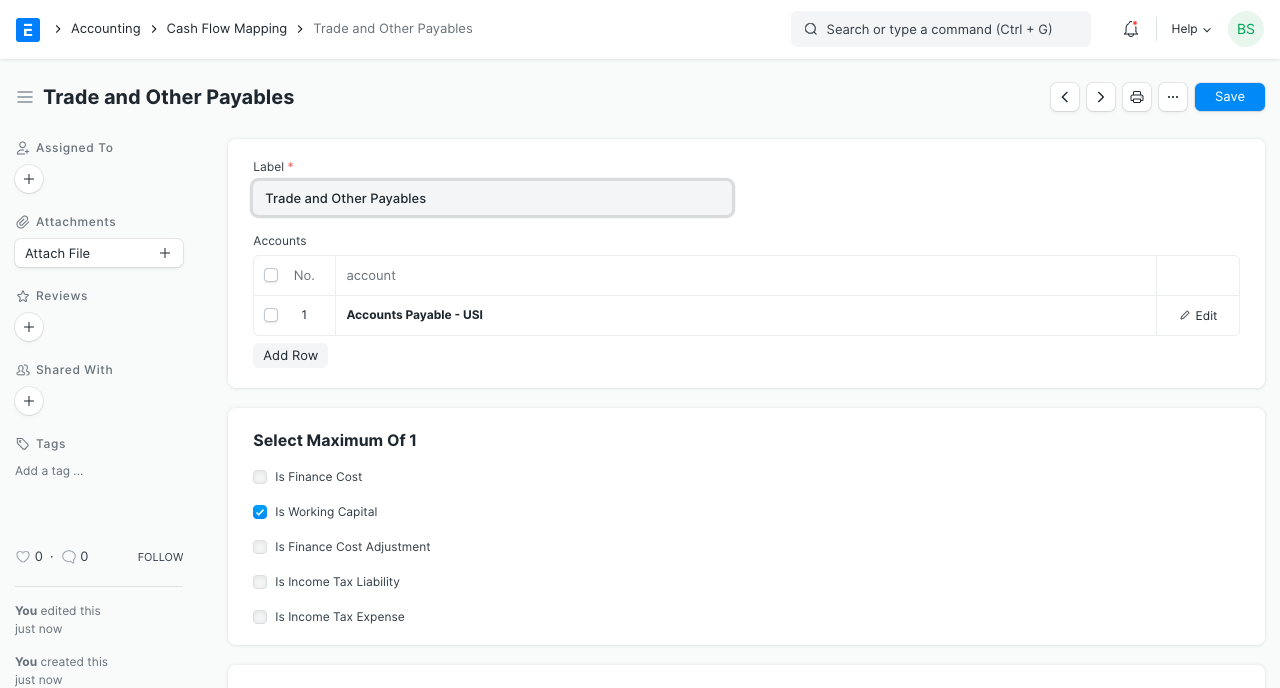
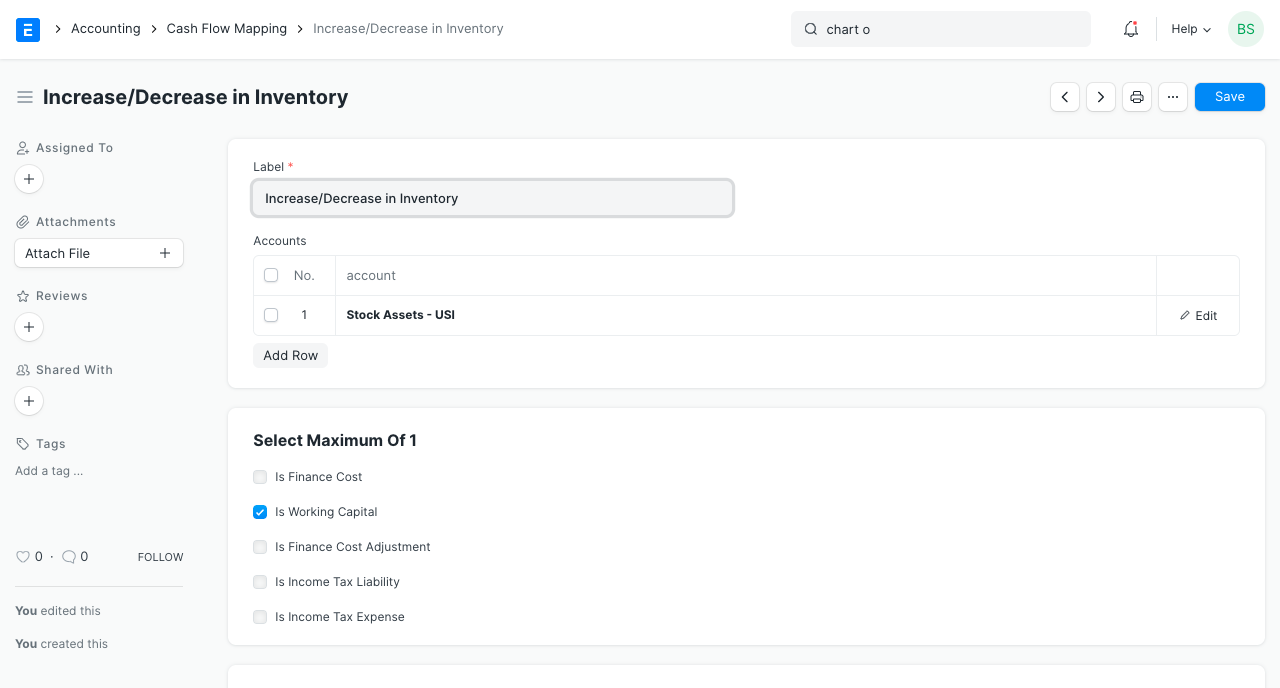
Don't forget to choose the "Is Working Capital" checkbox to inform ERPNext that these mappings represent changes in working capital.
At this point, we have finished making all the mappings required for our cash flow statement's Operational Activities column. ERPNext won't be aware of that, though, until we generate Cash Flow Mapper documents. The next step is to construct Cash Flow Mapper papers.
Create Cash Flow Mappers The sections of the cash flow statement are represented by Cash Flow Mappers. When you visit the Cash Flow Mapper list, you will see that three sections have been created for you and are named as follows: - Operational Expenses - Financial Resources - Financial Transactions
Although you won't be able to add or remove any of them, you can change and rename them.

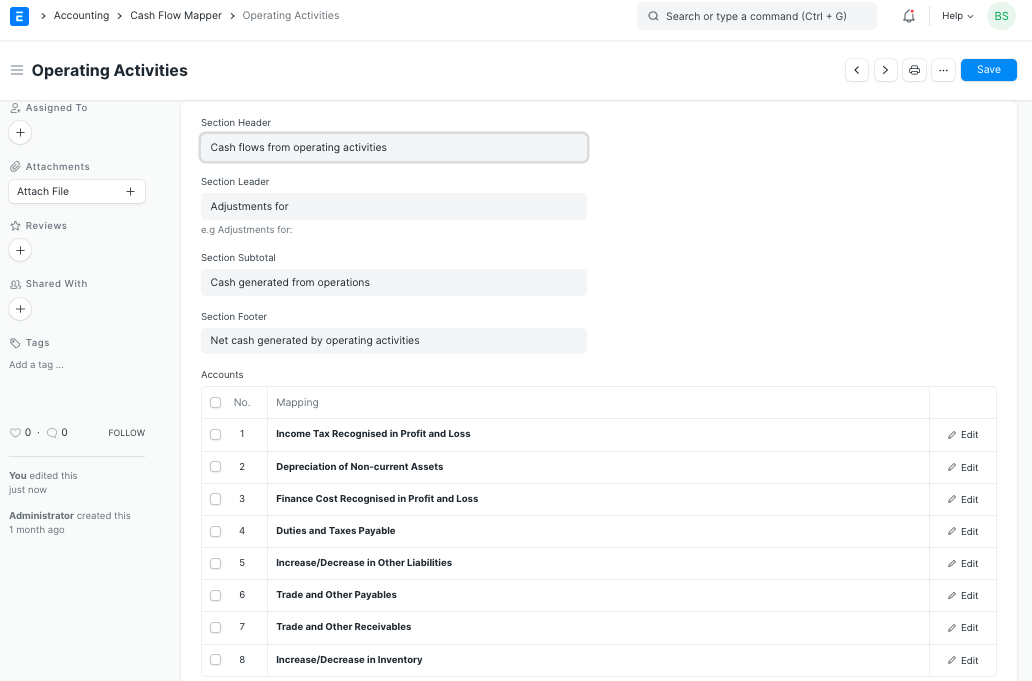
To add the Cash Flow Mappings we've built, open the Operational Activities Cash Flow Mapper.
1.Section Name: The section's heading is as follows.
2.*Section Leader: The first sub-header that follows the profit amount is this one. only pertains to operational activities Flowchart Cash
3.Section Subtotal: Subtotal in the cash flow statement part is denoted by this term. only pertains to operational activities Flowchart Cash
4.Section Footer: The sum in the cash flow statement section is designated by this label.
5.Mapping: All of the Cash Flow Mappings associated with the Cash Flow Mapper are listed in this table.
Add all of your previously constructed cash flow mappings, then hit Save. You ought to have something similar to this:
See the adjustments by refreshing the cash flow statement.
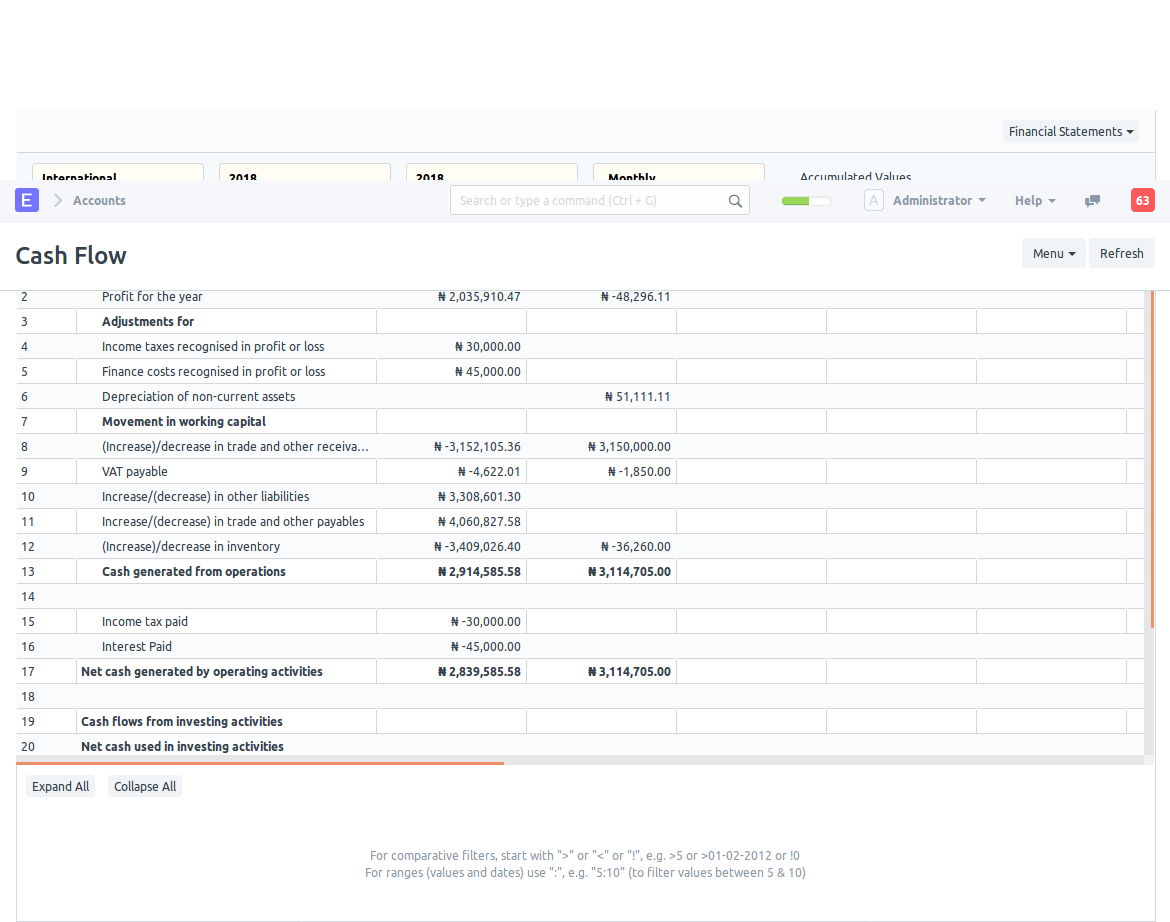
Although it seems to meet our needs, we are not yet finished. Make new mappings for the cash flow statement's "Investing Activities" and "Financing Activities" sections.


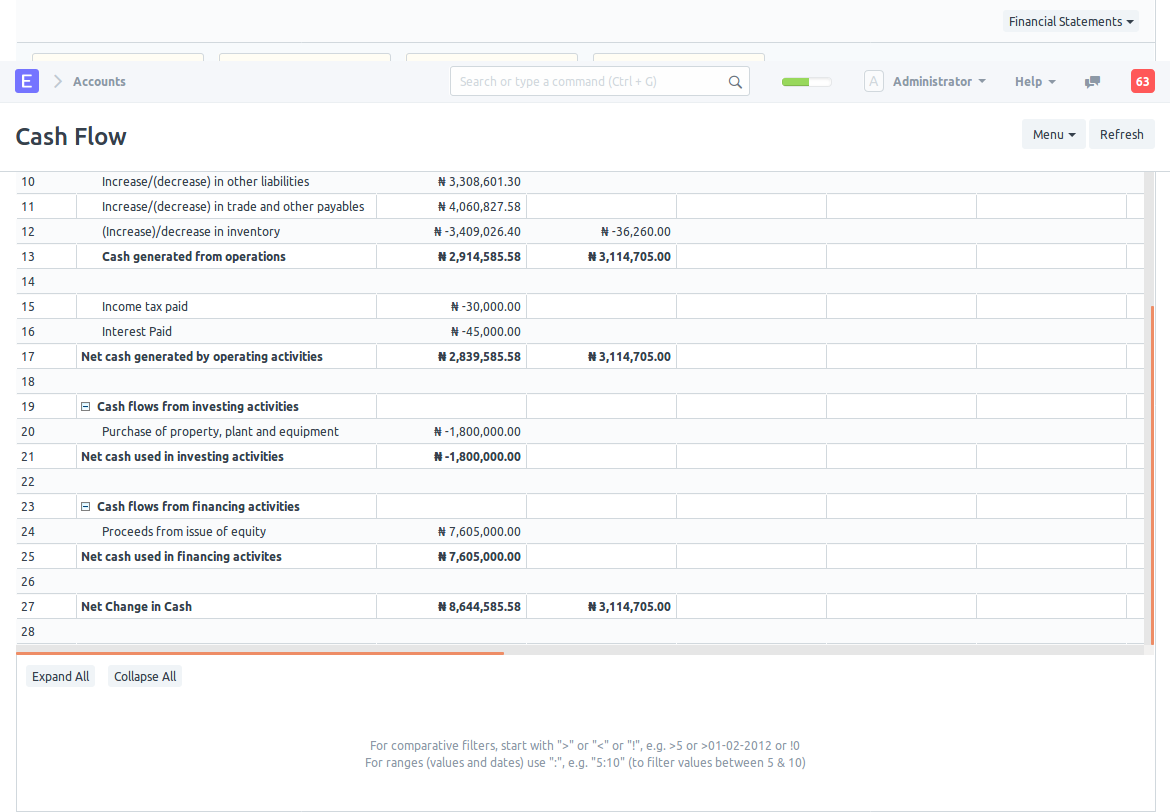
Here is how our cash flow statement now appears: