Blanket Order
Blanket Order
A blanket order is a request from a customer for materials for particular products to be supplied over time at pre-arranged prices.
Sales orders can be created from a blanket order based on the customer's specified delivery schedule. With blanket orders, consumers can take advantage of fixed rates by committing volumes within a set time frame while avoiding having to store commodities in large amounts.
Go to: to access Blanket Order.
Home > Selling > Sales > Blanket Order
1. Prerequisites
It is suggested that you first create the following before making and using a Blanket Order:
- Customer or Supplier
- Item
2. How to Create a Blanket Order for Sales and Purchase
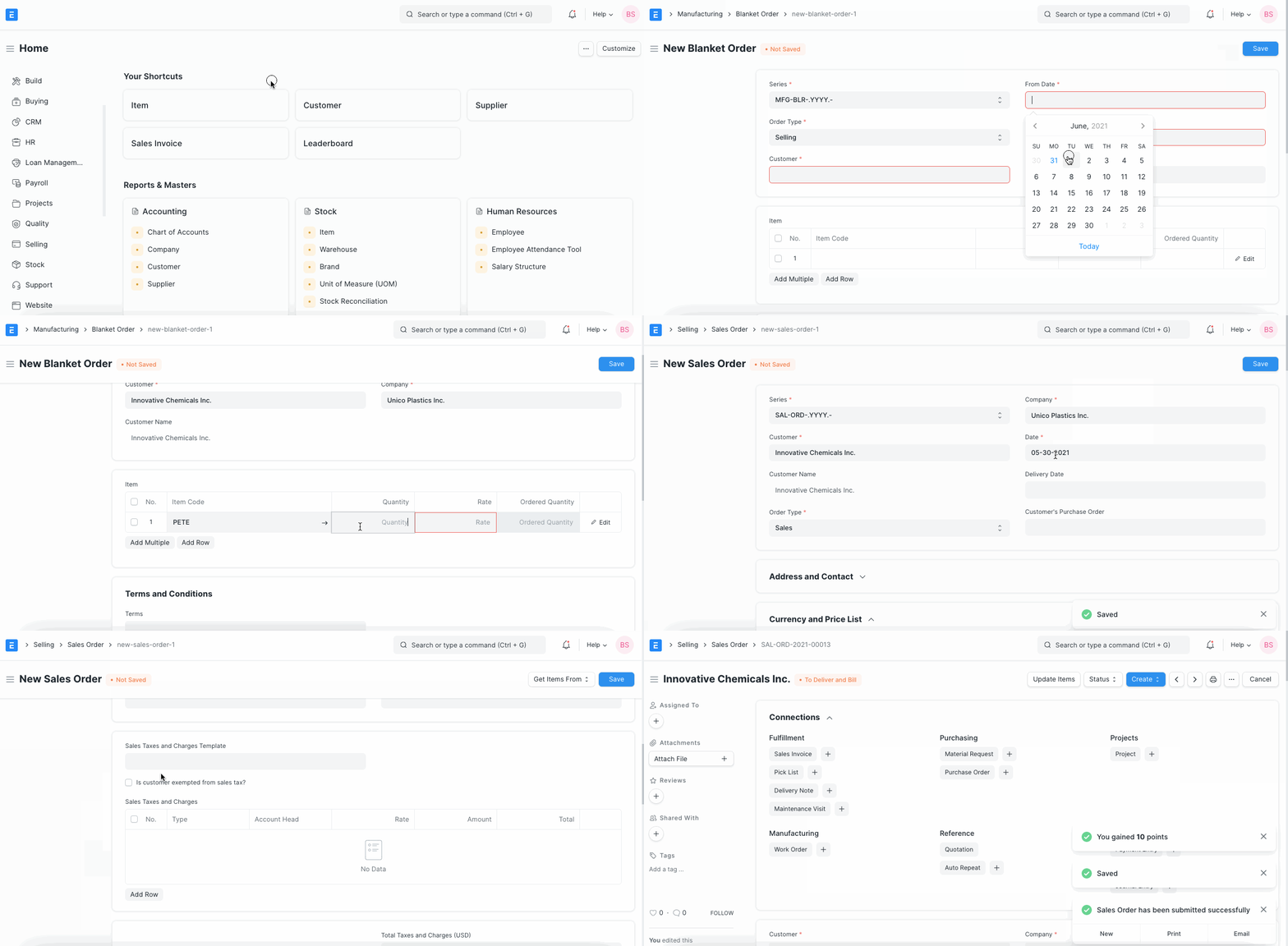
Click New in the Blanket Order list.
Choose Selling or Buying under Order Type.
Choose Supplier/Customer.
Selecting From Date and To Date will allow you to specify the order's validity term.
In the Item table, provide the item code, quantity, and rate. Also, you might mention each item's terms and conditions.
Submit.
3. Features
3.1 Create Sales Orders
Following the placement of a sales order, the "Ordered Quantity" field will be changed. After submitting a Blanket Order, you can add new Sales Orders by selecting Sales Order from the Create menu.
3.2 Create Purchase Orders
Once a purchase order is placed, the "Ordered Quantity" field will be updated. After submitting a Blanket Order, you can generate subsequent Purchase Orders by selecting Purchase Order from the Create menu.
3.3. Create Quotations
After submitting a Blanket Order, you can add new Quotations by selecting Quotation from the Create button's drop-down menu.
3.4. Dashboard
On the Dashboard, you may access Purchase Orders, Sales Orders, and Quotes related to this Blanket Order.
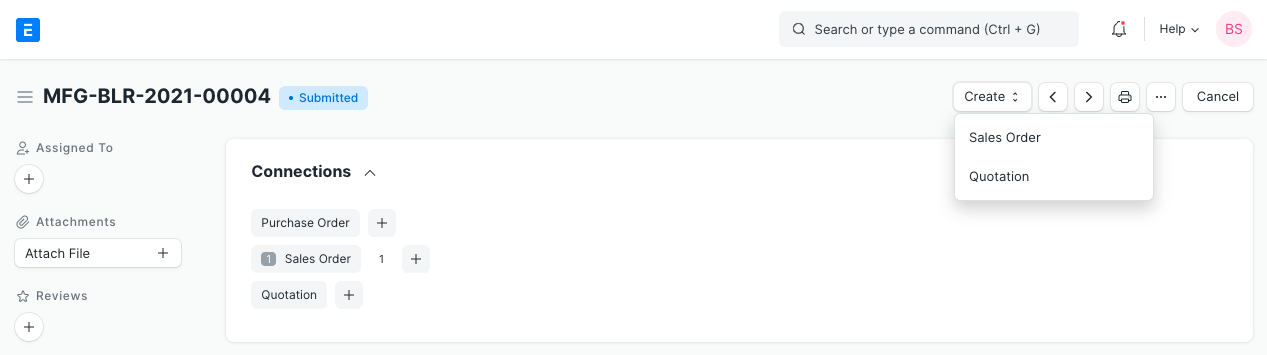
Note: One blanket order may be used to make many sales orders, purchase orders, and quotations.