Managing Fractions in UOM
Managing Fractions in UOM
Unit of Measurement is the abbreviation. Numbers (Nos), kilograms, liters, meters, boxes, and cartons are a few instances of UoM.
Few UOMs cannot be valued to several decimal places. If an object has television as its UoM, for instance, we are unable to have 1.5 televisions or 3.7 computer sets. For these items, the quantity value must be a full number.
You can specify whether or not a specific UoM can have a value in a decimal place. All UOMs will by default permit values with decimal places. You should adhere to these instructions if you want to limit the number of decimal places or the value in a fraction for any UoM.
UOM List
For UOM list, go to:
Stock > Setup > UoM
From the list of UOM, select UOM for whose value in decimal place is to be restricted. Let's assume that UoM is Nos.
Configure
In the UoOM master, you will discover a field labeled "Must be whole number". Tick this field to limit user from enter value in decimal places in quantity field, for item with this UOM.

Validation
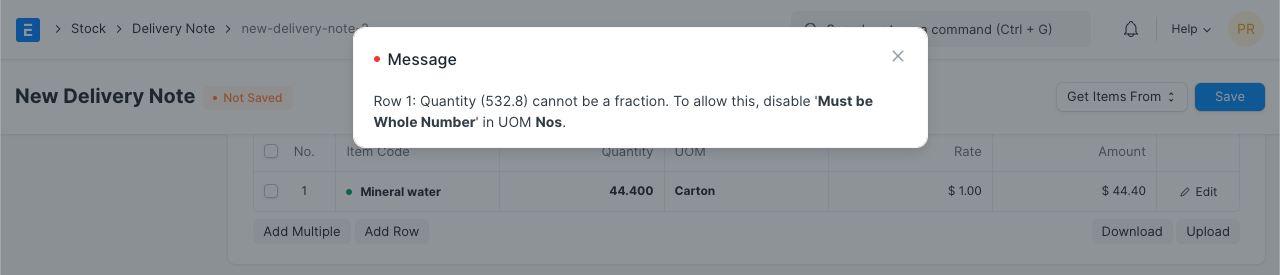
On establishing transaction, if you enter value in fraction for item whose UOM has "Must be whole number" checked, you will get error message stating:
Quantity cannot be a fraction at row #