Deleting and Restoring Documents
In Geer ERP, you can delete a document if not needed. They can be masters like Items, Customer or transactions like Sales Order, Payment Entries, etc.
You can choose "Delete" from the dropdown menu next to a document to get rid of it.
.png)
Multiple Cancelled records may be chosen and deleted simultaneously from the List View for bulk deletion.
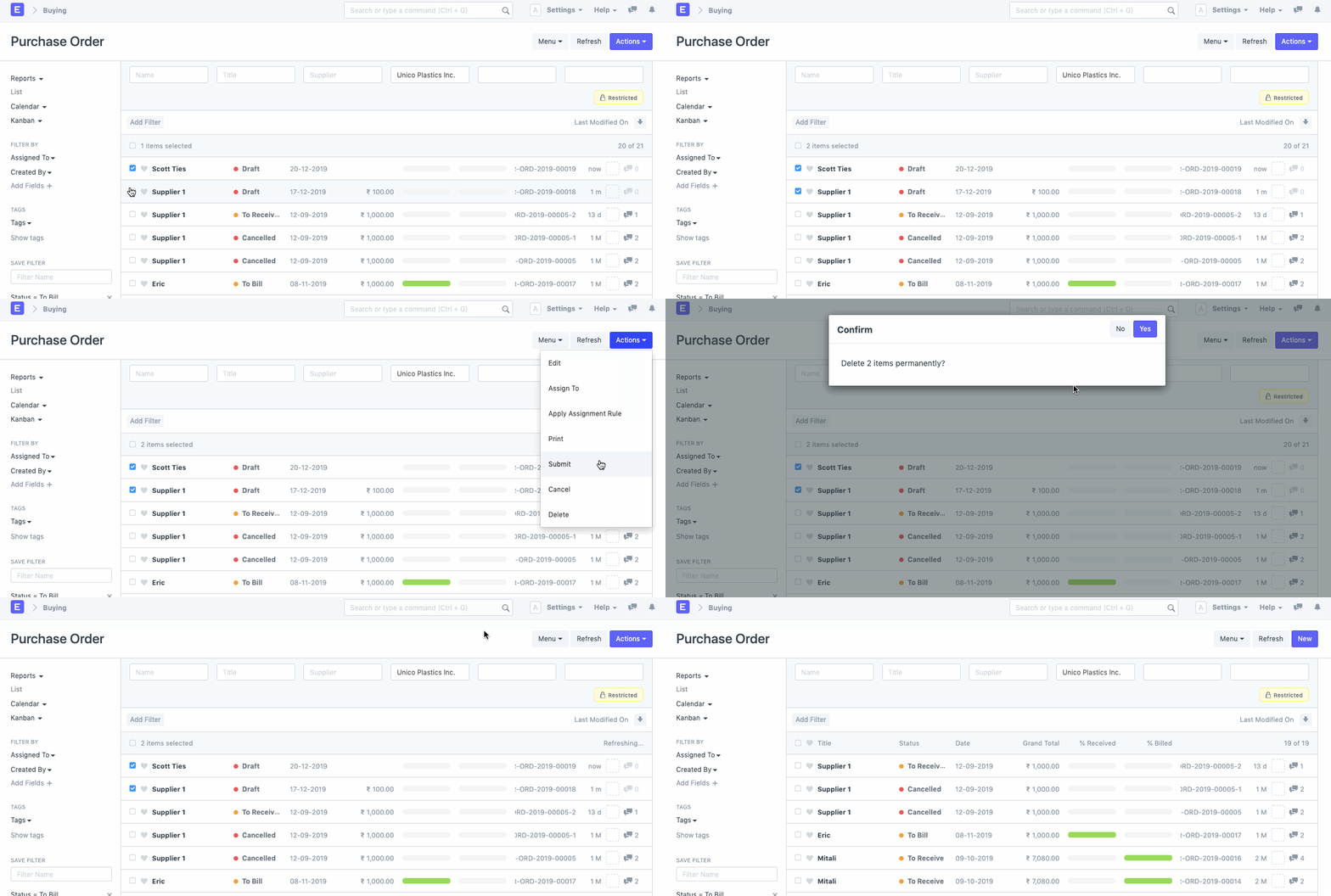
Note: Any submittable document will not be deleted after submission. To delete a submitted document, you will be required to first 'cancel' the document.
Restoration of Deleted Documents
Additionally, any document can be recovered from the Deleted Documents list if it was accidentally deleted or is needed again after deletion.
Go to: to access Deleted Documents.
Home > Settings > Data > Deleted Documents
1. How to Restore Deleted Documents
- Access the Deleted Documents List.
- Dispatch the deleted document
- Select "Restore" from the menu.
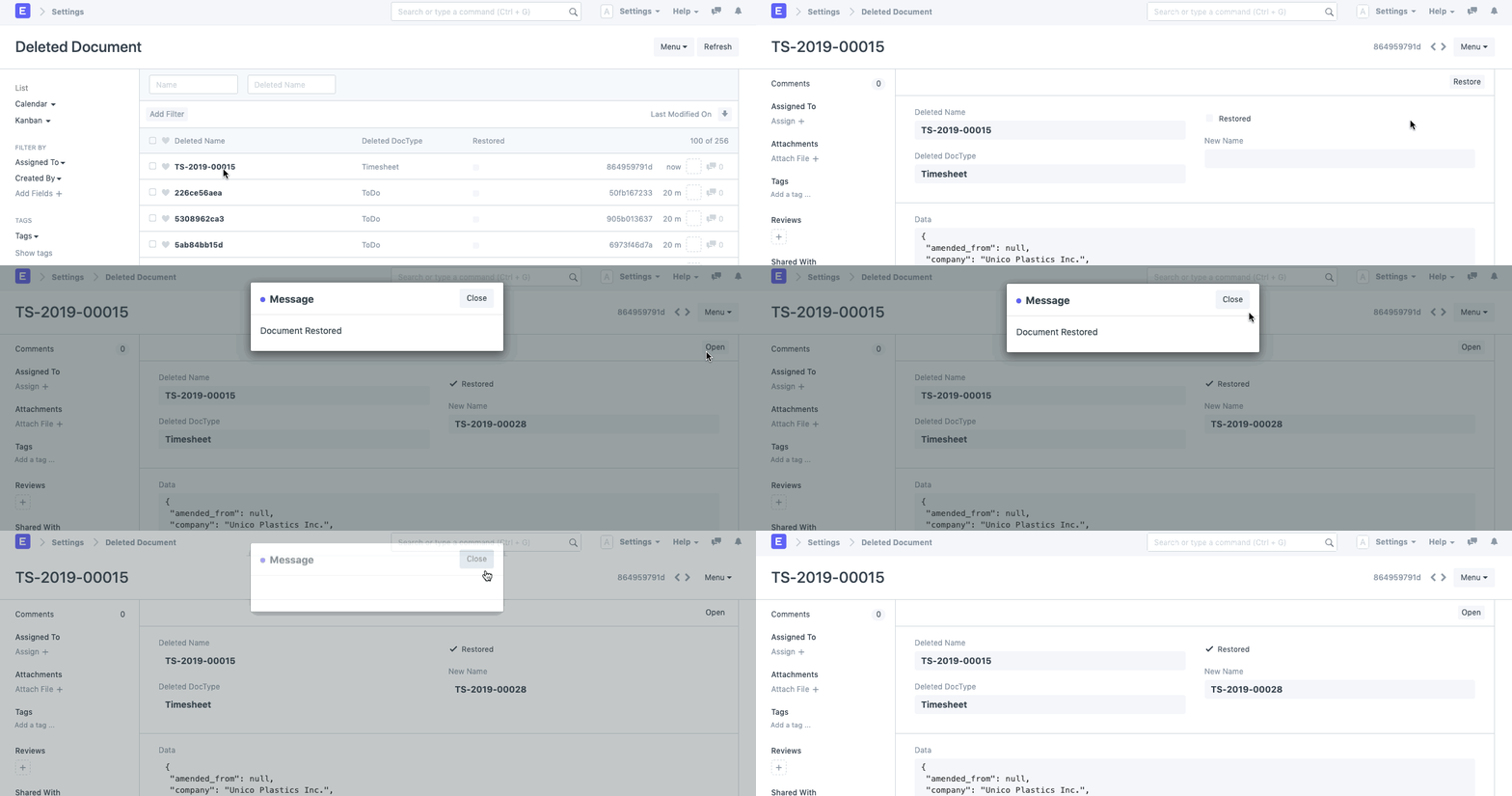
Note: If the document was deleted after getting * canceled*, it would be restored with a new name.
Further, Only those Users having System Manager Role assigned to them can restore deleted documents.