Filter by
Filter By is an option wherein you can filter your search results while viewing a list or a report.
All lists and reports include a "Filter By" option on the left sidebar.
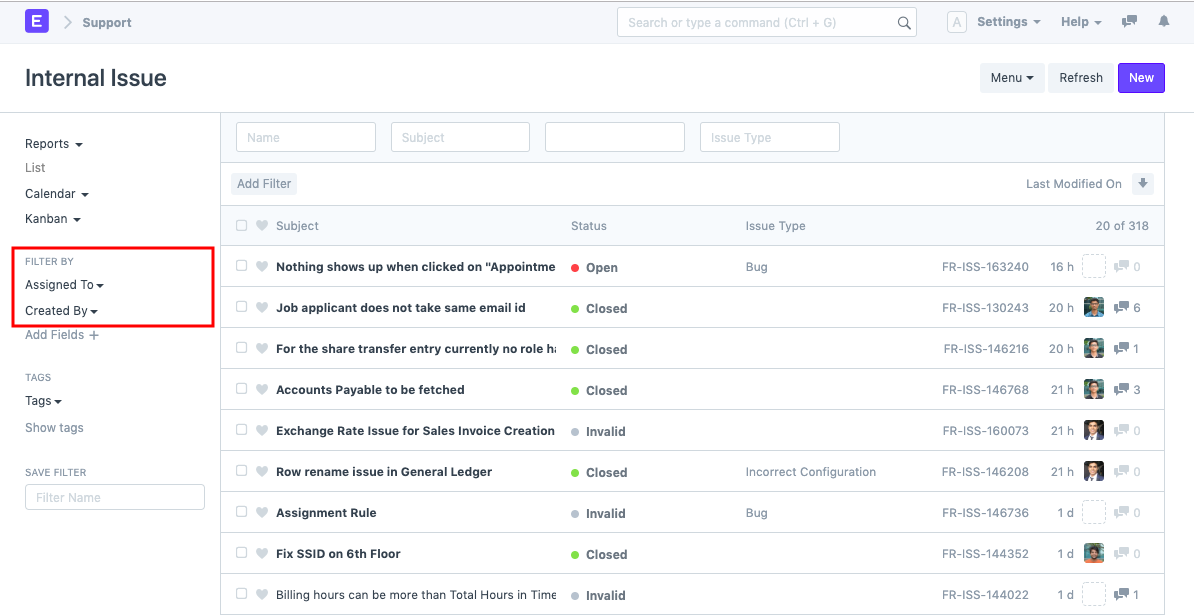
The system comes with two classification options by default.
Assigned to
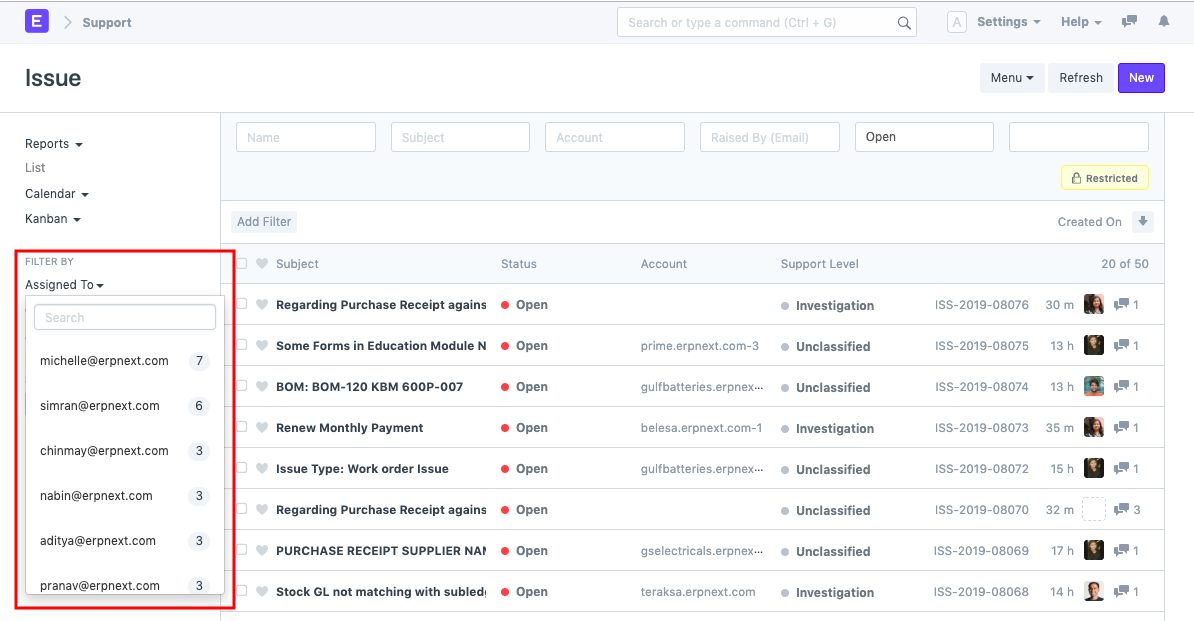
You can filter the search results while reading a list or report of documents such as Issues, Leads, or Opportunities to only see the documents allocated to a specific person. You can see how many documents have been assigned to each person in the Assigned to drop-down menu.
Created By
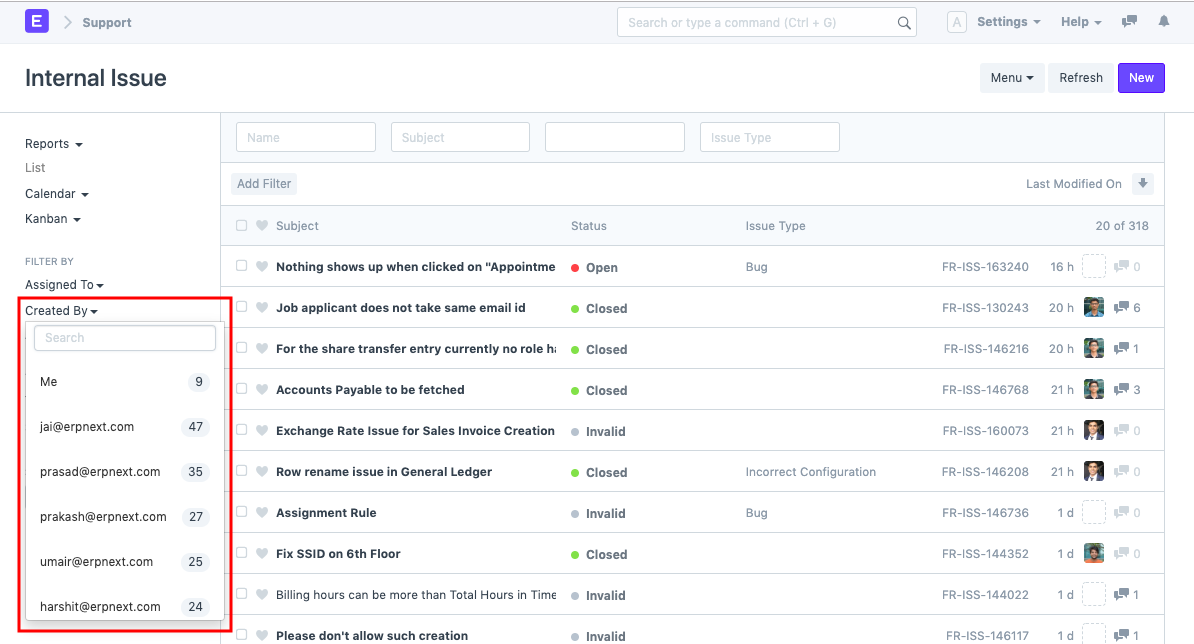
You will be able to categorize the document according to the entity that created it, just like you can with Assigned To. For instance, you can see all the issues brought up by a specific entity here.
Add fields
You can add additional Filter By fields to any document list or report in addition to the two pre-existing options, depending on your needs.
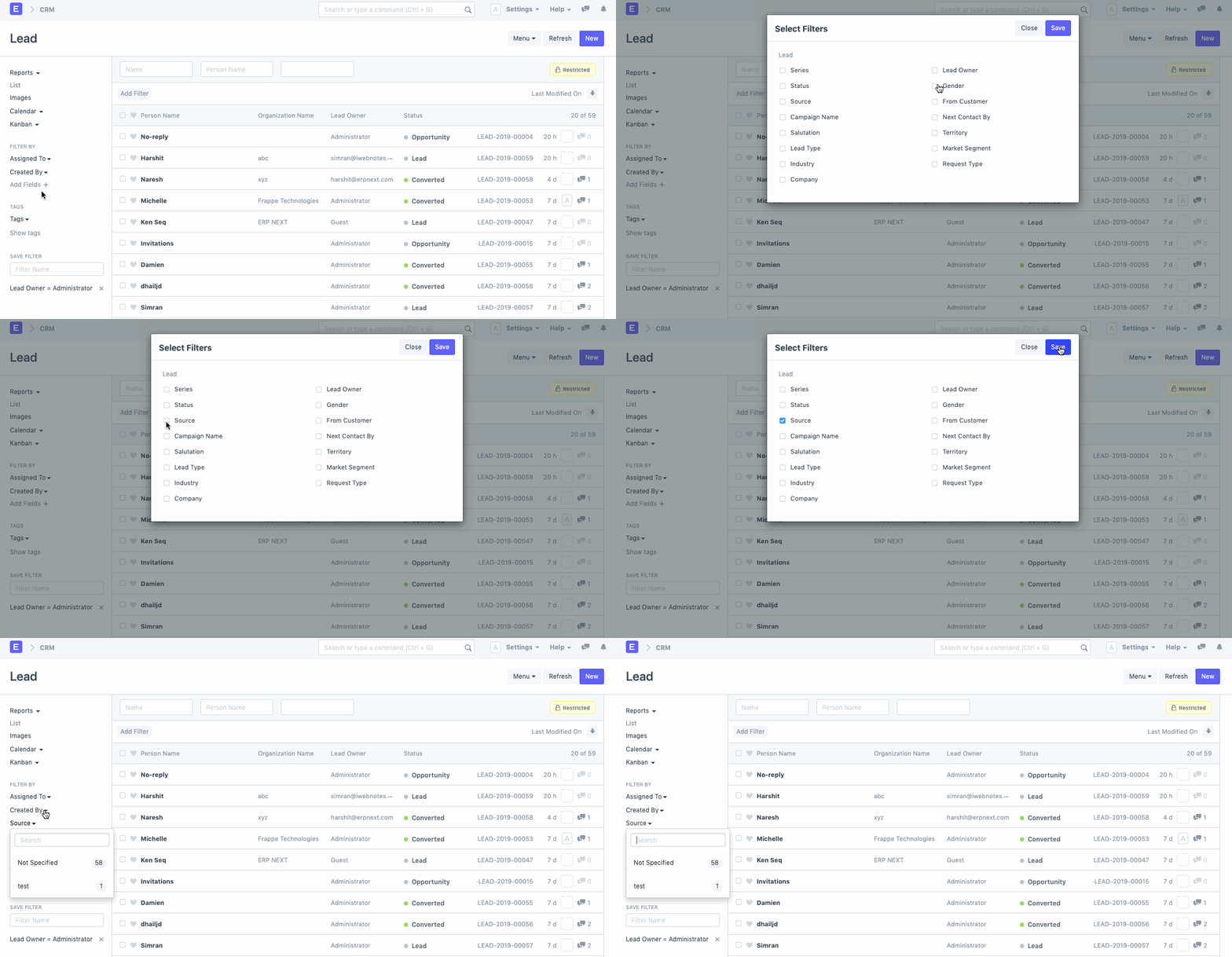
You can add additional Filter By fields to any document list or report in addition to the two pre-existing options, depending on your needs.