Loyalty points redemption in POS
Loyalty points redemption in POS
Bills are automatically created in the POS module of ERPNext. With the following configuration steps, your entire POS system may be configured correctly:
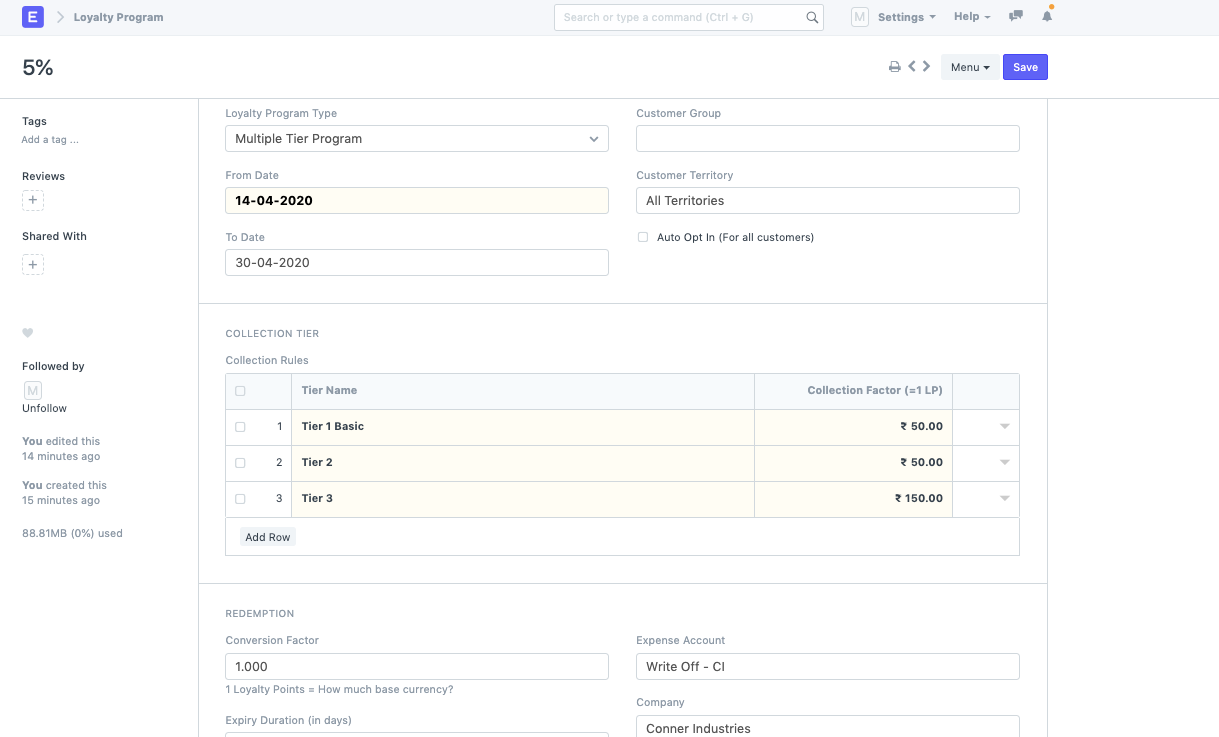
- Design a Loyalty program for the doctype: Based on the slabs that are present in the purchase amount that is made in ERPNext, you can set a single tier or multiple tier program.
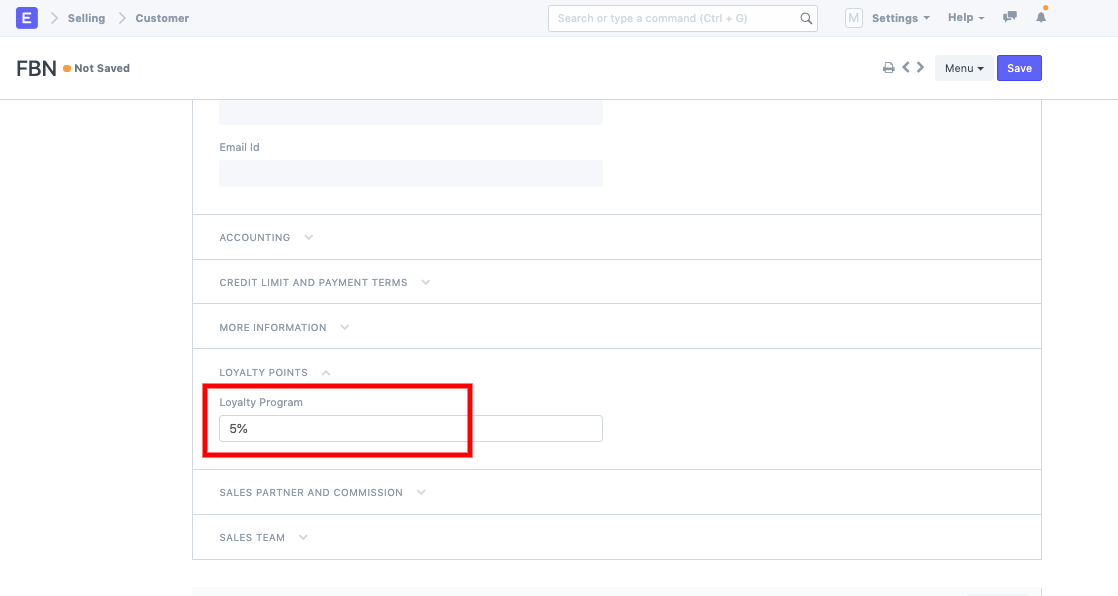
You can establish a customer and connect the loyalty program to it once the loyalty program is configured.
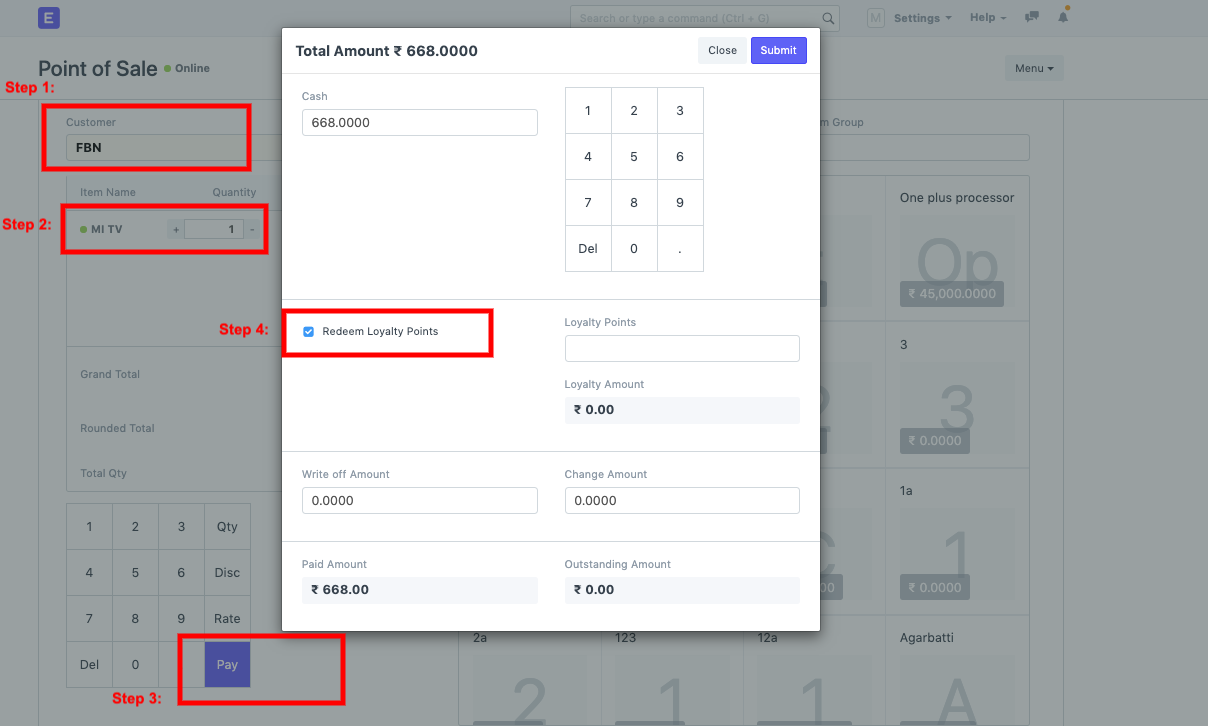
Now, you can go to POS transaction:
- Select Customer
- Add items
- Pay
- Check the field --> Redeem Loyalty Points