Post Dated Cheque Entry
Post Dated Cheque Entry
A post-dated check has a future date on it. Usually, the party provides a postdated check as payment in advance. When the cheque date comes, only then will this check be cleared.
Create a payment entry in ERPNext for the post-dated check.
New Payment Entry
Visit to create a new journal voucher.
Explore > Accounting > Payment Entry > New
Set Posting Date
If your check's date is December 31, 2016, (or any future date). As a result, this posting will show up on the amended Posting Date in your bank ledger.
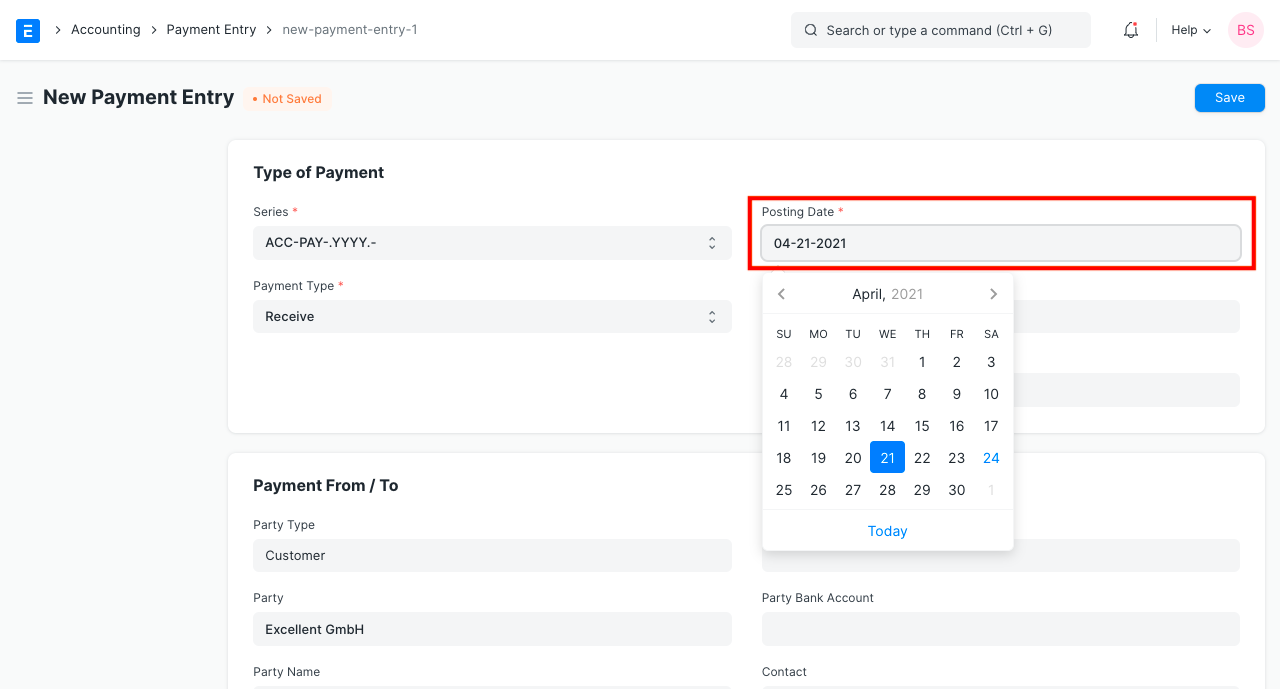
Note: The Posting Date should be less than or equal to the Payment Entry Reference Date.
Step 3: Save and Submit
After providing the necessary information, save and submit the payment entry.
Adjusting Post Dated Cheque Entry
Using the Payment Reconciliation Tool, you can modify a Post Dated Payment Entry against an invoice.
You can alter the clearance date of a check using the bank reconciliation tool when the check is cleared, or on the actual date printed on the check.
The value of this Payment Entry may already be reflected against the bank account in the Chart of Accounts. To find out the difference between the system-generated bank balance and the real balance on the bank statement, you need examine the Bank Reconciliation Statement, a report in the account module.