Bulk Assign Tasks in a Project
Bulk Assign Tasks in a Project
Use Case: It is necessary to bulk assign a User to all the Tasks in a Project.
Steps:
1)Create a project, first.
2) Establish tasks inside the project.
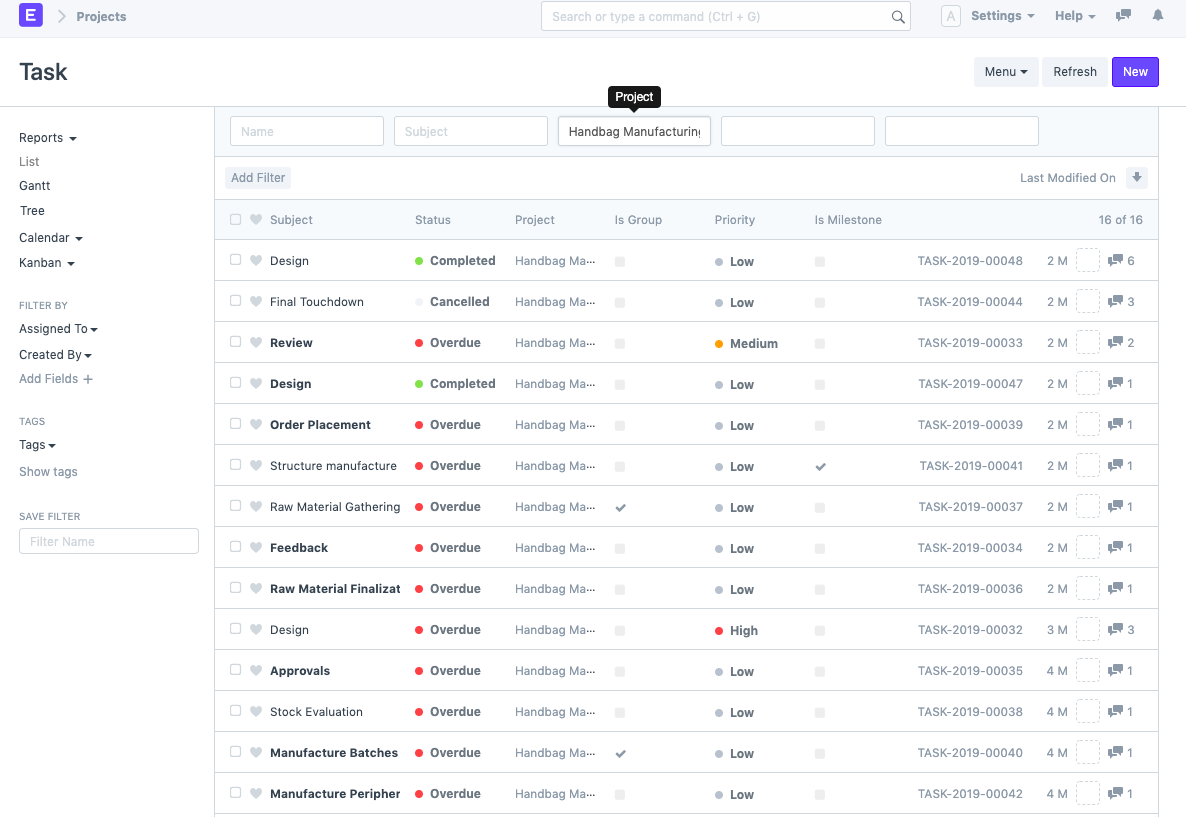
3) Choose the Project from the Task List to filter the Tasks as shown below:
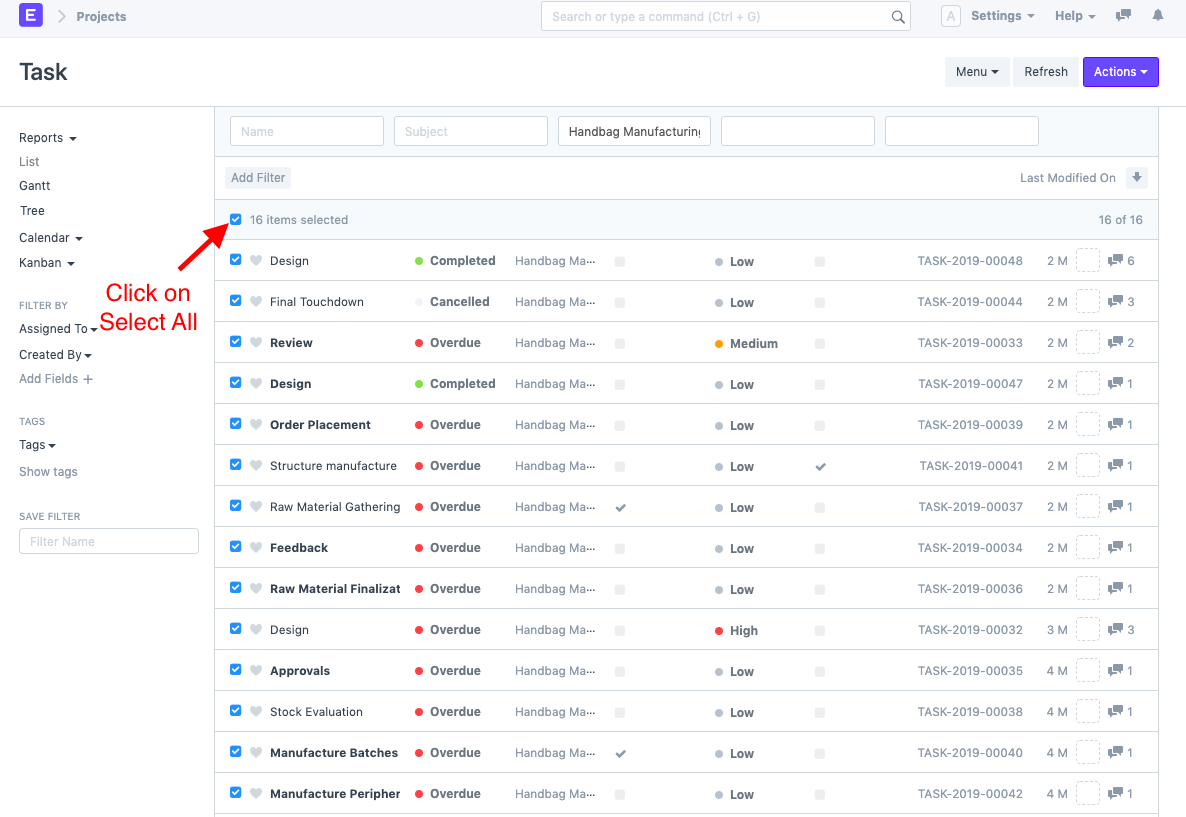
4) Choose every task (or the Tasks you wish to assign to the User).
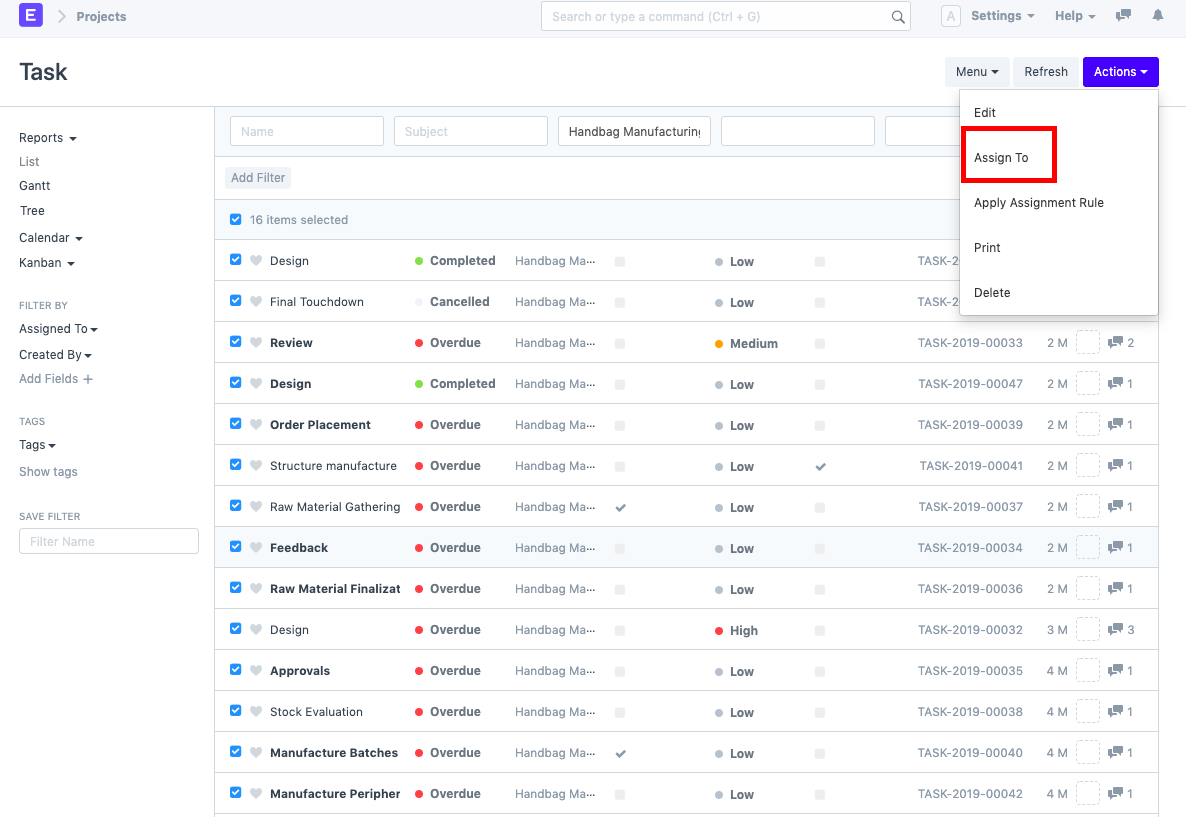
5) Choose the User to whom you want to assign these Tasks by going to Actions > "Assign To" and choosing them.
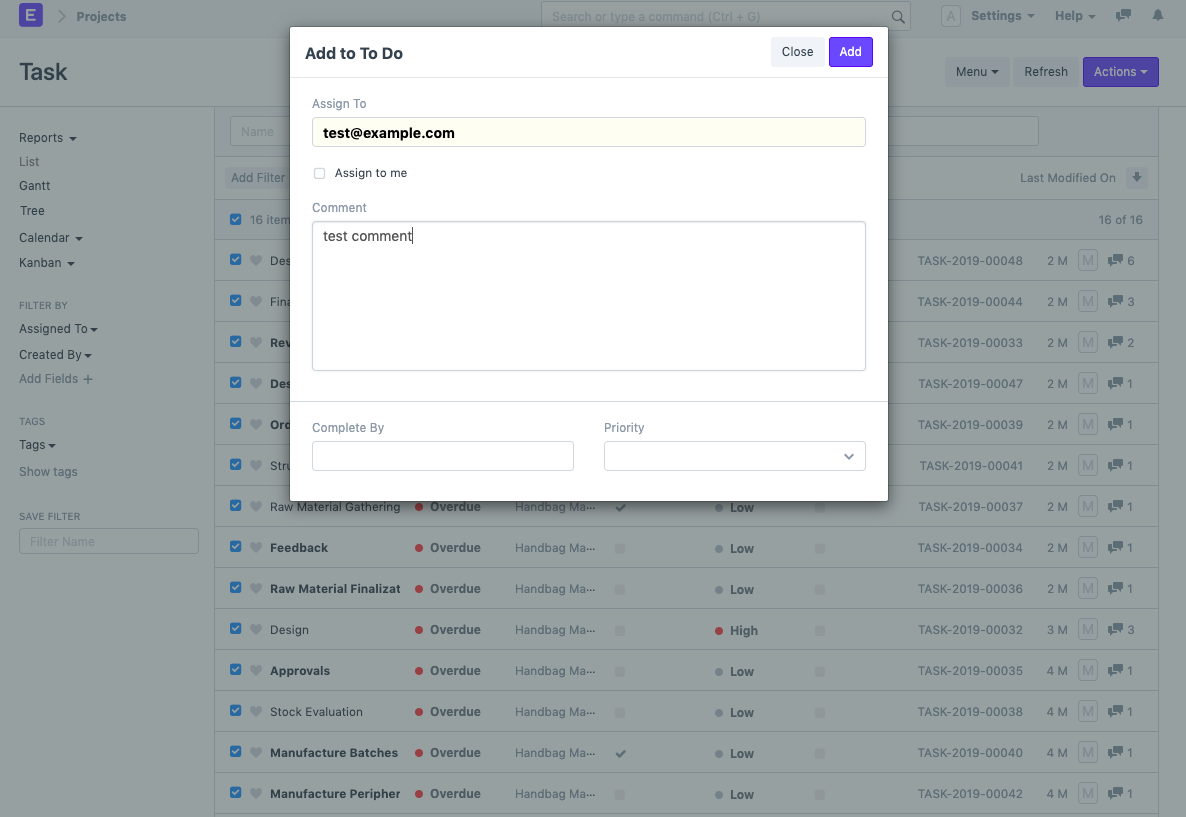
Moreover, you can add information like Comments and Finished By, as well as bulk-set the tasks' priorities.
6) Choose Add.
Note: You can bulk assign any document in ERPNext by following the methods listed above.