Currency
Currency
ERPNext's Currency list keeps track of a currency's value, symbol, and fractional unit. The majority of frequently used currencies are already available in ERPNext. The exchange rates are automatically retrieved based on the going exchange rate. By entering them in the Currency Exchange form, you can also set up the system to use earlier preset exchange rates.
Go to: to access the Currency list.
Home > Accounting > Multi Currency > Currency
For instance, have a look at the Euro currency page:
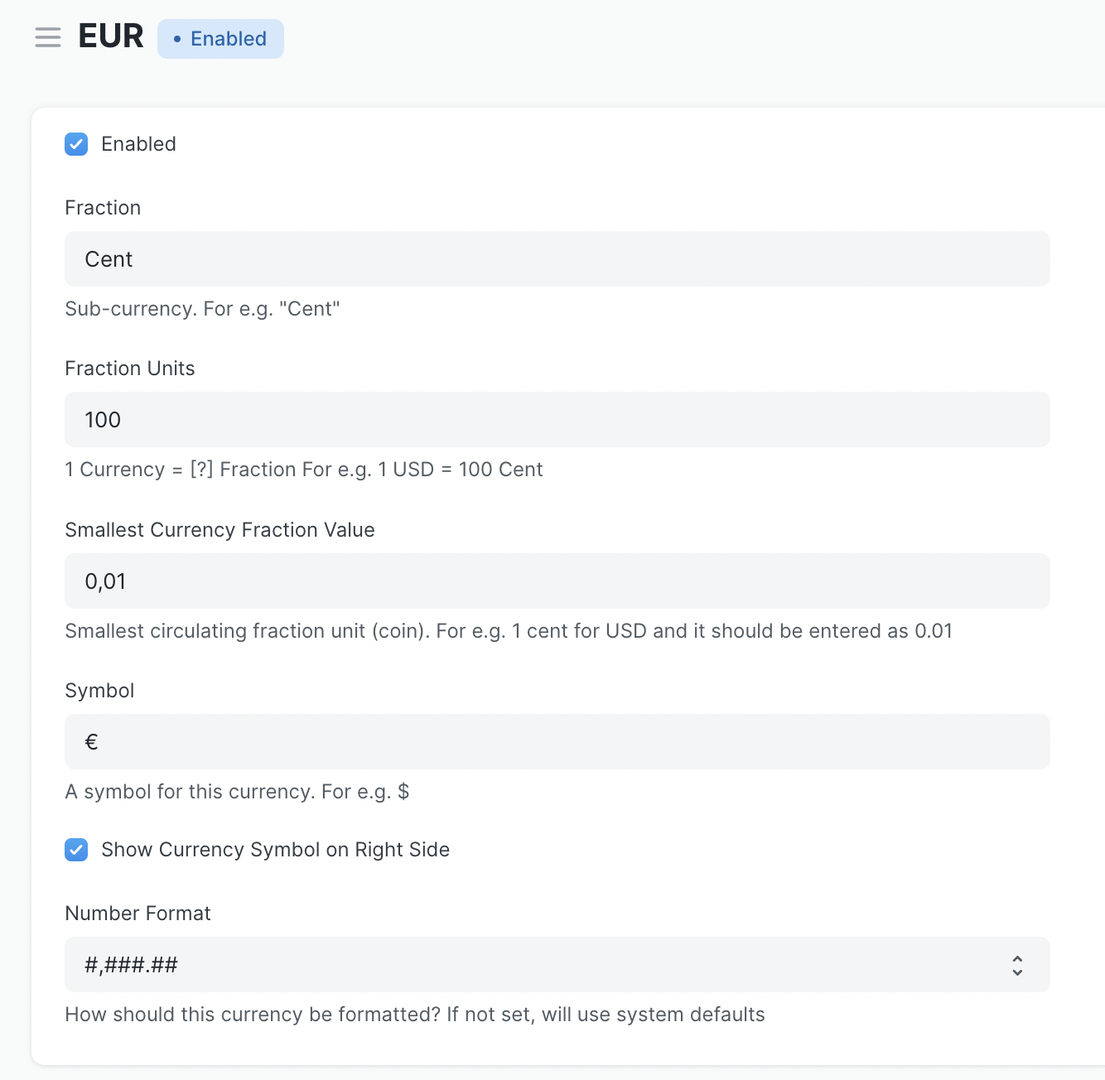
Configurations Every currency has default settings that are based on commonly used configurations. But, you can adjust the setup to meet your needs.
Enable / Disable Only a few common currencies and the currencies used by your firm are enabled by default. Go to the currency list and select "Enabled" to enable more.
Fractional units When translating numbers to words, you can specify the name of a fractional unit, such as the "Cent," which is used in several currencies.
Symbol If you need to modify the default currency symbol, you can adjust it on the Currency document. Standard currency symbols are prepopulated by default.
By selecting "Display currency symbol on right," you may set the position of the currency sign to the right.
You can also choose to have "Global Defaults" hide all currency symbols.