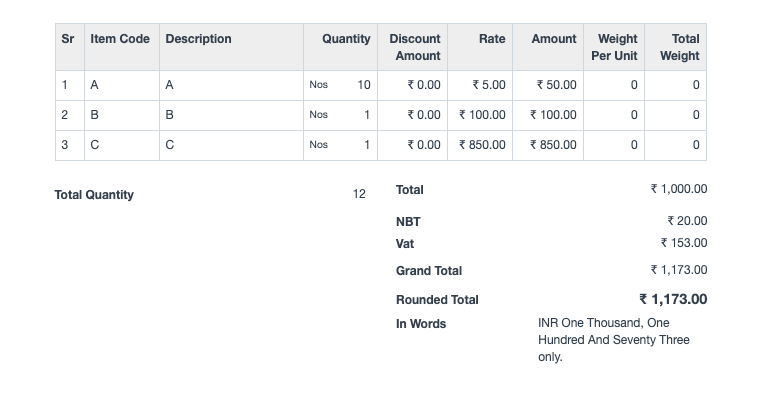
Tax on another tax amount
Tax on another tax amount
Use Case: Calculate tax based on the previous tax amount, not the item price.
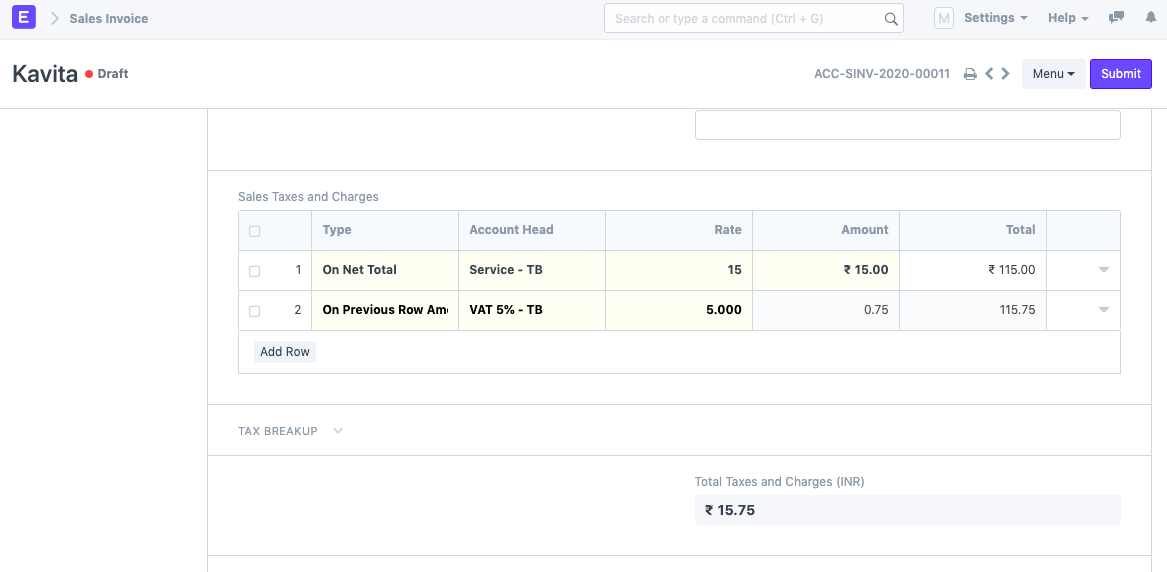
For instance, if there are five items, the Service Charge is based on the Net Total of those five items. In addition, 5% VAT must be calculated on the Service Charge of the Items, not the Net Total of the Invoice. In this case, you must take the following actions:
1) In the Sales Taxes and Charges section of Sales Invoice, you must configure the tax calculation. In row 1, select "On Net Total" and the appropriate Account Head. If the Rate is not already set, enter it. Under the Amount column, the amount for this particular account head is calculated.
2) Next, calculate tax on the amount from the previous row (which is the tax amount). To do so, select "On Previous Row Amount" as the Type. Adjust the Account Head and Rate accordingly. Expand the row and set the Reference Row # as indicated in the table below.
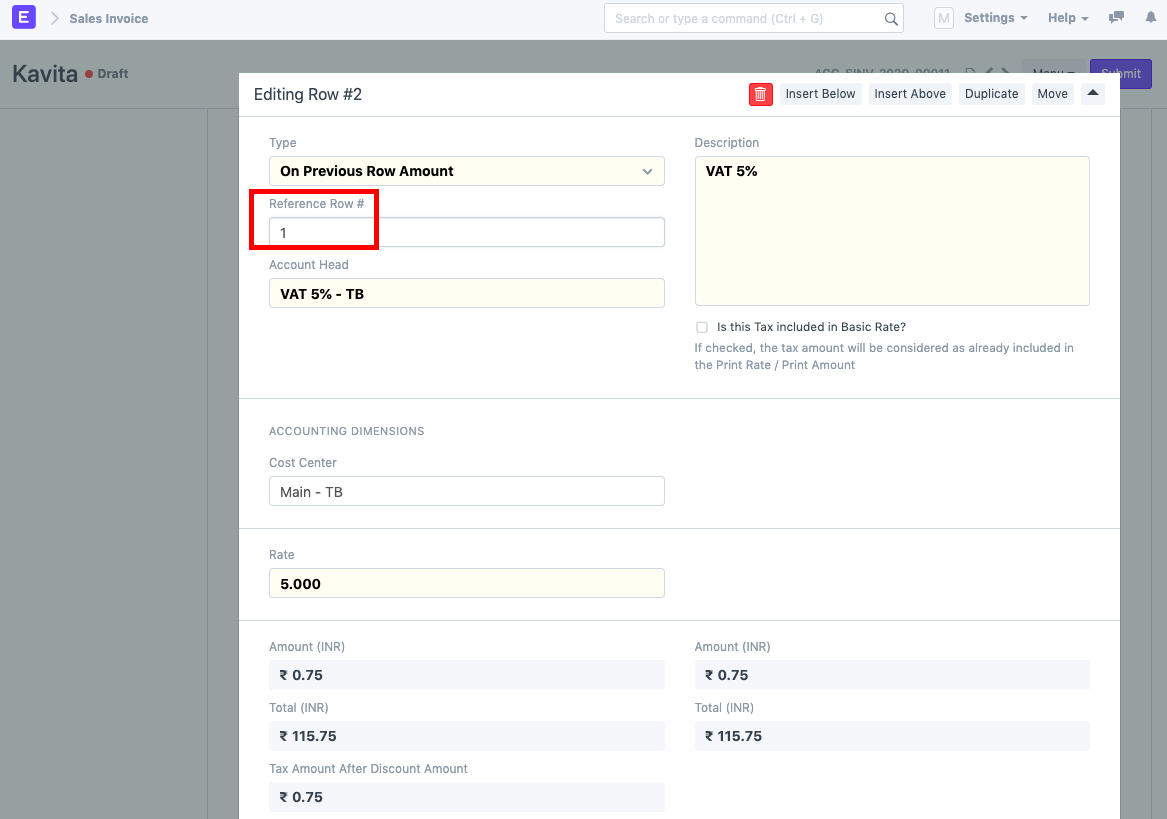
The Sales Taxes and Fees section looks like this: