Salary Slip
Salary Slip
An employee receives a paper called a wage slip. It includes a thorough breakdown of the employee's salary amounts and components.
Go to: to obtain Salary Slip.
Home > Human Resources > Payroll > Salary Slip
1. Prerequisites
It is advised that you first create the following before producing Salary Slip:
- Employee
- Salary Structure
- Salary Structure Assignment
2. How to create a Salary Slip
Go to Salary Slip and select Create.
Choose an employee. By selecting an employee, the salary structure that is assigned to that employee will be used to retrieve all of the employee's information. This includes information on the frequency of payroll, earnings, deductions, etc.
Choose the start and end dates.
Save.
3. Feature
3.1. Salary Slip based on Attendance/Leave
Users of HR can generate salary slips depending on absences or attendance. Depending on the value entered in the HR Settings column labeled Compute Payroll Working Days Based On, the working days will be determined by attendance or leave. If payroll is dependent on attendance, then time spent on unpaid leave will count as being absent, and a half-day will count as half-day absence.
3.2. Salary Slip based on Timesheet
You must construct a salary structure for timesheets in order to create a salary slip based on a timesheet.
The option to construct a salary slip based on working hours using a timesheet is also offered by ERPNext. By selecting the Generate Salary Slip button directly in the top right after completing the timesheet, you can produce the salary slip.
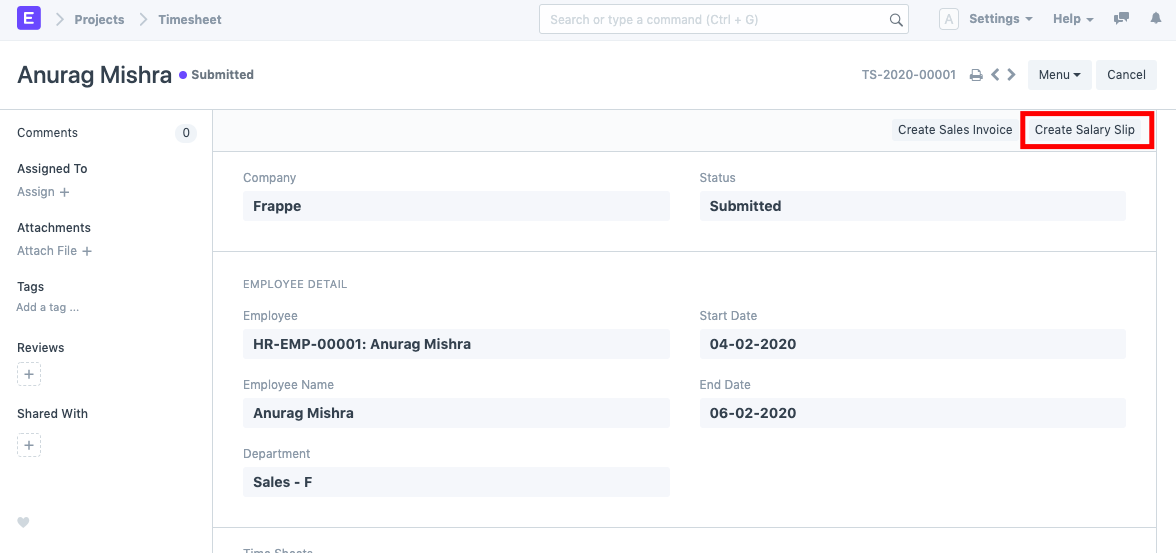
The Earnings table reflects the Payment Amount, which was determined using the Hour Rate specified in the Salary Structure.
3.3 Year to Date and Month to Date
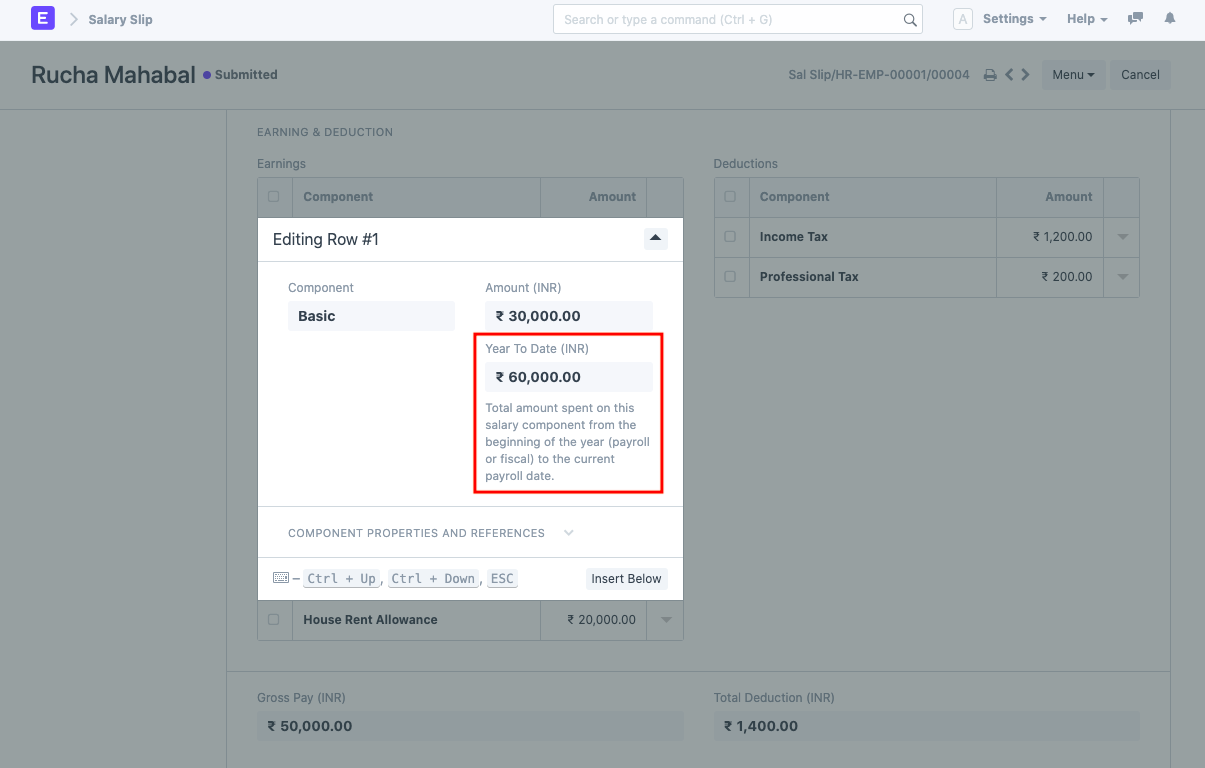
"Year to Date" and "Month to Date" are computed for each pay stub.
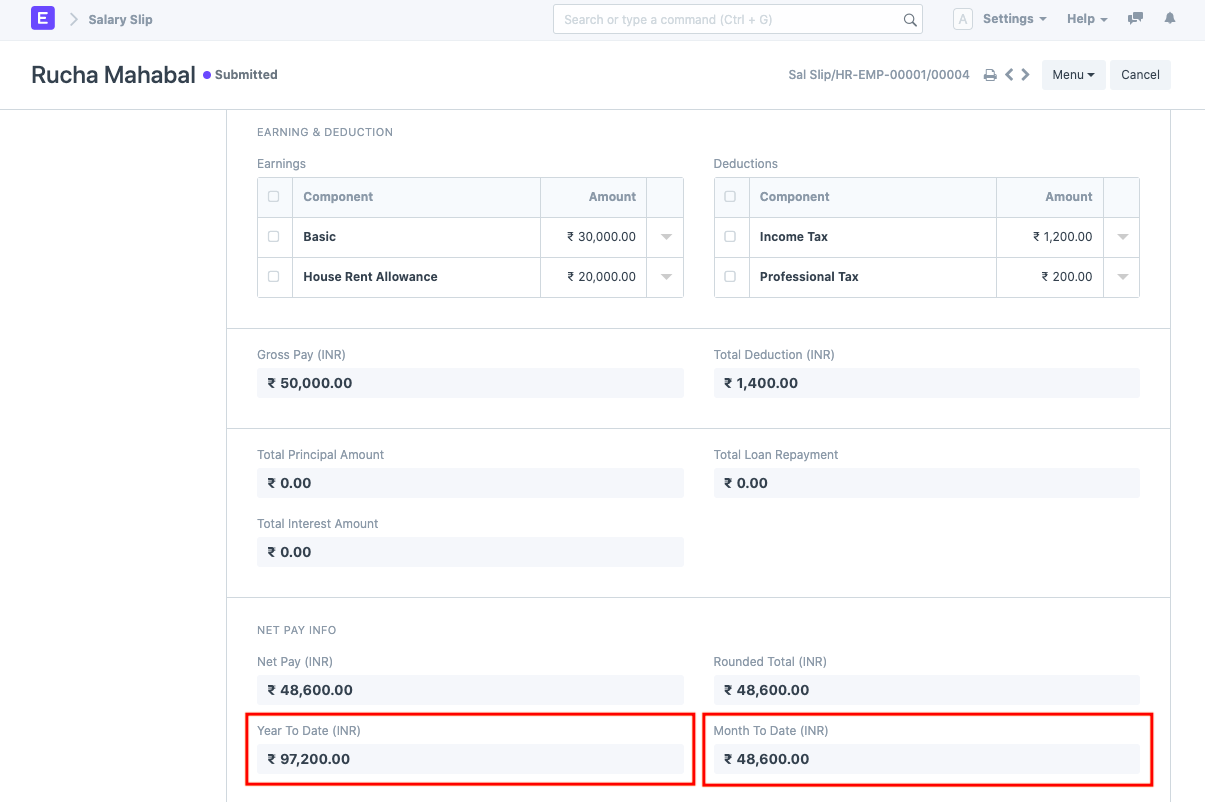
Year to Date: Total salary accrued for that specific employee from the start of the year (payroll period or fiscal year) until the end date of the most recent pay stub.
Month to Date: All wages paid to a specific employee from the start of the month (for which the payroll entry is made) through the end of the current salary slip.
Every element in the earnings and deduction tables has its Year to Date calculated as well. With Year to Date and Month to Date computations, the print format "Salary Slip with Year to Date" is offered.