Opening Stock Balance Entry for Serialized and Batch Item
Opening Stock Balance Entry for Serialized and Batch Item
Products with serial numbers and batch numbers are updated via stock entry when opening stock balance entries are made for them. To find out how ERPNext manages serialized inventory, click here.
Why is it unable to amend the Opening Balance item for Serialized and Batch Item using Stock Reconciliation?
The stock level of a serialized item in ERPNext is calculated using the number of Serial Nos for that item. And, and also, and also, and also, and also, and also, and also, and also, and also, and also, and also, and also, and also, and also, and also, and also, and In the Stock Reconciliation Tool, you can only edit opening amount of an item, but not the Serial No. and Batch No.
*Opening Balance for the Serialized Item *
The steps to construct an opening stock balance entry for a serialized and batch item are as follows:
Step 1: New Stock Entry Stock > Stock Entry > New
Step 2: Select Purpose Material receipt should be changed to Stock Entry Purpose.
Step 3: Update Posting Date The date on which you want to change an item's opening balance should be the posting date.
Step 4: Update Target Warehouse The opening balance of an item will be changed in the Target Warehouse.
Step 5: Select Items Choose the items for which the opening balance will be changed.
Step 6: Update Opening Qty Update the quantity for the serialized item using all available serial numbers.
Mention the Serial Nos. that correspond to the Qty. of the serialized item. Alternatively, if Serial Nos. are set up to be generated based on Prefix, there is no need to specifically indicate Serial Nos. For additional information about serial number naming, see here.
Provide the batch ID for the batch item whose opening balance is being modified. Keep the batch master updated for the batch item and keep it ready. Go to: to create a new batch.
Stock > Setup > Batch > New
Click here to learn how Batchwise inventory is managed in ERPNext.
Step 7: Update Item Valuation Rate
The current valuation rate will be based on the item's unit value. If multiple units of the same item have various valuation rates, each row should be updated with the appropriate valuation rates.
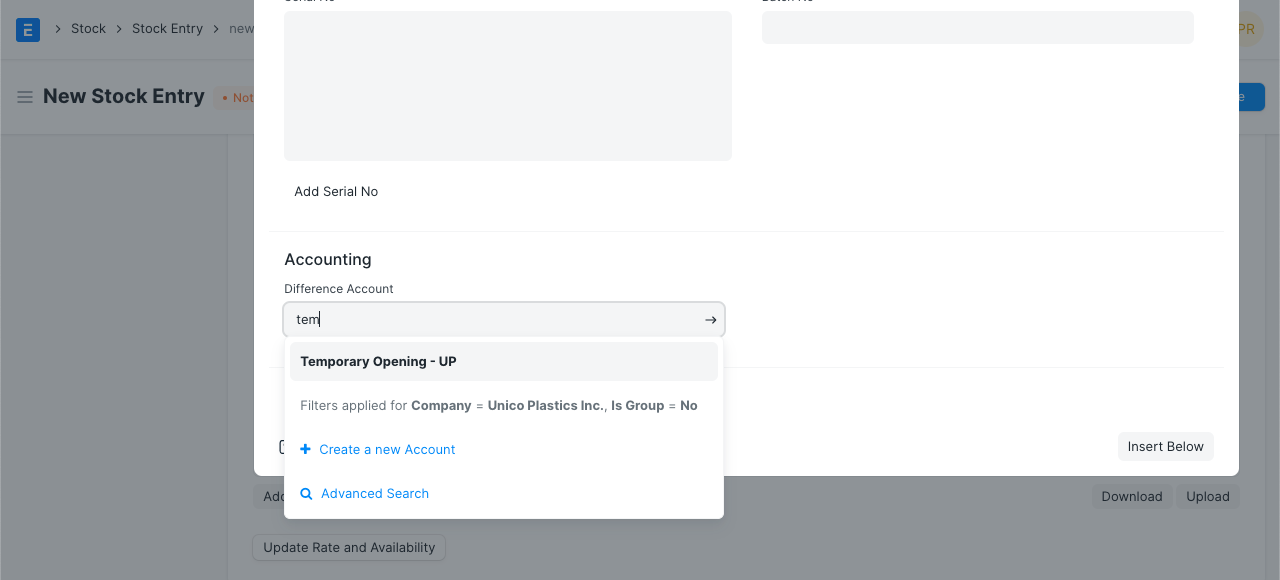
Step 8: Difference Account Every stock transaction generates an accounting item according to the perpetual inventory valuation method. The total debit and total credit in an entry must match in a double entry accounting system. The system debits the warehouse account for the whole item value when the stock entry is submitted. Temporary Opening Account is used as a Difference Account in order to balance the same.
The opening balance for the goods on a specific Posting Date will be updated upon submission of the stock entry, which also posts the stock ledger posting.Step 9: Save and Submit Stock Entry