Opening Invoice Creation Tool
Opening Invoice Creation Tool
The Opening Invoice Creation Tool enables the importation of Purchase or Sales Invoices that are outstanding into ERPNext. In cases where the Item data is irrelevant and outstanding balances against Customers/Suppliers are to be imported into ERPNext, this tool is used instead of the Data Import Tool.
To gain access to the Opening Invoice Creation Tool, please visit:
Home > Accounting > Opening and Closing > Invoice Generation Tool for Opening
1: How to import Opening Invoices
1.Select the Company to which opening balances will be imported.
2.Select the Type of Invoice. By selecting Sales or Purchase, Sales Invoices or Purchase Invoices are generated, respectively.
3.By selecting the "Create Missing Party" checkbox, missing customers or vendors will be automatically created based on the name provided in the Party column.
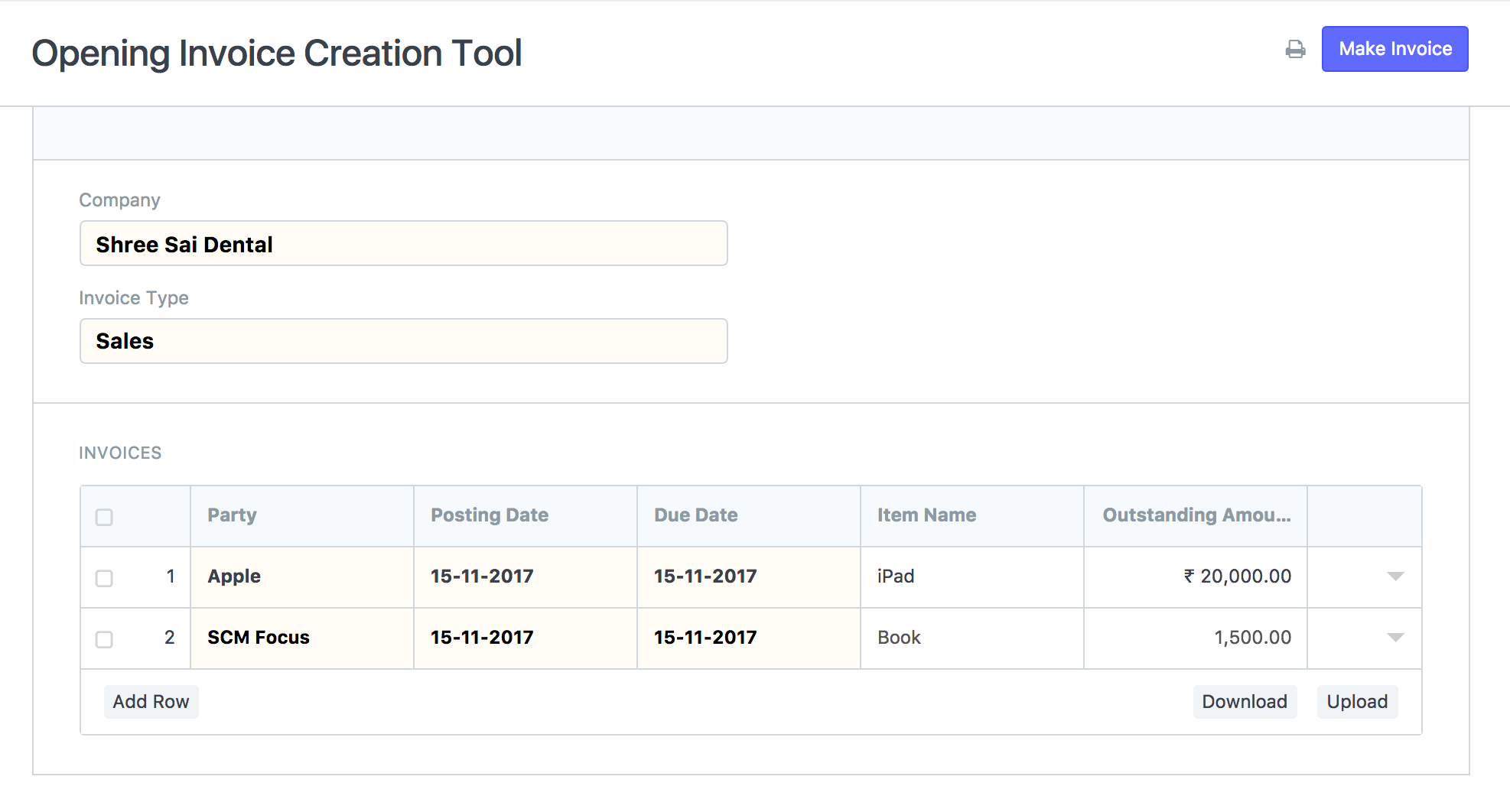
4.Fill out the table Invoices. It includes the following sections:
1.Choose an existing Customer/Supplier or enter the name of a new one that will be created automatically.
2.Date of Posting: The date on which the invoice will be mailed.
3.After this date, the invoice will be considered past due.
4.Object Name: (Optional) The entered item name will appear in the invoice item table.
5.Outstanding Amount: The balance due on an invoice.
6.Number of Invoice: The corresponding invoice number from the previous system. If left blank, the ERPNext naming series will be utilized.
You can click the download button to obtain an Excel spreadsheet that you can easily populate with relevant data. If you have downloaded the Excel sheet, you can upload it by clicking the Upload button. Once the sheet is uploaded, the table will be populated with the appropriate data rows.