Retention Bonus
Retention Bonus
A retention bonus is a payment or benefit given to an employee in addition to their base pay as an inducement to keep them on as a key employee.
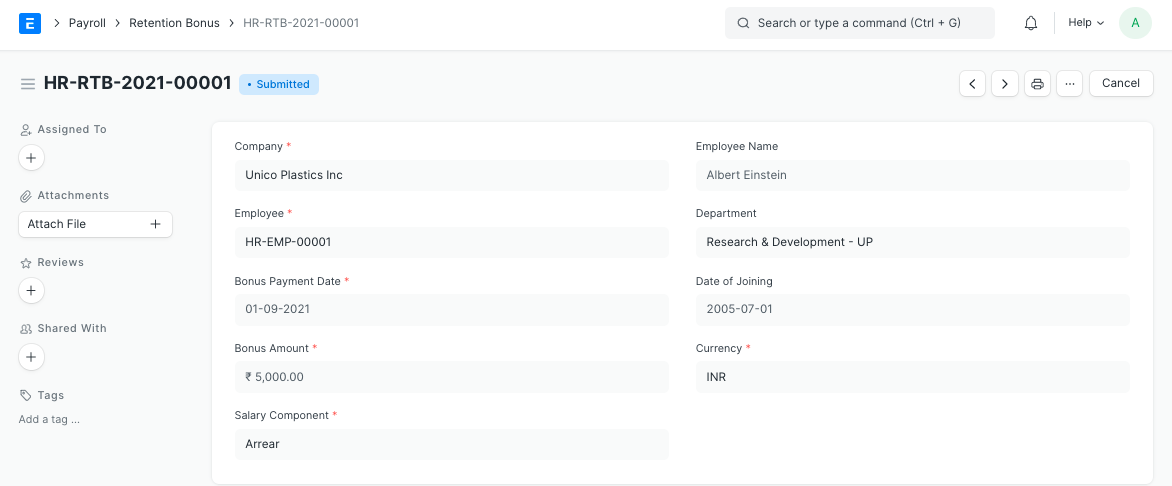
You can set up a Retention Bonus for an Employee in ERPNext for a specific time frame.
Go to: to access Retention Bonus.
Home > Human Resources > Payroll > Retention Bonus
1. Prerequisites
Prior to establishing a retention bonus, it is suggested that you do the following:* Employee Salary Component 2. How to create a Retention Bonus
- Employee
- Salary Component
2. How to create a Retention Bonus
Click on New under Retention Bonus list.
Dates for Employee and Bonus Payment are selected.
Fill in the Bonus Amount.
Choose the Salary Component under which the bonus is to be awarded.
Publish and save.
The "Additional Salary" document for the chosen "Salary Component" is prepared upon submission. This will be retrieved while Payroll Entry is running.