Cost Center
A Cost Center is a part of an organization where costs or income can be charged.
You can use the cost center as a profit center in Geer ERP.
The primary purpose of your chart of accounts is to provide reports for the government and tax authorities.
The majority of firms engage in several activities, such as various product lines, market segments, and business divisions, all of which have some shared overhead costs. Ideally, they should have a structure of their own to report on whether they are profitable or not. The Chart of Cost Centers is a different framework that can be used for this.
When it comes to tracking costs based on specific areas, a cost center functions similarly to an accounting dimension.
These levels can be chosen for the Cost Center:
- Company
- Item
- Order/Invoice
The following transactions can be connected to the cost center:
- Sales Invoice
- Purchase Invoice
- Journal Entry
- Payment Entry
- Delivery Note
and more transactions that can be included in a budget. Cost Center can also be used for budgeting.
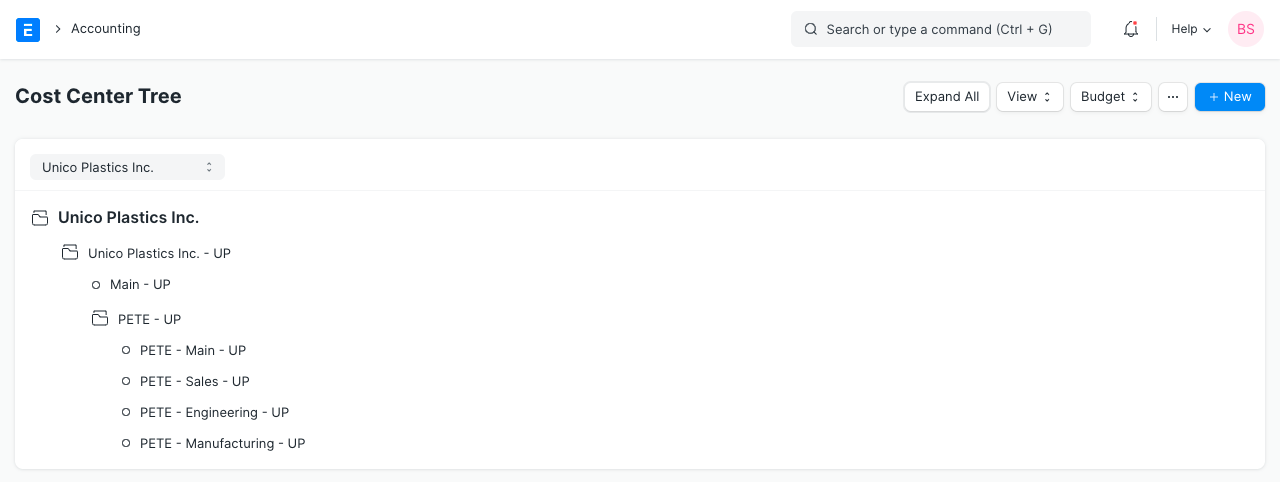
1. Cost Center tree
To more effectively portray your firm, you can make a tree of cost centers. Additionally, a Cost Center is assigned to each entry of income and expense. The system will permit a user to tag entries in balance sheet accounts against a cost center if the Account Settings box next to "Allow Cost Center In Entry of Balance Sheet Account" is ticked.
For example, if you have two types of sales:
- Walk-in Sales
- Online Sales
For walk-in consumers, you might not have to pay delivery costs, and for online customers, you might not have to pay store rent. Create the two as Cost Centers and tag all sales with either the "Walk-in" Cost Center or the "Online" Cost Center if you want to calculate the profitability of each of these independently. Mark each of your purchases consistently.
As a result, when you conduct your study, you will have a better idea of which area of your organization is performing better. You can add numerous companies to Geer ERP, and you can manage each one separately by creating Cost Centers for it.
Visit the following to view the Cost Centers Chart:
Home > Accounting > Budget and Cost Center > Chart of Cost Centers
2. How to set up Chart of Cost Centers
- Visit the Cost Centers Chart.
- Add regional nodes.
- As needed, add additional nodes.
The Cost Centers for a different Company will be shown when that Company is chosen.