Program Enrollment Tool
Program Enrollment Tool
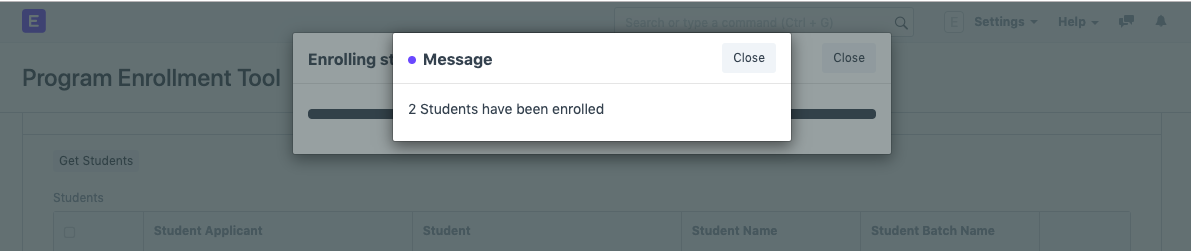
When you wish to bulk enroll in a program, you can use the program enrollment tool. Enroll new students in a program or transfer older or current students who are enrolled in one program to a different one when necessary.
Use this link to access the Program Enrollment Tool:
Home > Education > Tools > Program Enrollment Tool
1. How to create Student Enrollment using the Student Enrollment Tool
Obtain Students: If you're enrolling a new student, you can get the students from the Student Applicant, or if you're promoting the more experienced students, you can get the students from the Program Enrollment itself.
Input the academic year that the new students applied for or that the current students were enrolled in.
Academic Term: Indicate the academic term for which the new students applied or the academic term for which the current students were registered.
Enter the program that the new students had applied to or the one that the current students were enrolled in.
1.1. Fetching Students
When you select the Obtain Students button, the system will retrieve a list of all the students who meet the predetermined requirements. Then, if you choose to, a record can be deleted.
1.2. Enrollment Details
You can enter a New Student Batch Name under which all new students will be enrolled if the student list is obtained from the student applicant list.
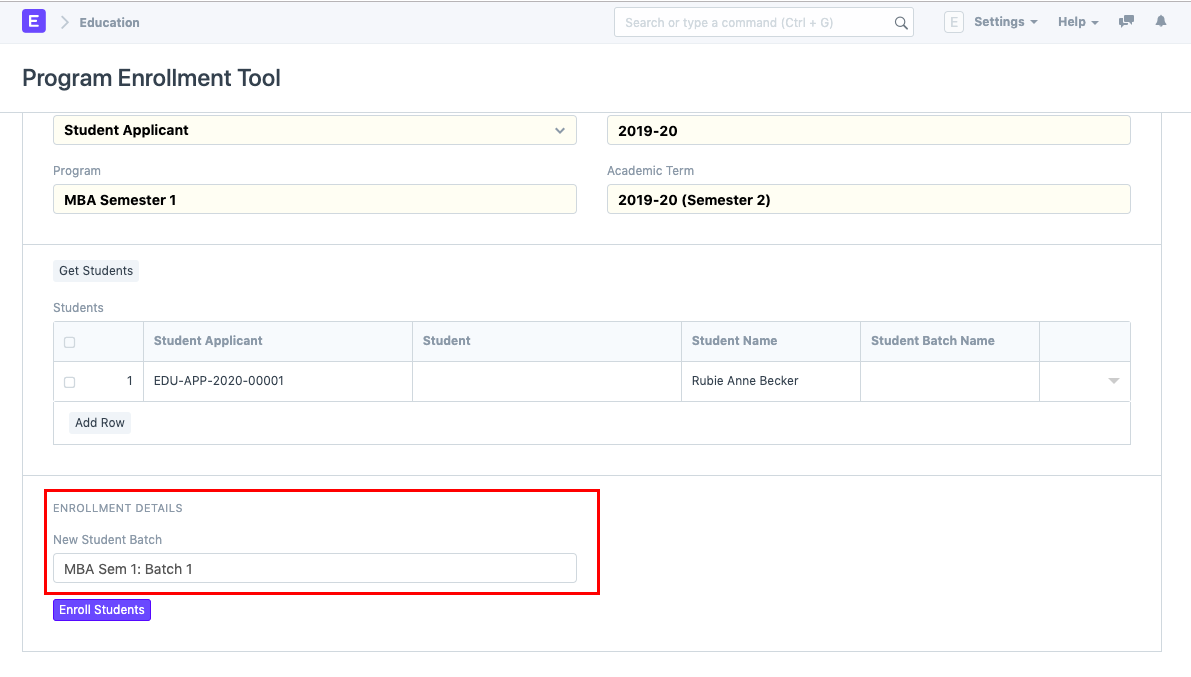
- You will be prompted to add information for the new program, such as the program name, academic year, academic term, and new student batch, if the student list is taken from the enrollment for an existing program.
After entering all the information, select Enroll Students to generate program enrollments in bulk.