Cost Center Allocation
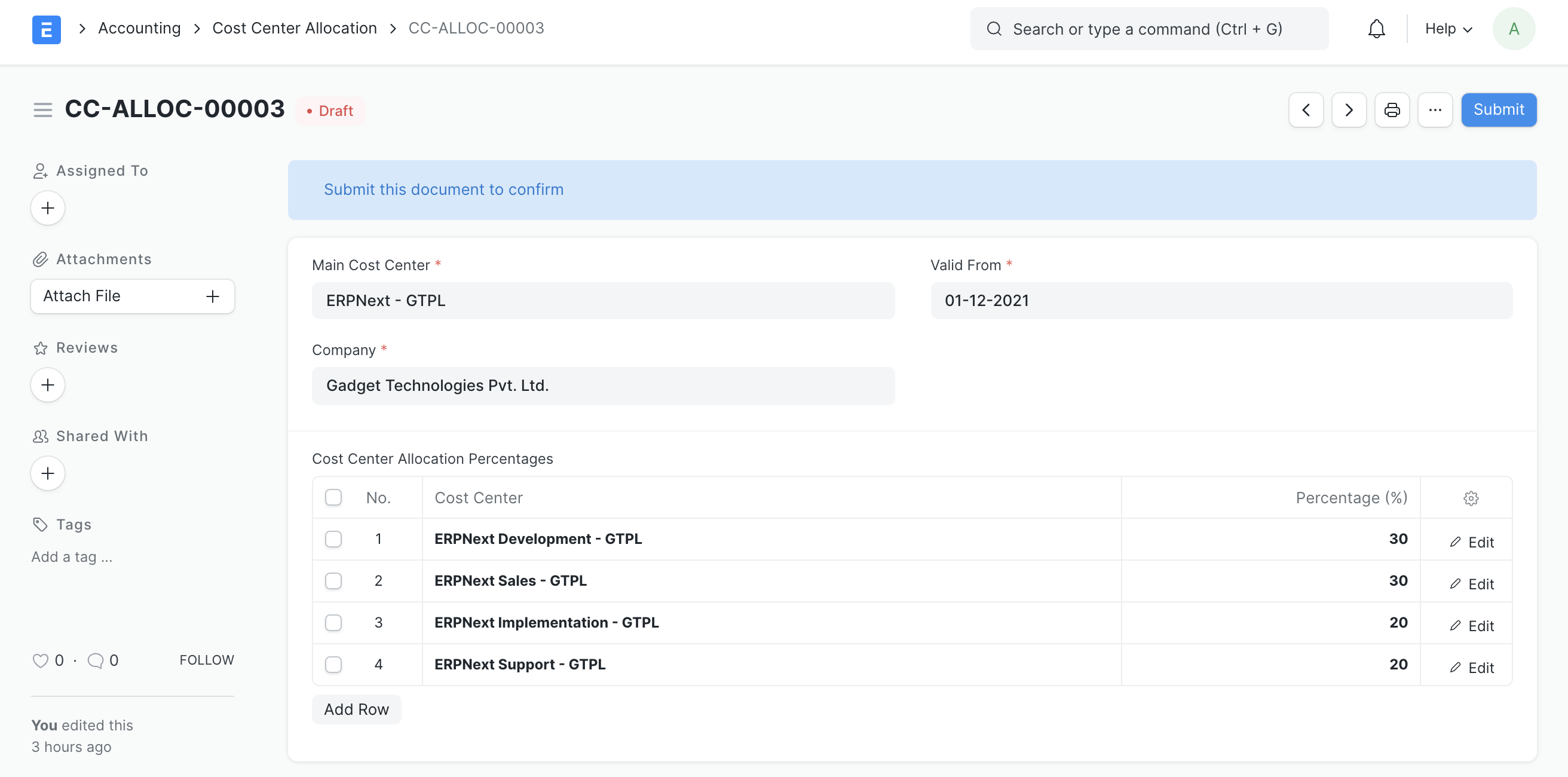
The general ledger record for a cost center may be shared among several cost centers by using the cost center allocation function. You can specify allocation percentages for the child cost centers in the Cost Center Allocation document.
Analyzing the income and expenses of the organization's many business units becomes essential in a developing corporation. And in order to do that, we must account for income and expenses against each business unit's cost center. However, it gets very challenging if we have to manually split it for each transaction. This Cost Center Allocation tool saves the day in that situation.
Simply define the allocation between various cost centers (business units) against a given master/main cost center in Geer ERP. The system then automatically splits each invoice or expenditure transaction according on allocation and posts separate entries against each child cost center whenever we book an invoice or expense transaction against the main cost center.
1. How to create a Cost Center Allocation?
- Create a new cost center allocation by going to the cost center allocation list view.
- Identify the transaction's Main Cost Center by typing it in.
- To keep track of the allocation's validity, enter Valid From and Valid Up to.
- Enter the child cost centers' percentages in the child table.
- Save the document, then submit it.
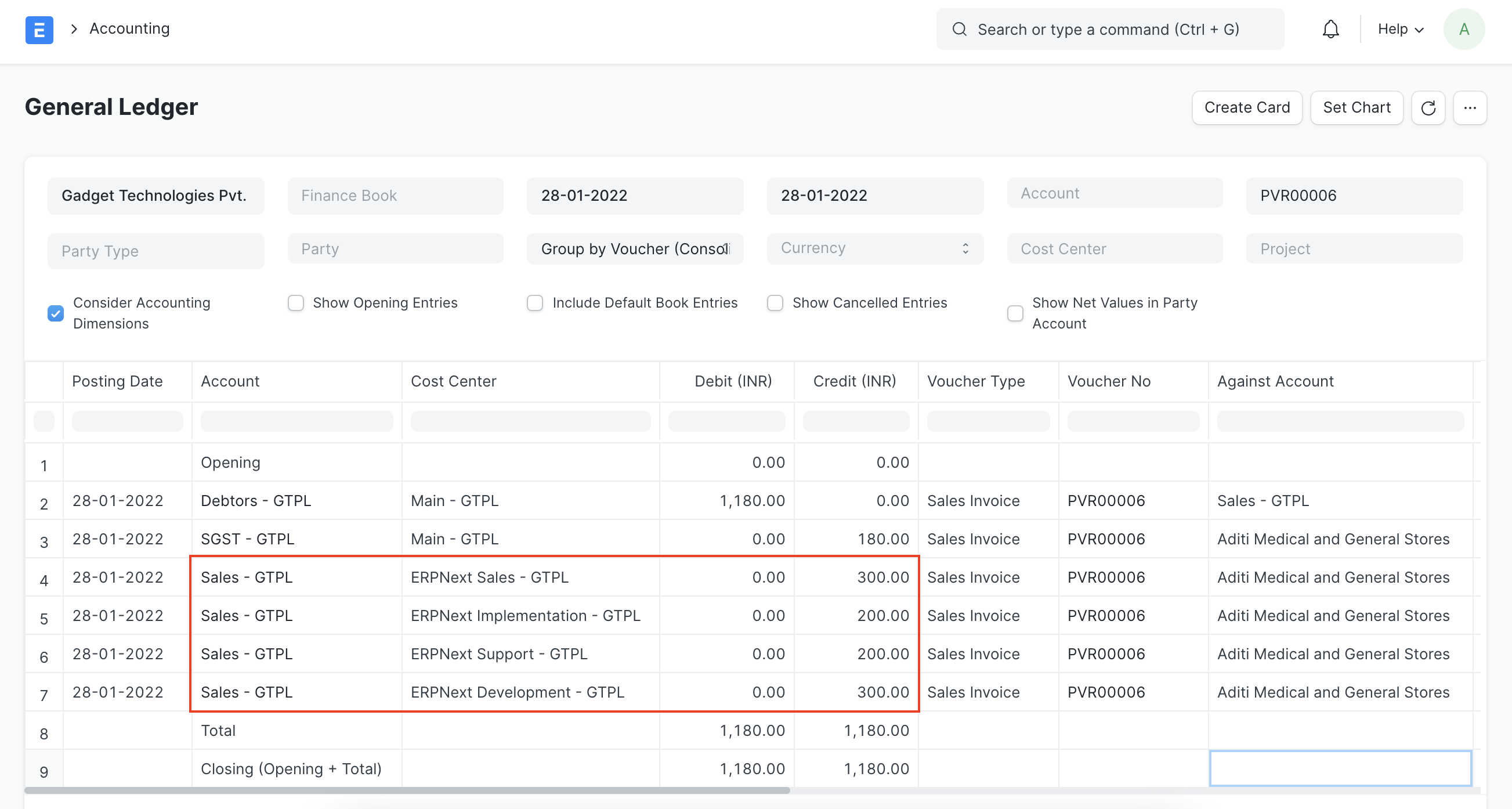
2. GL Entries against Transaction
The system automatically splits the GL Entry against any transaction booked against the primary cost center and posts numerous GL Entries depending on the relevant cost center allocation record.