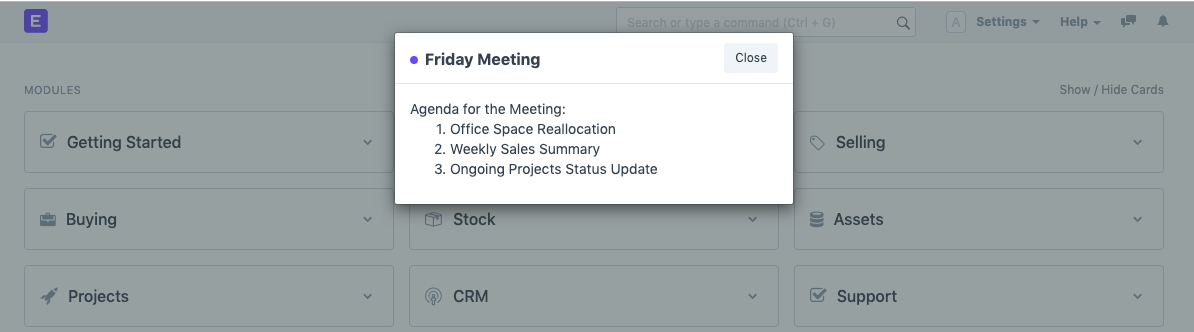
Notes
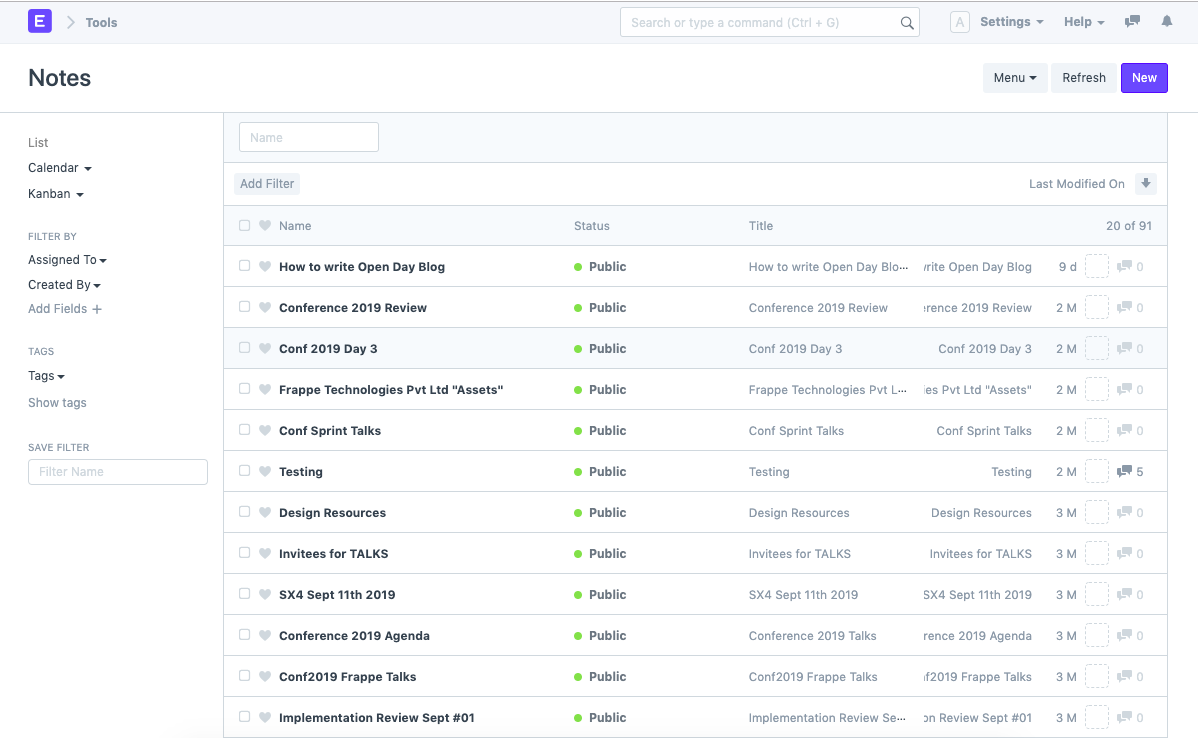
A tool called Notes can be used for taking personal notes. It can preserve lists, commonly used passwords, terms and conditions, and any other document that has to be shared or kept around for reference.
Go to: to access Notes.
Home > Tools > Note
How to create a new Note
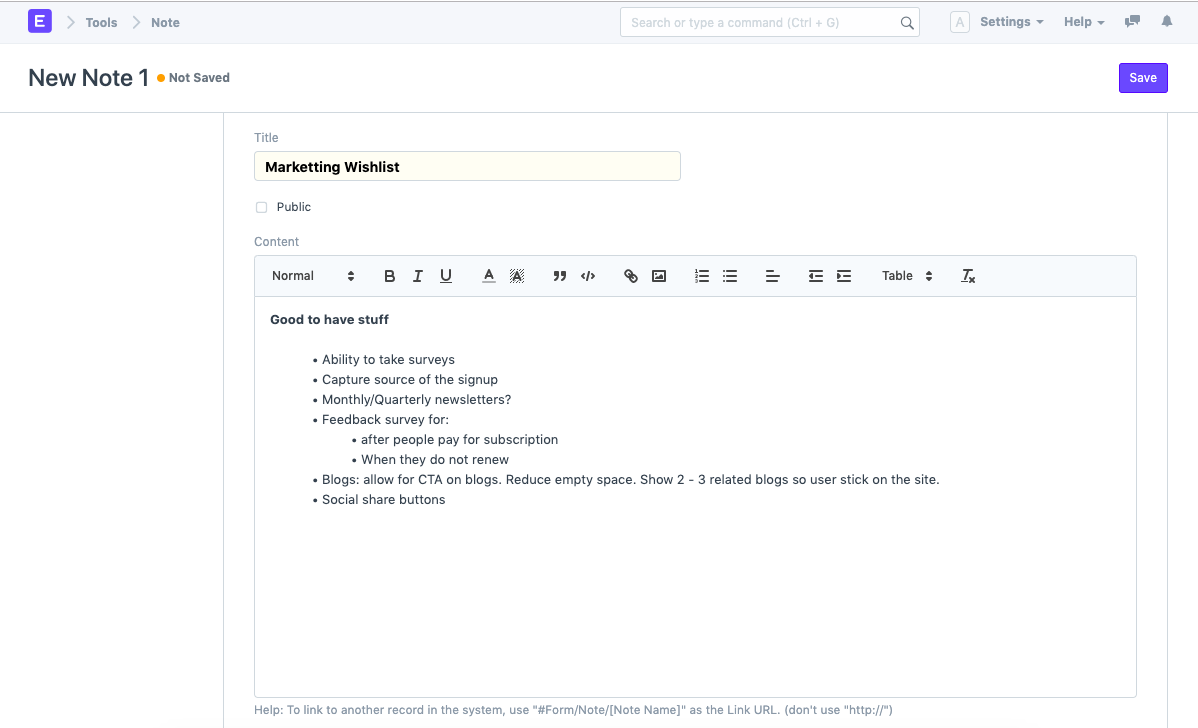
- Click New under Note list from there.
- Type the note's title here.
- Enter the note's content. You can format the material according to your needs using the Text Editor box in the content box.
- Save.
Visibility of Notes
You can choose whether or not to make this specific Note public. You can share a Note with other Users in your Geer ERP account by making it public.
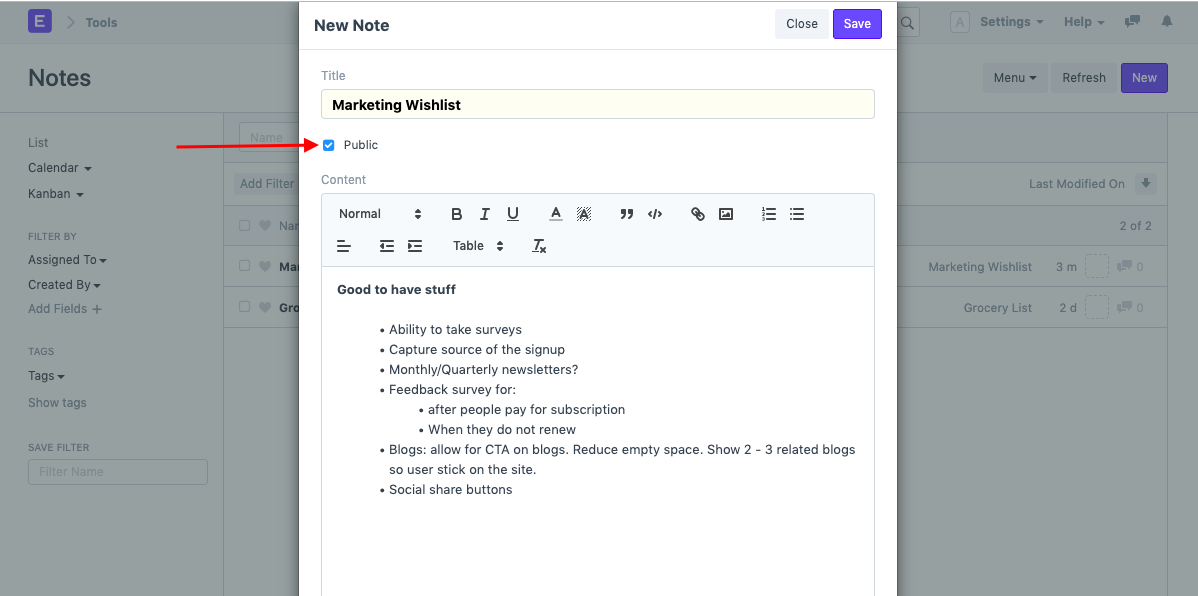
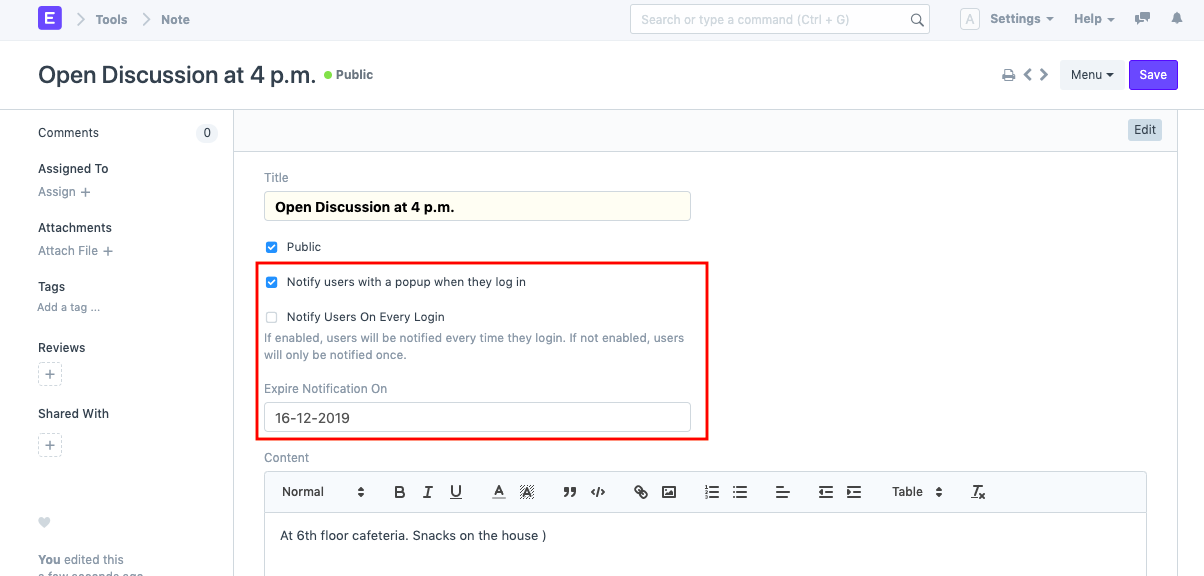
There will be another checkbox labeled "Notify people with a popup when they log in" once you enable making a Note public.
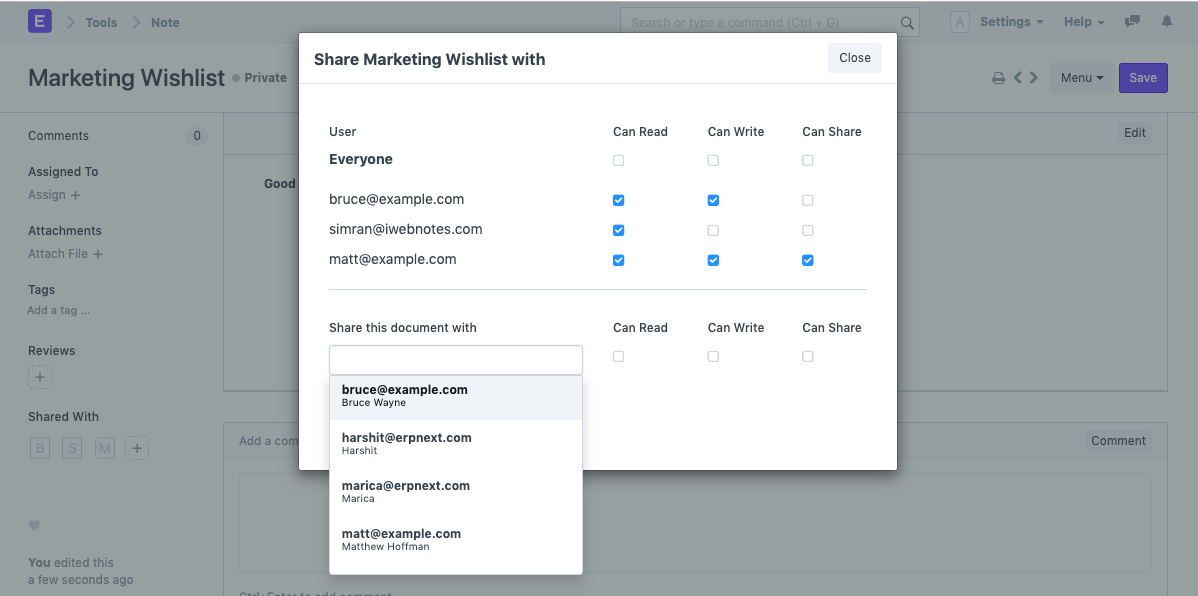
You can also decide whether to provide some particular users access to view, write, or share your note. The 'Share' option is located in the left sidebar and allows you to accomplish this.
Notification for Notes
If this attribute is enabled, a Pop-Up notification for the note will appear each time a User login into their account.