Bulk Naming of Records
Bulk Renaming allows renaming multiple records at once.
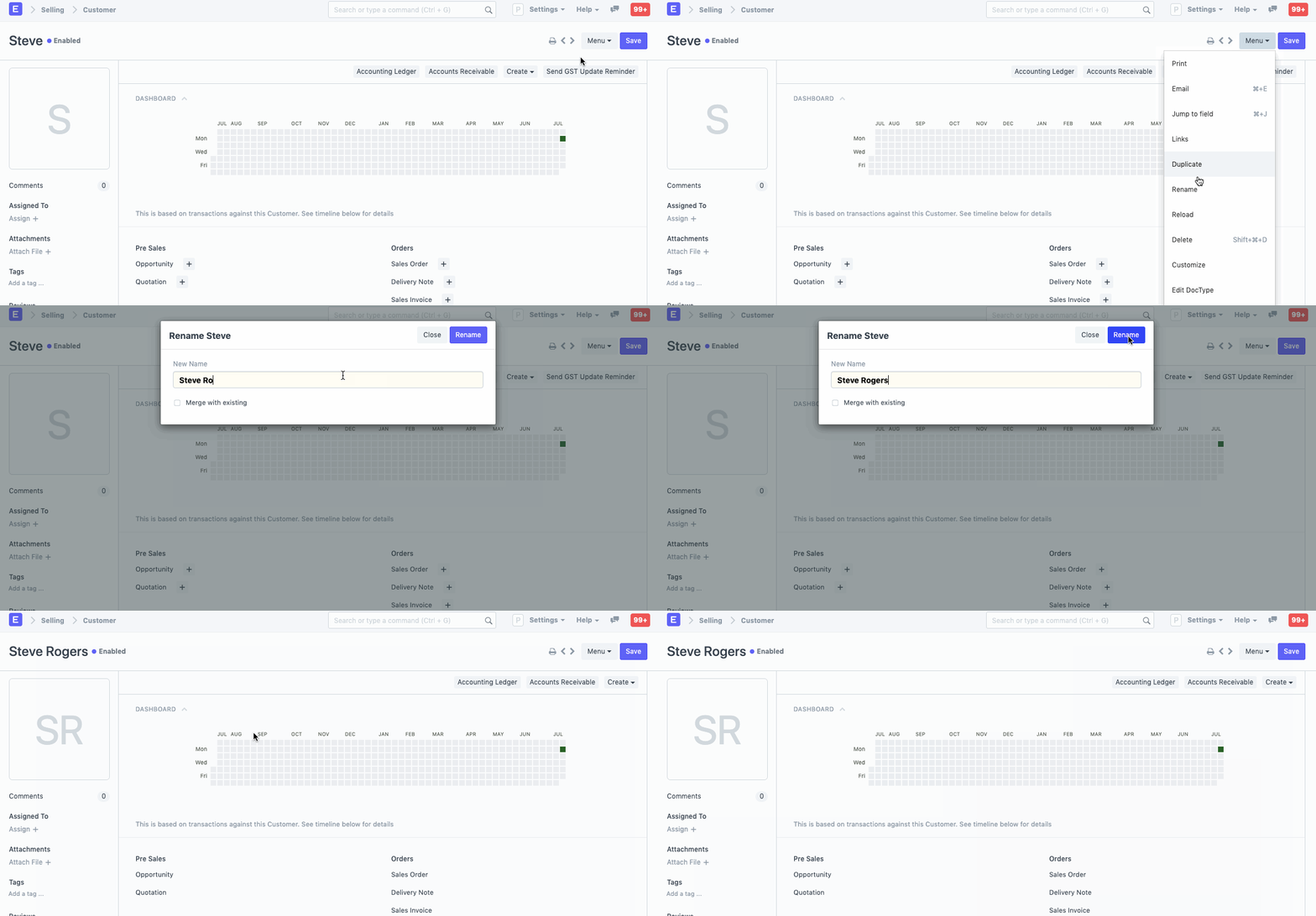
By selecting Menu > Rename in the document, you can rename a document in Geer ERP (if it is permitted).
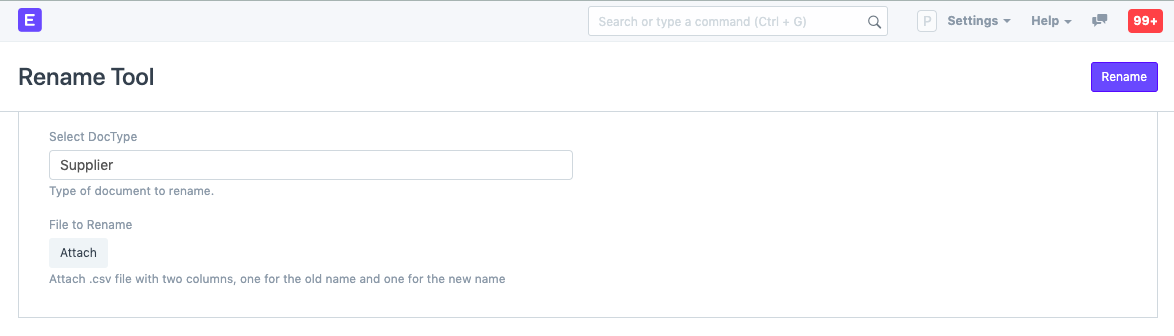
Alternately, you can utilize the Rename Tool to rename a large number of records. Go to:
Home > Settings > Rename Tool
You can rename several records simultaneously with this tool.
Upload a.csv file with the old names in the first column and the new names in the second column if you want to rename numerous records at once. Next, select Upload.
Renaming the documents will also combine them. If you have a customer named Steve and a duplicate named Steve1, for instance, you may go to either of them, select Menu > Rename, and check the "Merge with existing" option. All the related documents from both documents will be merged as a result. Please visit this page to learn more.