Subscription Plan
Subscription Plan
A subscription plan keeps track of the item's cost, billing cycle, and other details.
Go here: to access the list of Subscription Plans.
Home > Accounting > Subscription Management > Subscription Plan
1. How to create a Subscription Plan
A subscription plan is required before you can set a subscription.
1.Go to the Subscription Plan list and click on New.
2.Select the item that will be subscribed.
3.Select a Price Determination whether Fixed or based on a Price List.
4.Set a Billing Interval whether Daily, Weekly, Monthly, or Yearly.
5.Set a Billing Interval Count. If you select Year as your interval and count as 5, the billing will be done for every 5 years.
6.Save.
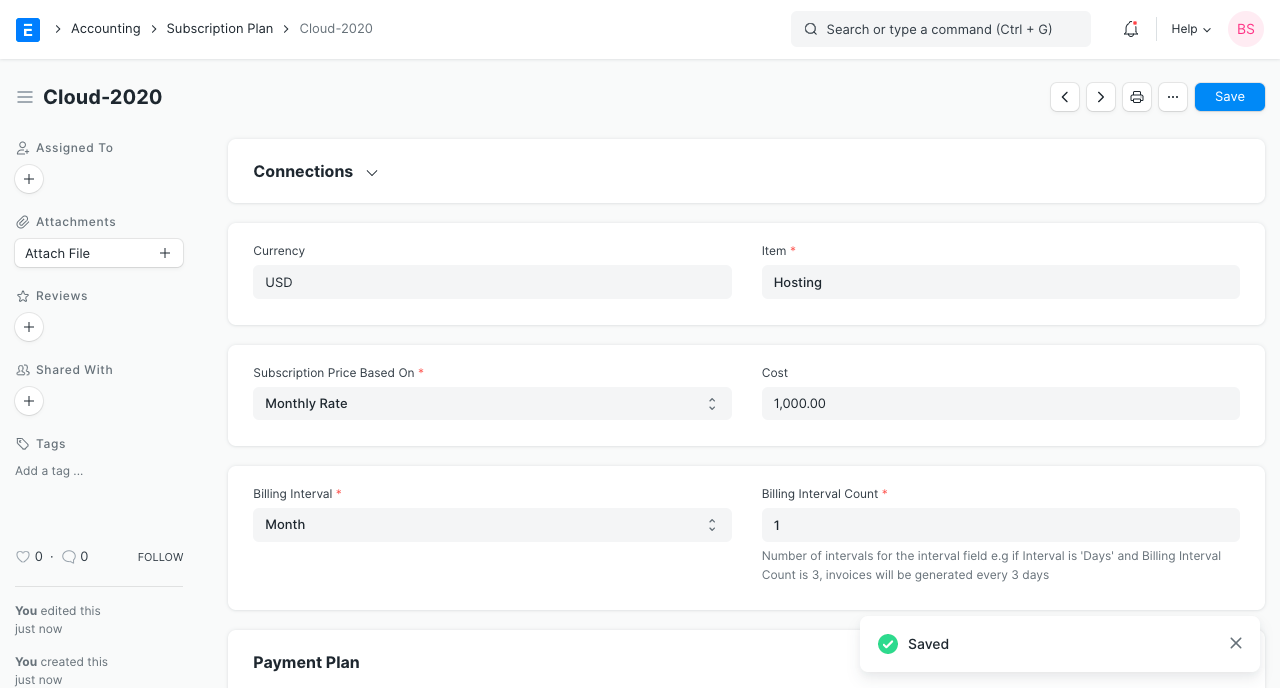
Moreover, you can link a Payment Gateway and enter more payment information.
A Sales Invoice is generated for an Item that has a link to a Subscription Plan.