User Permission
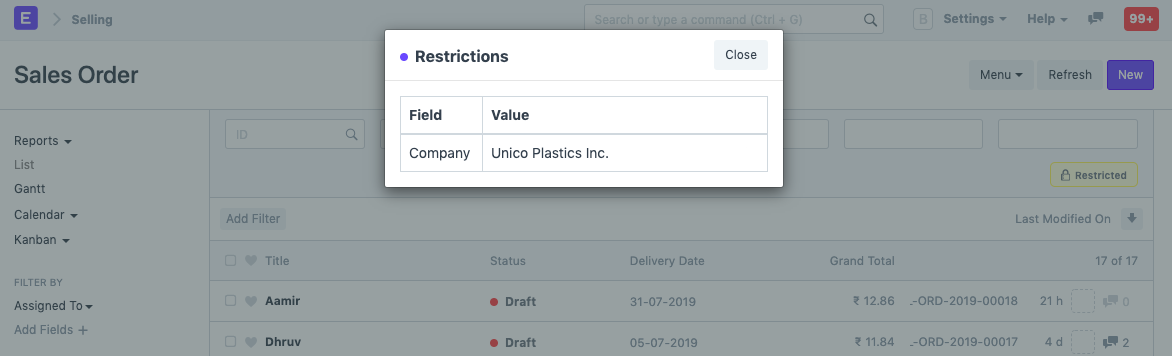
User permissions is a way of restricting user access to particular documents.
Complete (by default) access to a document type (doctype), such as a sales invoice, orders, quotation, etc., can be set using role-based permissions. This indicates that users who are given the Sales User role have access to all Sales Orders and Quotations.
Based on the document's link fields, User Permissions can be used to limit access to specific documents. Consider, for instance, that you conduct business in numerous regions and that you wish to limit certain Sales Users' access to Quotations and Sales Orders that pertain to a specific territory. Through user permissions, this is possible. Customers, suppliers, customer groups, supplier groups, etc. can all be subject to restrictions.
Setting user permissions can be quite helpful when you wish to impose restrictions based on:
- Allowing user to access data belonging to one Company
- Allowing user to access data related to a specific Customer or Territory
Go to: to access User Permissions.
Home > User and Permissions > User Permissions
1. How to create User Permissions
- Go to the User Permissions list, click on New.
- Select the user for which the rule has to be applied.
- Select the type of document to be allowed (for example "Company").
- Under For Value, select the specific item that you want to allow (the name of the "Company).
- If you check 'Is Default', the value selected in 'For Value' will be used by default for any future transactions by this user. That is if company 'Unico Plastics Inc.' is selected as 'For Value', this Company will be set as default for all future transactions by this user.
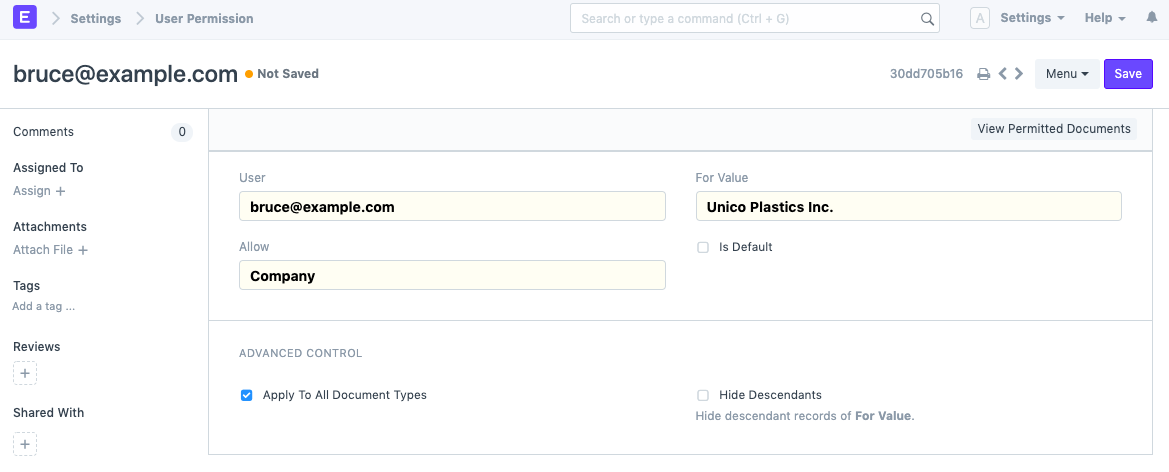
The default user permission for a specific user can only be configured for one specific document type.
2. More User Permission actions
2.1 Advanced Control
You can have more control over where the User Permission is applied in Advanced Control.
2.1.1. Applicable For
You can optionally apply user permissions only for specific document type by setting the Document Type after unchecking the Apply To All Document Types checkbox. Setting Applicable For option will make the current user permission applicable only under the selected Document Type master.
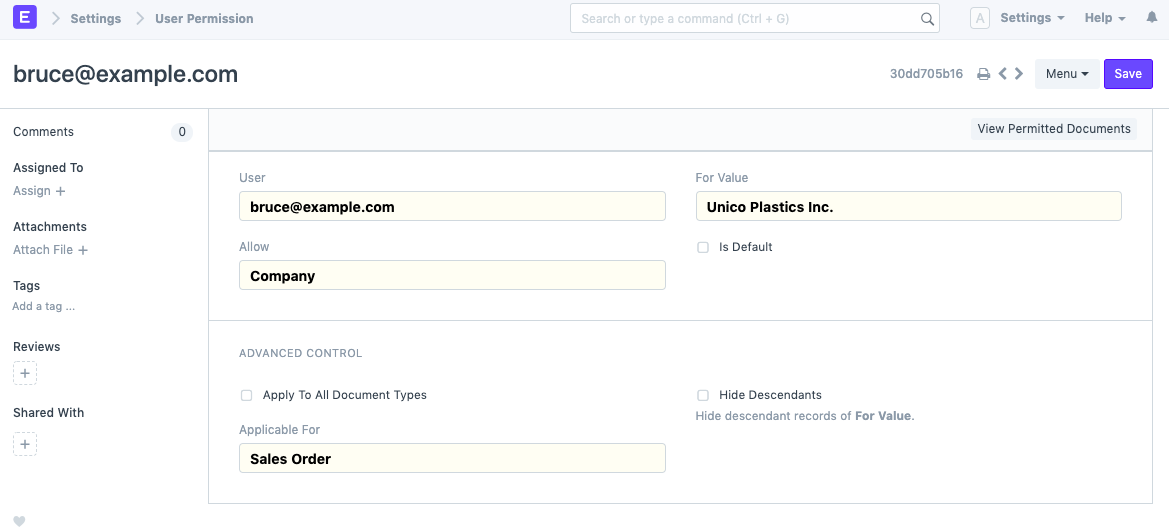
Only the Sales Orders of the chosen company will be accessible to the person with the aforementioned User Permission.
Note: User Permission will apply to all associated Document Types if Applicable For is not set.
2.1.2. Hide Descendants
The value of Allow could be a DocType with a Tree View, which will have records with a parent-child or ancestor-descendant relationship.
Let's assume For Value, 'Unico Plastics Inc.', has a child company 'Unico Toys'. When a User Permission is created for 'Unico Plastics Inc.', permissions for its descendants are granted as well.
Hide Descendants is visible only on selecting a Tree View DocType. By enabling this checkbox, permissions for descendants of For Value will not be granted.

Users who are permitted to see records for "Unico Plastics Inc." are not permitted to view records for "Unico Toys."
2.2 Ignoring User Permissions on Certain Fields
Another method of enabling documents that have been limited by User Permissions to be seen by everyone is to check the "Ignore User Permissions" box next to a specific field in Customize Form.
For instance, if you want Assets to be available to all users, choose Asset as the form type. Expand the Company field in the fields table and select "Ignore User Permissions" there.

2.3 Strict Permissions
This restricts user access to documents in a stricter way.
To know more, go to the System Settings page
2.4 Checking How User Permissions are Applied
Once you have developed an impenetrable permission model, you should evaluate how it applies to different users. The Permitted Documents for User report allows you to view it. You may view which papers a specific person can access by choosing the User and document type from this report.
By selecting the Show Permissions checkbox, the read/write/submit and other access levels will be displayed.
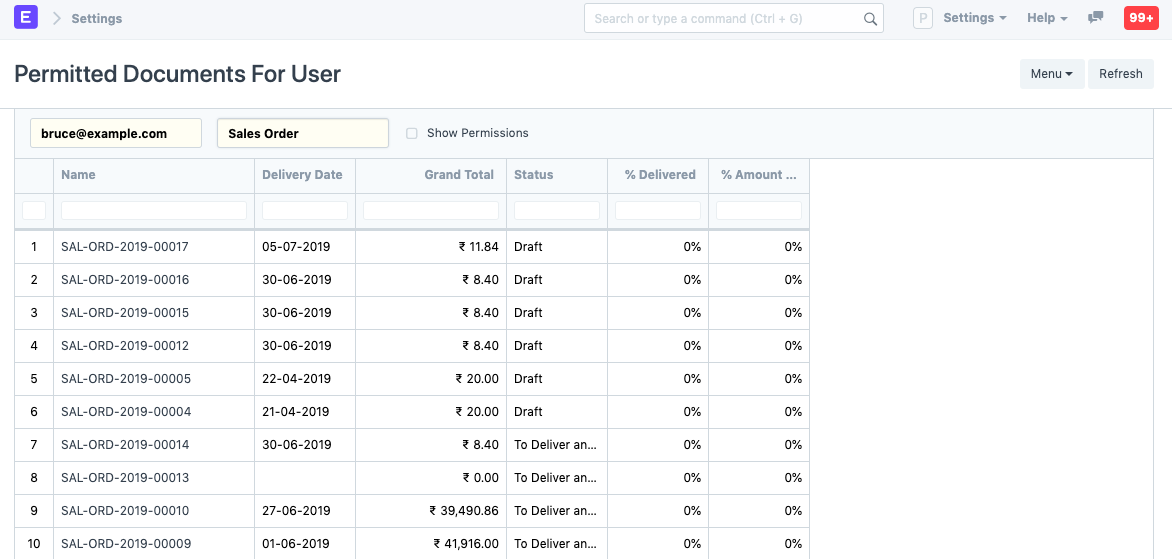
Recheck your role settings if you're having trouble accessing Sales Orders or any other document type on this list.
For instance, Bruce's access is limited to the company "Unico Plastics Inc."