Print Format
With Print Format, you can set how document types look when printing
Standard is the default Print Format for every transaction. Changes to Print Formats are made by:
- Using the Print Format form
- Using Jinja/JS scripting under Print Format
- Using the Print Format Builder to create print formats with UI
- Using Customize Form to hide/unhide fields Go to: to access Print Format.
Home > Settings > Print Format
- Go to the Print Format List, click on New.
- Enter a name and select a DocType for which the Print Format is to be used.
- The module for which it should apply will be selected automatically.
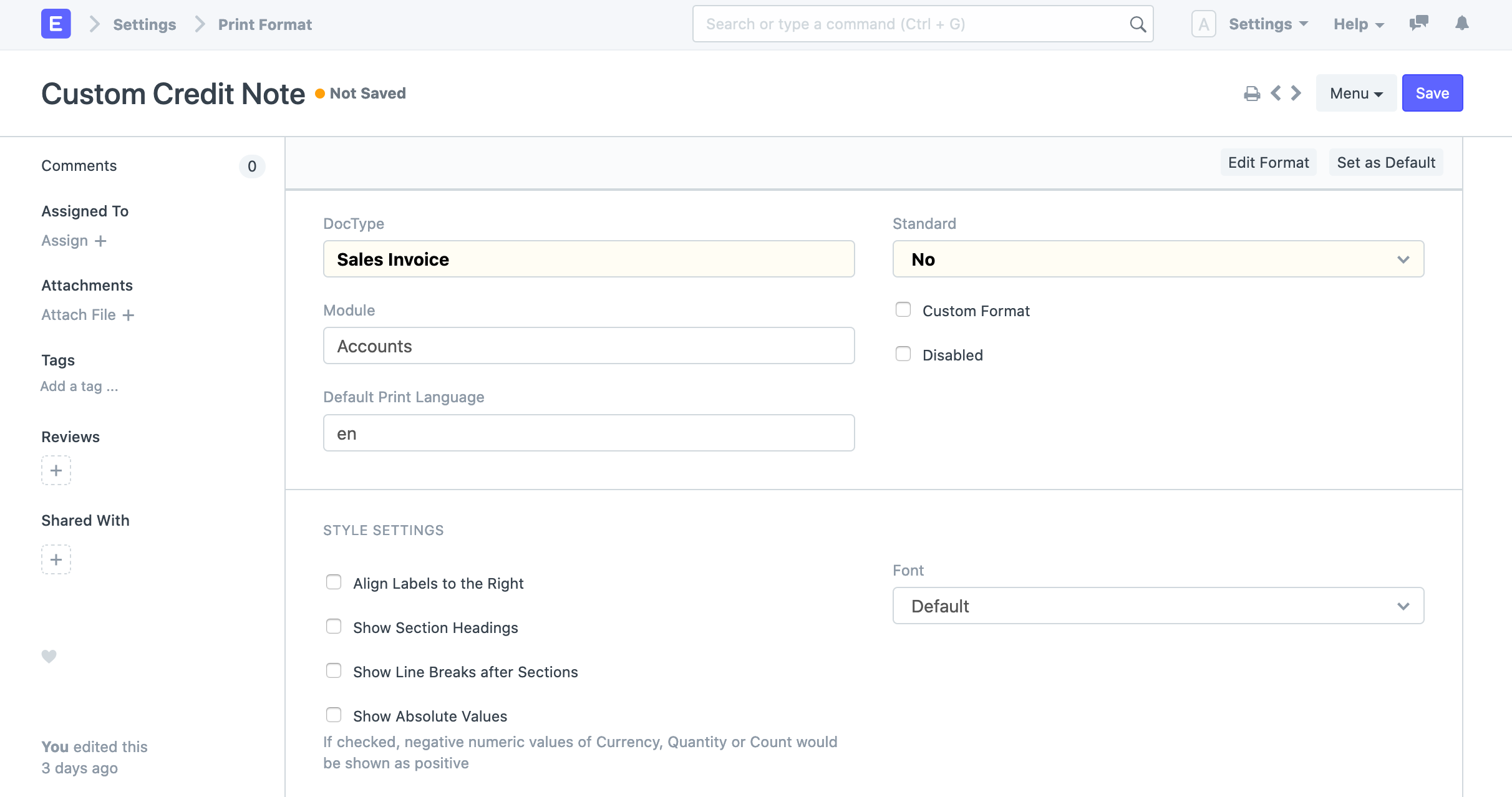
- Save.
The styling settings can be modified under Style Settings. You can alter the font, group labels together on the left or right, create headings for sections, and other things using those settings.
Click Custom Format to customize the Print Format with custom Jinja/JS. When you choose this option, a checkbox for printing in raw format will appear. Click here to learn more about raw printing.
You can submit a print format to the system as a standard (preset) print format by selecting Standard as yes while developer mode is enabled.
1.1 Using Customize form to change the Print Format items
Using Customize Form, you can hide/show fields in the transaction and its child tables. For instance, click on the print icon to open the print screen if you want to hide the "Item Code" when printing a quotation.
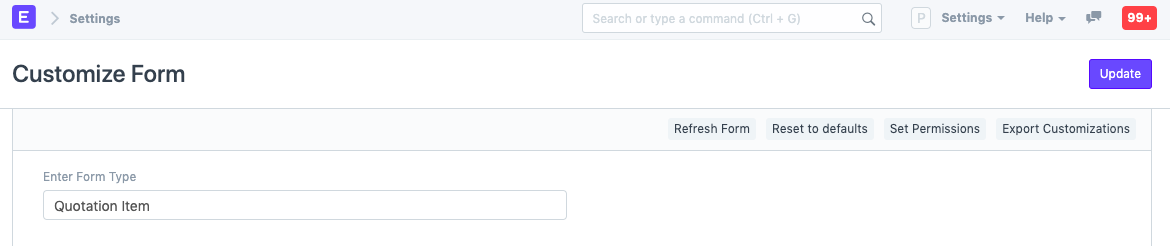
Select Quotation Item in the "Enter Form Type" field by going to Menu > Customize. Using Customize Form, you can hide/show fields in the transaction and its child tables. For instance, click on the print icon to open the print screen if you want to hide the "Item Code" when printing a quotation.
Select Quotation Item in the "Enter Form Type" field by going to Menu > Customize.
Visit the Customize Print Format page for additional information.
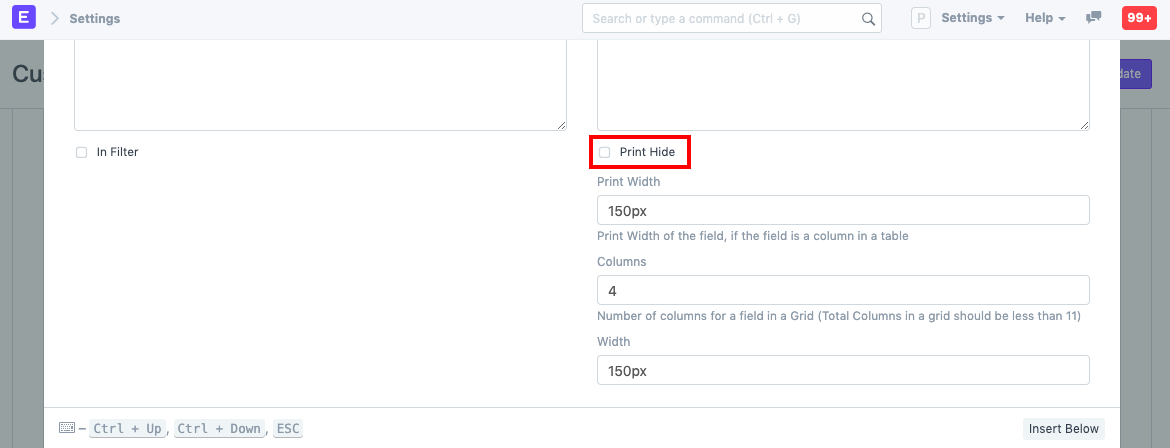
Expand the "Item Code" entry in the fields table, then scroll down and choose the "Print Hide" checkbox.
On a transaction's print screen, you can choose a newly constructed Print Format. From there, you can proceed to print after viewing how it appears.
