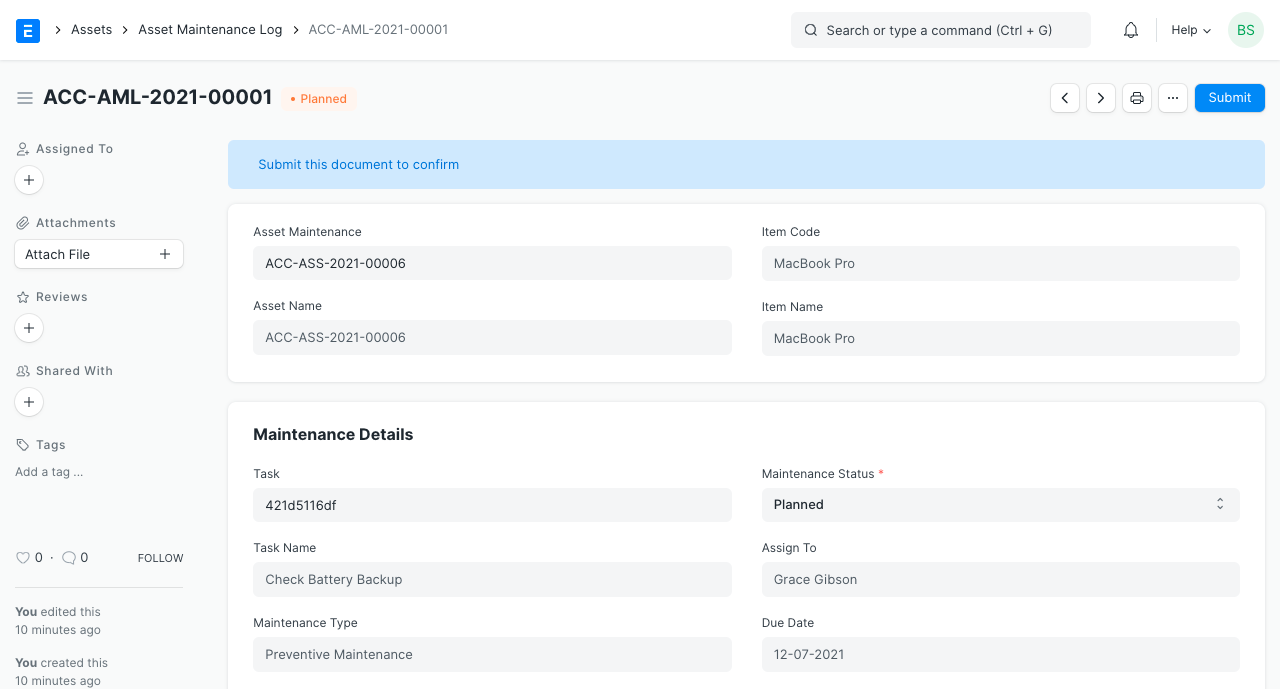
Asset Maintenance Log
Asset Maintenance Log logs the tasks carried out in an Asset Maintenance.
To keep track of the impending maintenances, an Asset Maintenance Log is automatically created for each activity in the program. It will include the status, the completion date, and the actions taken. The subsequent due date is computed automatically based on this completion date, and a new Asset Maintenance Log is generated.
Visit this link to obtain the Asset Maintenance Log:
Home > Assets > Maintenance > Asset Maintenance Log
1. Prerequisites
It is suggested to first create the following before producing and using Asset Maintenance Log:
- Asset Maintenance
2. Options in Asset Maintenance Log
As planned in the Asset Maintenance form, a Draft of the Asset Maintenance Log is produced. Asset Maintenance must be either "Completed" or "Canceled" in order to submit an Asset Maintenance Log.
- The Asset Maintenance Log's status can be "Planned," "Completed," "Canceled," or "Overdue."
- To further describe the activity, add further notes to the section titled "Actions performed."