Tax Category
Tax Category
A Tax Category allows one or more Tax Rules to be applied to transactions based on a variety of factors.
If you want to use Tax Categories to apply various taxes, build Tax Categories from:
Home > Accounting > Taxes > Tax Category
1. Prerequisites
It is suggested to first create the following before creating and using a Tax Category: 1.Tax Rule
2. How does a Tax Category work
It's easy to create a tax category; just browse to the list of tax categories, click on New, and type in a name.
One or more Tax Rules may be connected to a Tax category. This Tax Category may be assigned to a Customer, in which case the Tax Category will be retrieved when that Customer is chosen. In the case of a Supplier, this likewise holds true. With this, you can retrieve the Sales Tax Template associated with the Tax Rule. As a result, the Tax table's rows will be populated automatically. Consumers who will be subject to the same tax can be grouped using tax categories. Government, non-profit, commercial, etc., as examples.
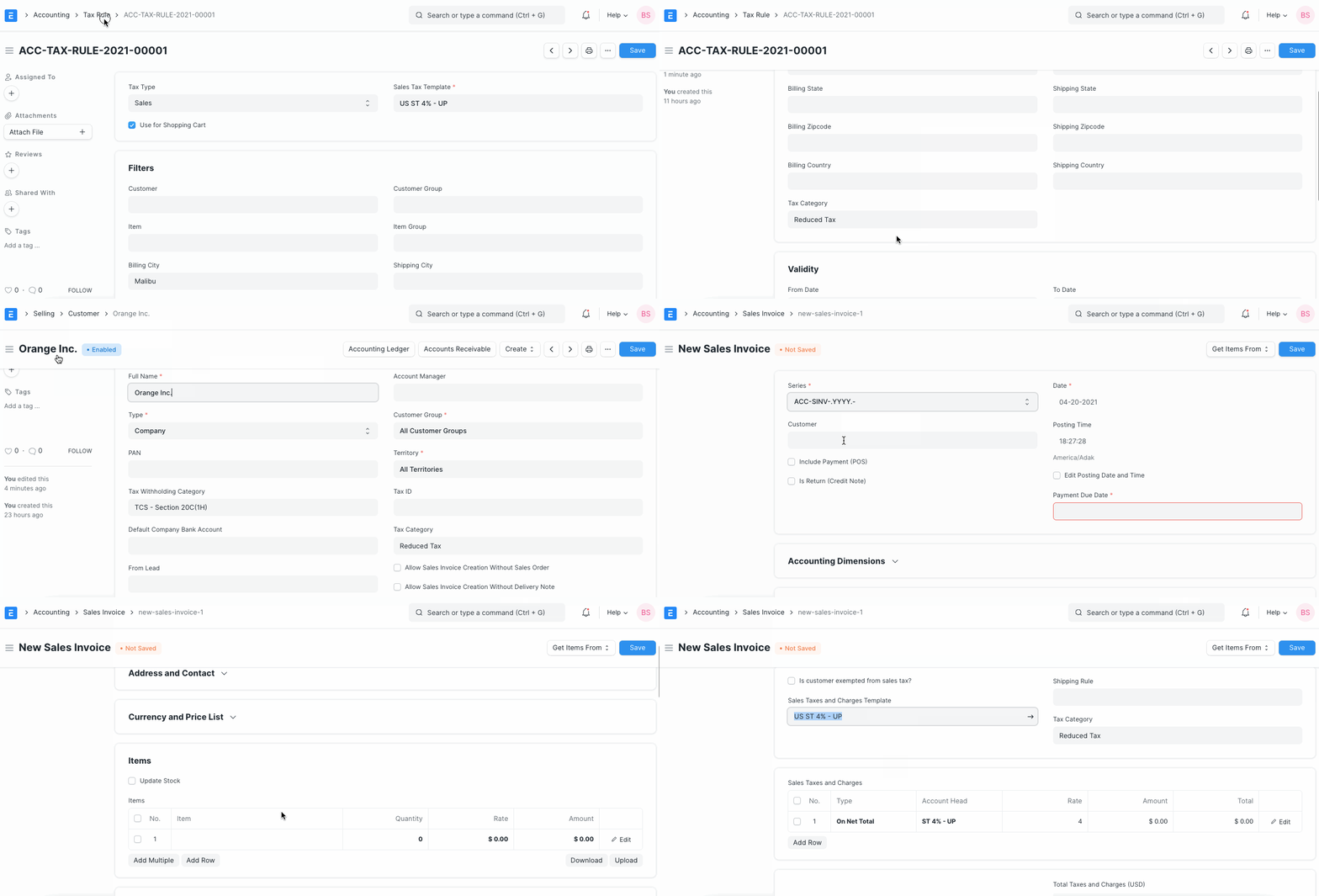
Advice: Several Tax Rules can be associated with a single Tax Category. In order to automatically apply taxes to transactions, you can design several combinations.
3. Assigning Tax Category
The Party Address or Party Master (Customer/Supplier) of a transaction automatically determines the Tax Category. Assigning a Tax Category may be done using
1.Customer
2.Supplier
3.Address Billing or Shipping. You can select whether Billing Address or Shipping Address gets preference by changing the 'Determine Address Tax Category From' option in Accounts Settings. Tax Category is determined from Party Address first. If the Address is not assigned any Tax Category, then the Party's Tax Category is used.
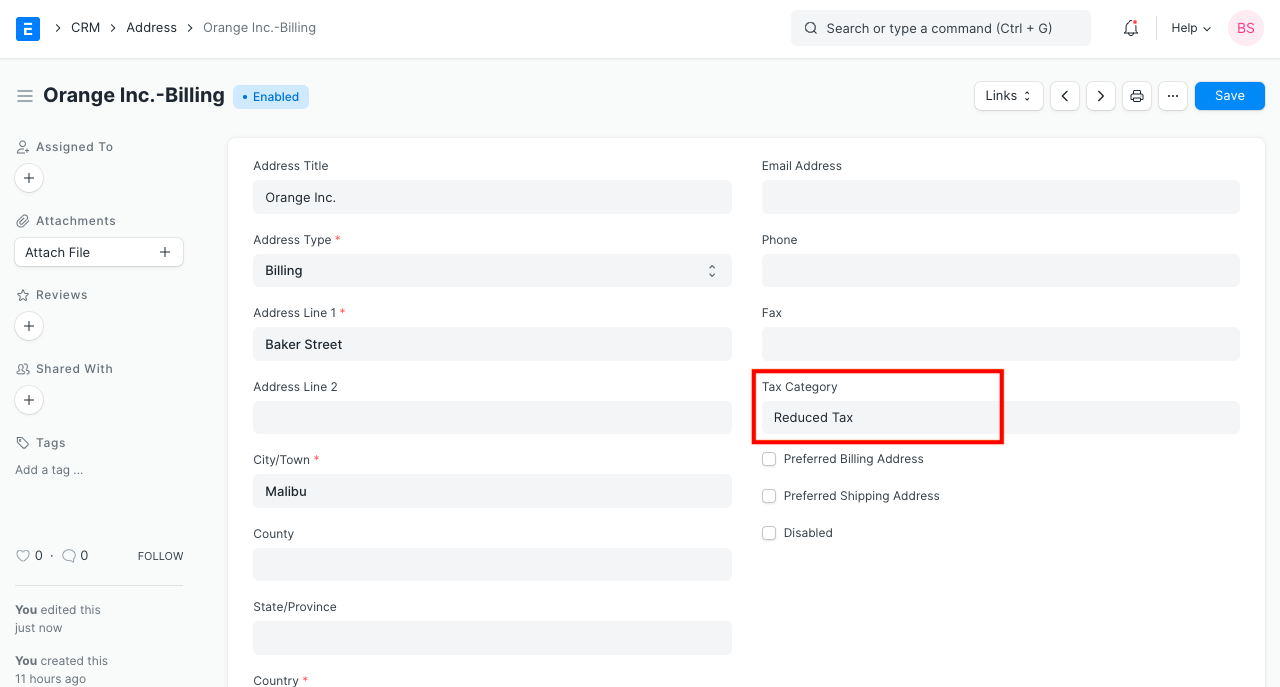
- Item
- You can also manually select the Tax Category in a transaction.
4. What effect does the Tax Category have in a transaction?
1.Items are automatically set to use the specific item tax templates for that tax category.
2.Based on several Tax Categories in transactions, you can construct Tax Rules to automatically set a certain Sales / Purchase Taxes and Charges Template.