Calendar
The Calendar is a Tool which helps you to create, share and keep track of events in your Geer ERP account.
A calendar offers Day, Week, and Month views.

Go to: to access the calendar.
Home > Tools > Calendar
1. Creating Events in Calendar
- Navigate to Calendar and select New.
- Include the event's Subject and Start Date.
- Save.
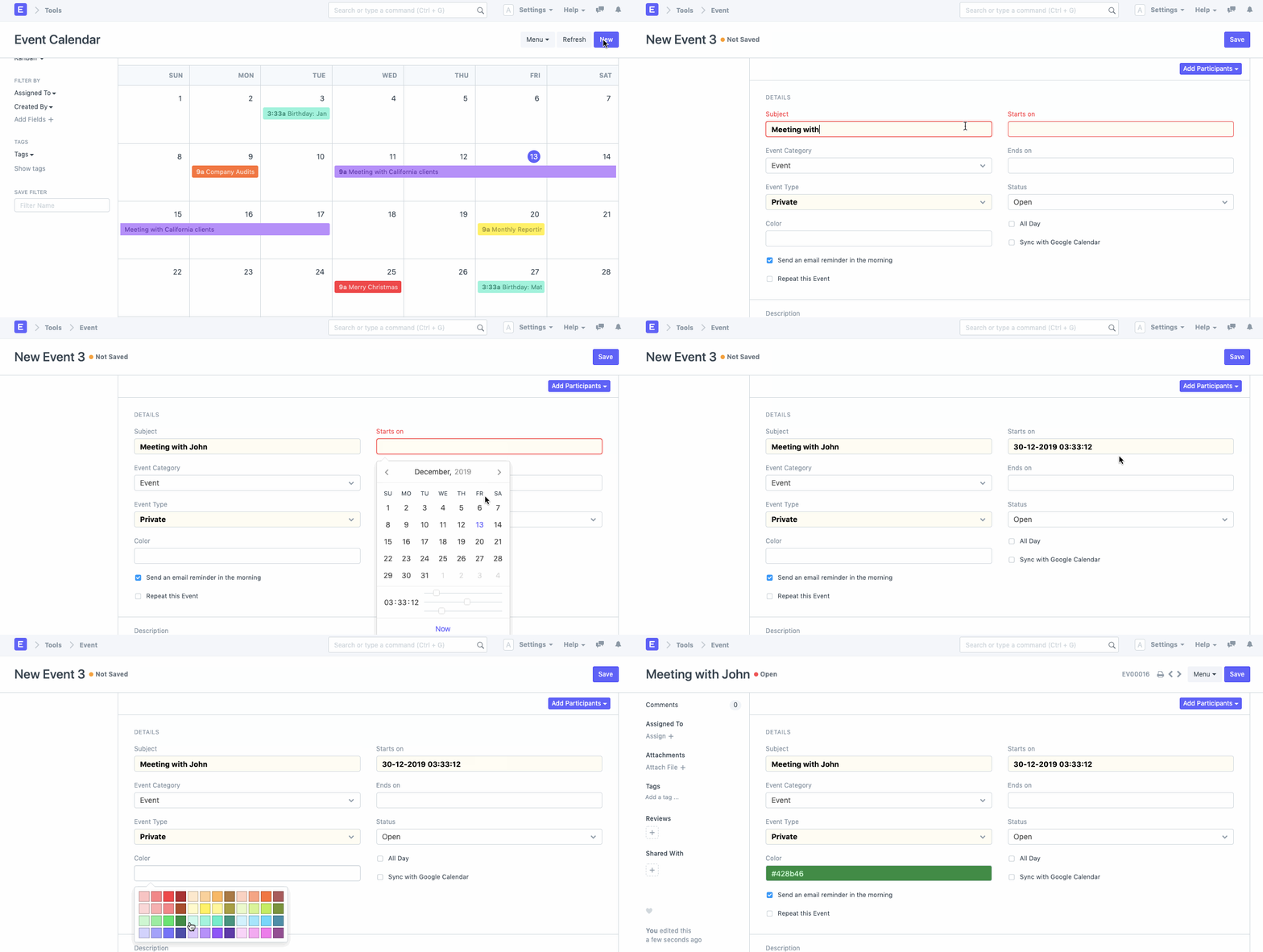
As an alternative, you may also create an event using the Calendar's "Day View." Throughout the day, different time periods are allocated to this view. You can choose the time window for the event's start, enter the topic, and push it forward till the scheduled finish time.

1.1. Event Based on a Lead
You can fill out the Next Contact By and Next Contact Date fields in the Lead form. These fields will automatically create an event for the User on the specified day and time once the User's information and the date have been entered.

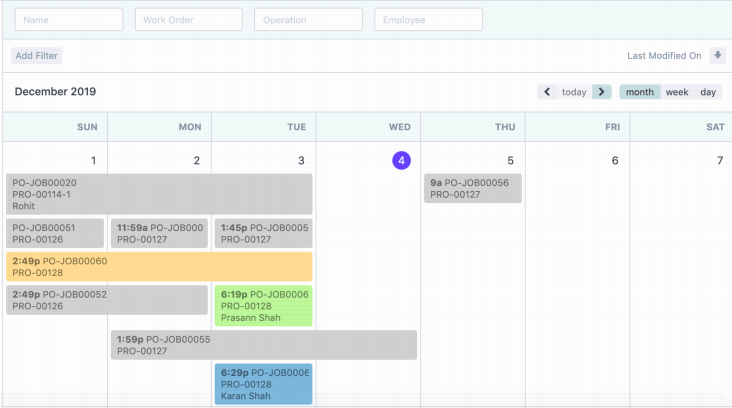
1.2. Event Based on Job Cards
A corresponding event will be established in the Calendar for each Job Card that is created for a User in the Geer ERP account.
1.3. Birthday Event
Birthday events are produced using the employee master's date of birth information.
1.4. Recurring Events
In an organization, numerous events take place frequently at set intervals. By turning on the "Repeat this Event" attribute for a certain event in Geer ERP, you may create these types of events.
When you do this, a prompt asking you to input the event's periodicity in the "Repeat On" field will appear. This can be done on a daily, monthly, weekly, or annual basis.
In the "Repeat Till" field, you can additionally choose the final day of the recurring occurrence. If there are endless repetitions, you can choose to omit this field.

1.5. Event Reminders
You can get an email reminder for an event in one of two ways.
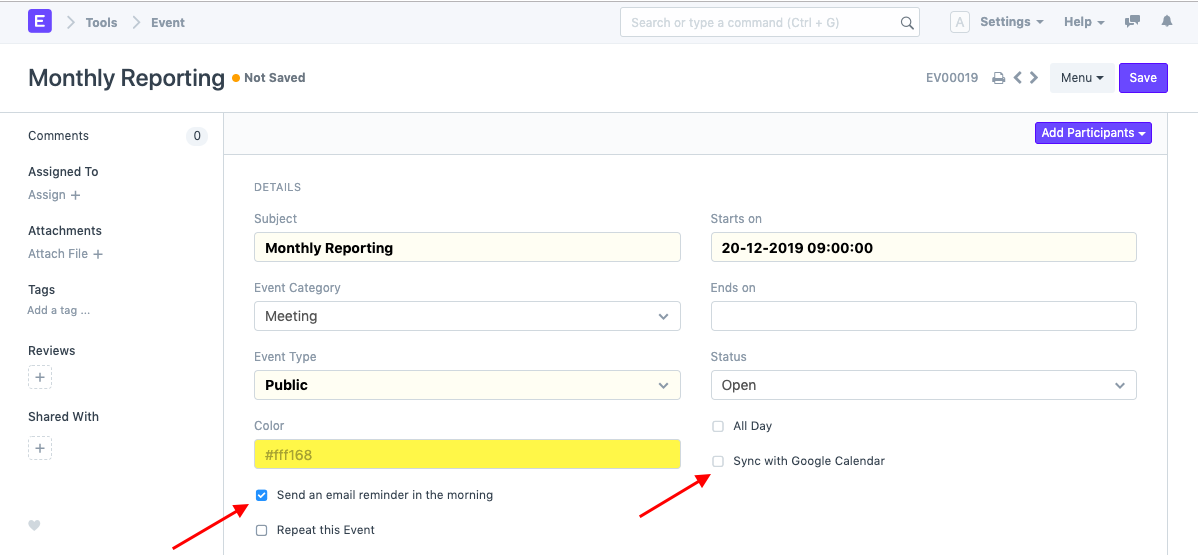
- Enable Reminder in Event
If "Send an email reminder in the morning" is checked in the event master, an email reminder will be sent to all attendees of this event.
- Create Email Digest
You should set Email Digest for Calendar Events if you want to get email reminders for events.
One can choose Email Digest from:
Email > Email Digest > Configure
