Field Level Permission Manager
Most businesses require Perm Level, which may be used to simply establish field restrictions depending on Roles. You can access the relevant form and Customize it to establish a Perm Level.
Let's consider a situation in which the company does not want its employee (an accounts user) to change the item's rate when generating a sales invoice. We may accomplish this by by making the Item Rate field read-only.
- To do this, pick the Sales Invoice Item DocType option under Customize Form, scroll to the Item Rate box, and expand it.
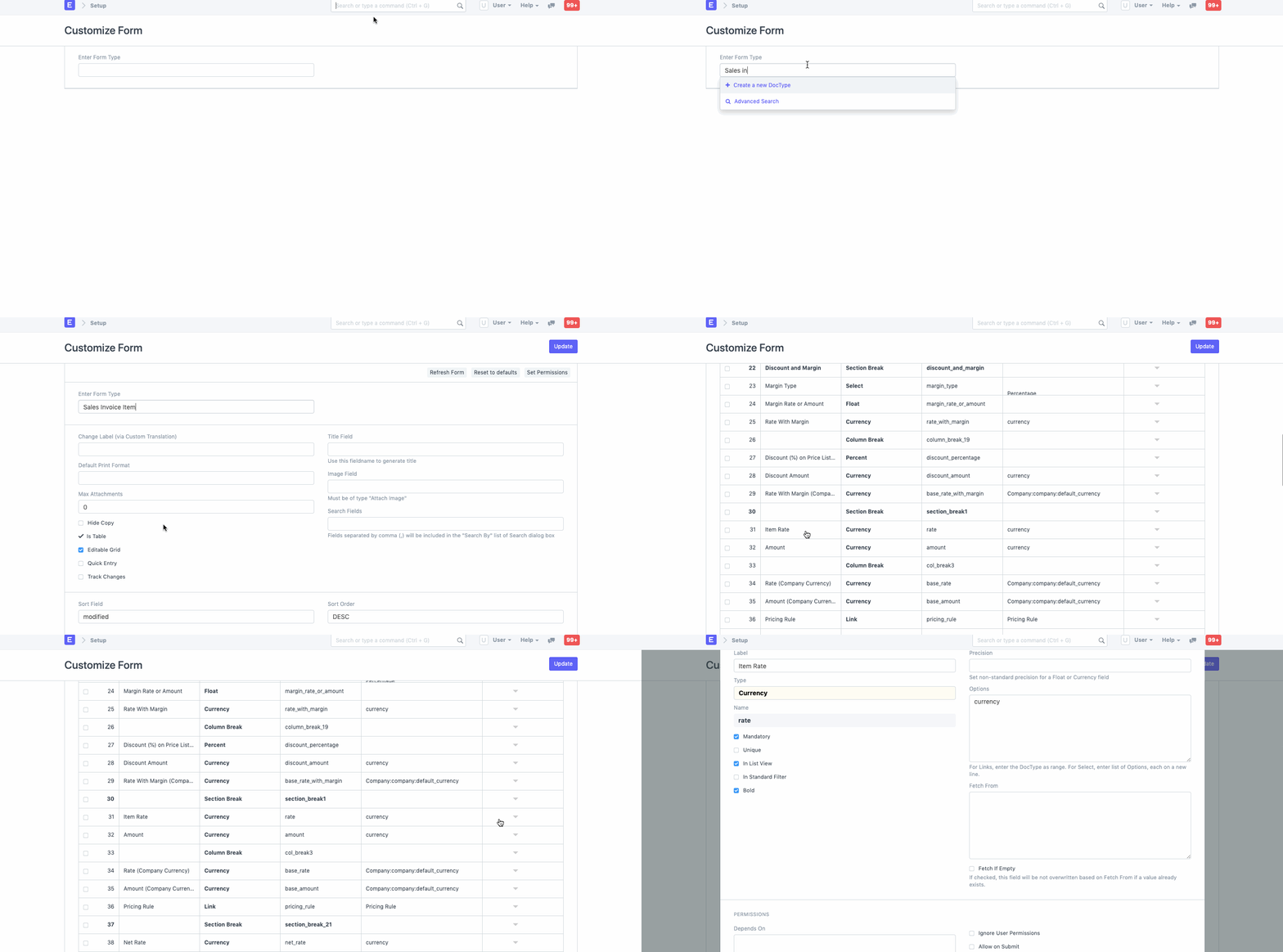
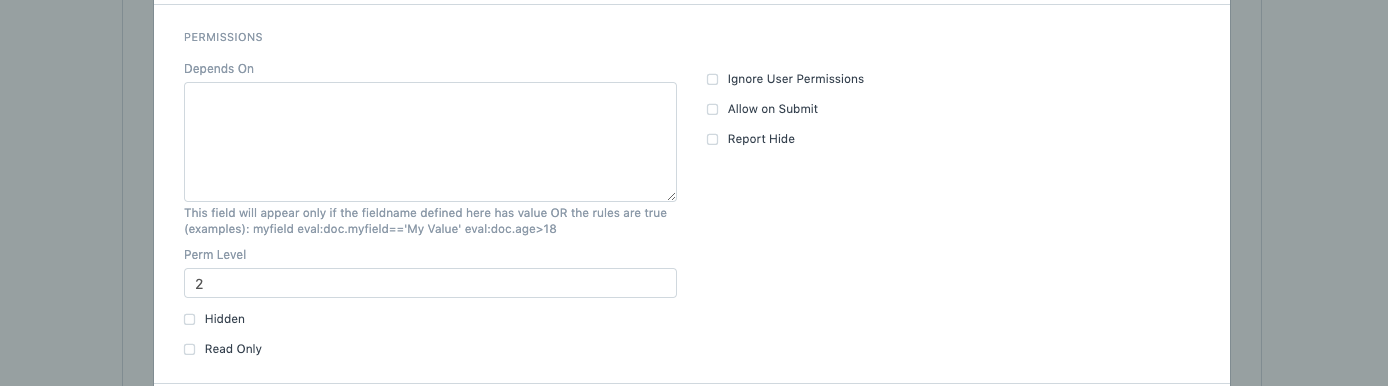
- Find the Perm Level, type the numeric value (e.g., 0, 1, 2, 3, etc.), and save it.
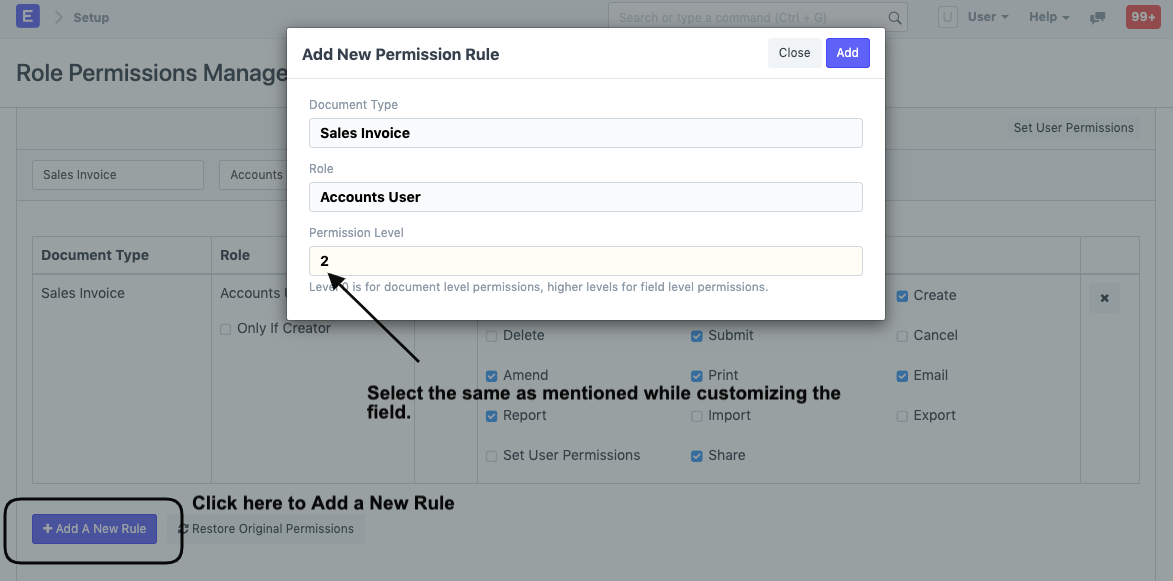
- After saving, choose the Document Type and the Role—in this case, Accounts User—in the Role Permission Manager, set the Perm Level to 2, and allow the Employee Read access.
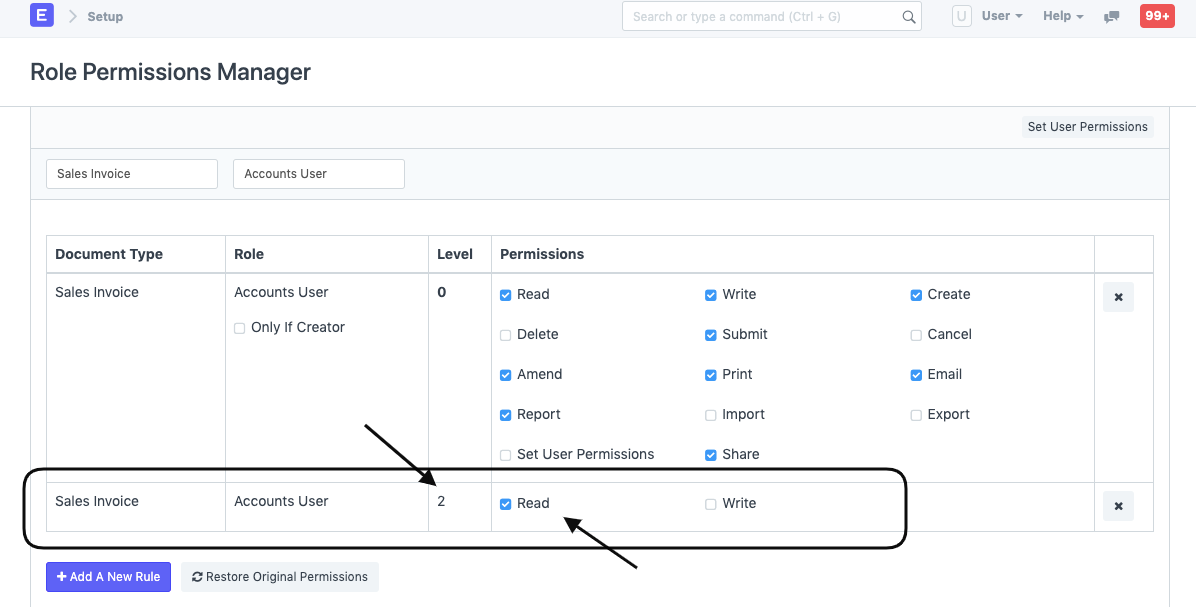
The newly established Rule with Perm Level 2 will appear as follows in the Role Permissions Manager:
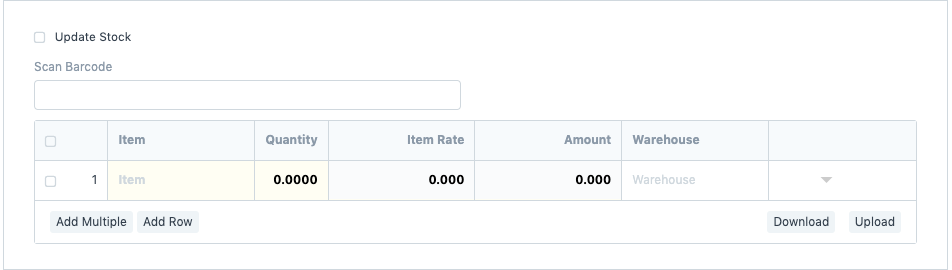
- As you can see, the User can only view the Item Rate field on the Sales Invoice, which is automatically obtained from the Price List.
Click here for additional information about Perm Level and here for more help.