Project View
Project Views
We need a variety of perspectives to present information to consumers viewing projects in a visually appealing manner because they are time-sensitive.
ERPNext offers Gantt, Kanban, and Calendar views for tasks in addition to the standard list and report views for projects and tasks. By going to the Task list and choosing them from the left sidebar, you can access these views.
Gantt View The start and finish dates of the tasks, as well as any dependencies, if any, are shown in a Gantt Chart, together with the order in which they will be completed.
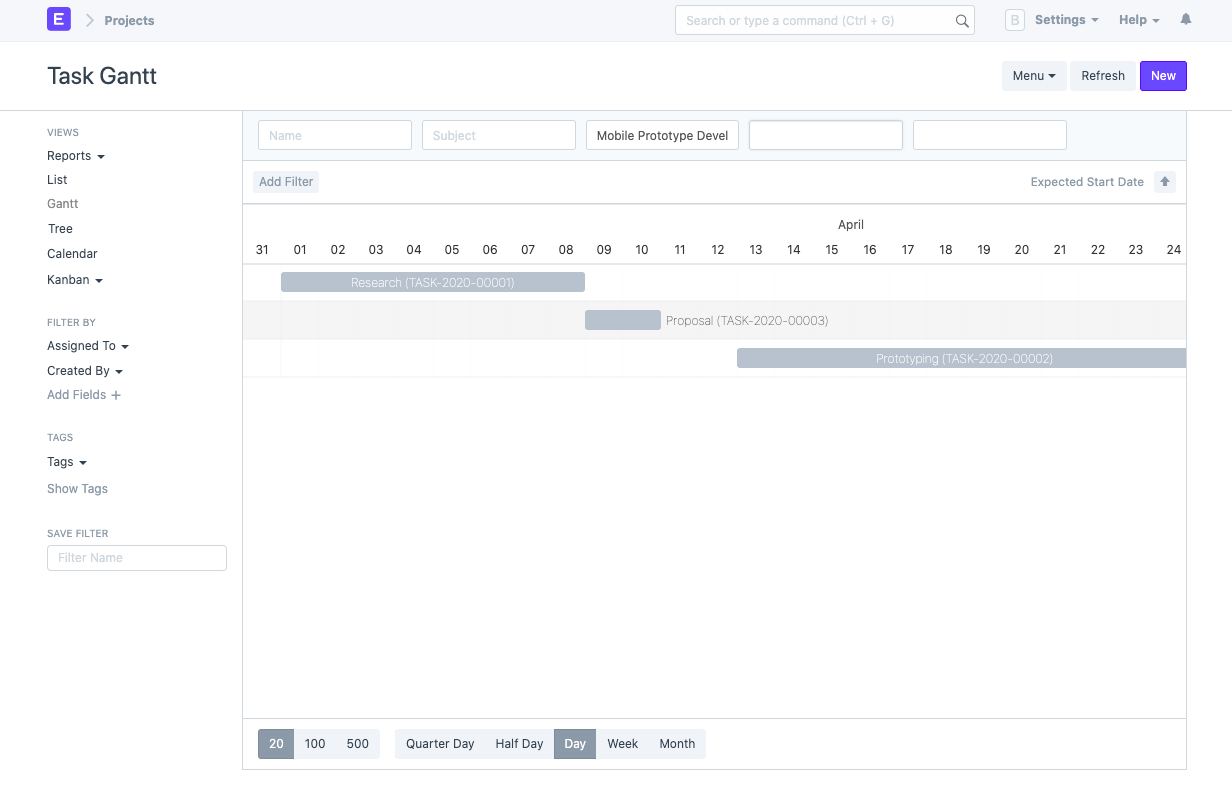
The chart's range can be updated by choosing from Quarter Day, Half Day, Day, Week, or Month.
The start and finish dates of a task can be updated by dragging it along the dates.
See this page if you want to further alter the chart and add color.
Kanban View Given that Toyota's lean manufacturing process is where the task management approach Kanban got its start, it is no surprise that it means "billboard" or "signboard" in Japanese. A board or wall that is separated into sections that reflect various stages of execution or realization makes up a standard kanban board layout. Sticky notes or Post-its are used to post tasks on the board, and as they go along the board, they update the task's progress through the process.
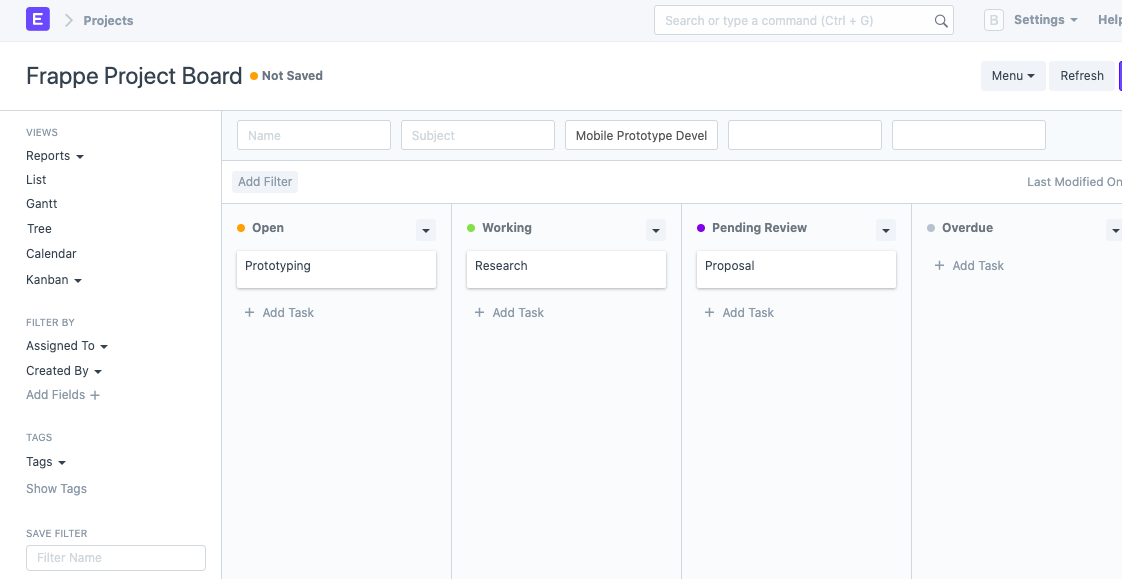
Based on a task's status, ERPNext displays the Kanban view for that task. By shifting the representative card from one column to the next, you can change the status of a task. These columns can also be given colors for visual aid.
For further information, see customized Kanban board.
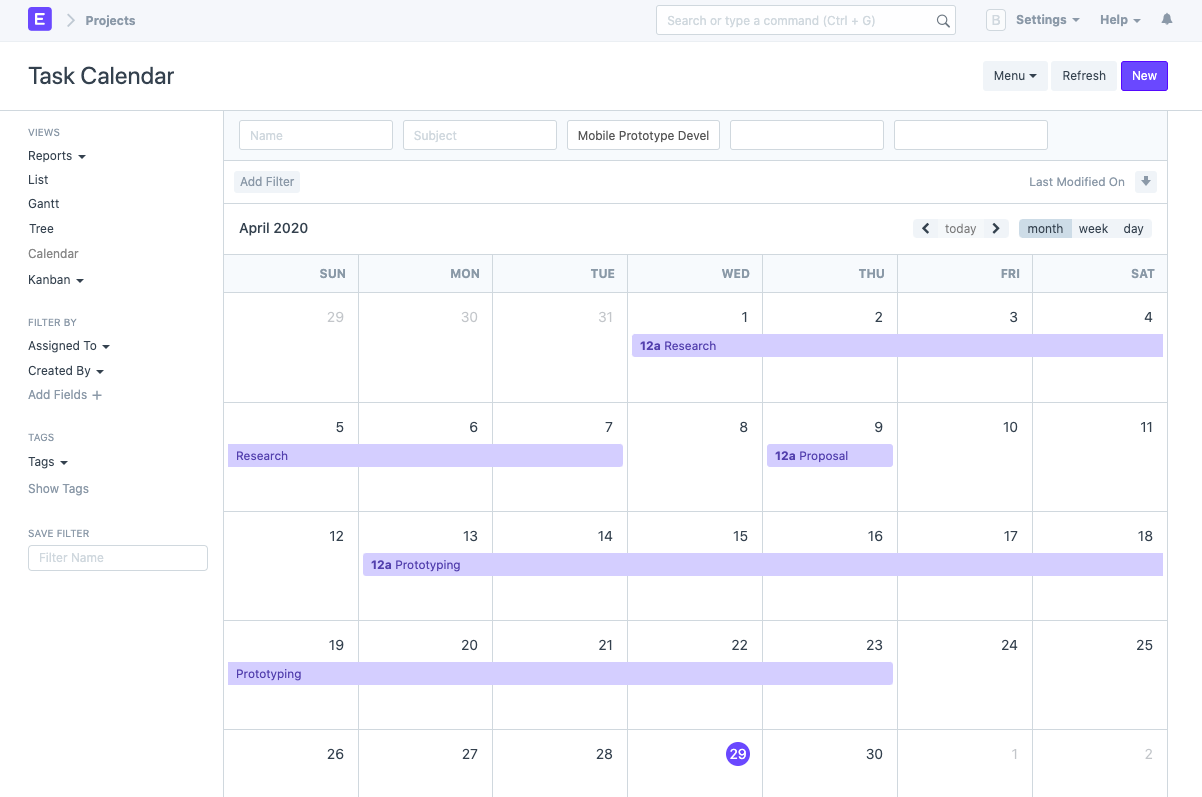
Calendar View
The task and the anticipated number of days it will take to complete are both displayed in the calendar view, just like the Gantt chart. This one, however, displays the work split across your daily calendar.