Credit Note
Credit Note A credit note is a letter a seller sends to a customer informing them that their account has been credited for products the buyer returned. A credit has been applied to the customer's account in relation to the goods the buyer returned, according to a credit note that the seller has issued to the customer.
1. How to make a Credit Note
The user has the option of creating a Credit Note in relation to the Sales Invoice or creating a Credit Note directly from the Sales Invoice without referencing it. Keep in mind that a Payment Entry must be used to settle the invoice in order to establish a Credit Note.
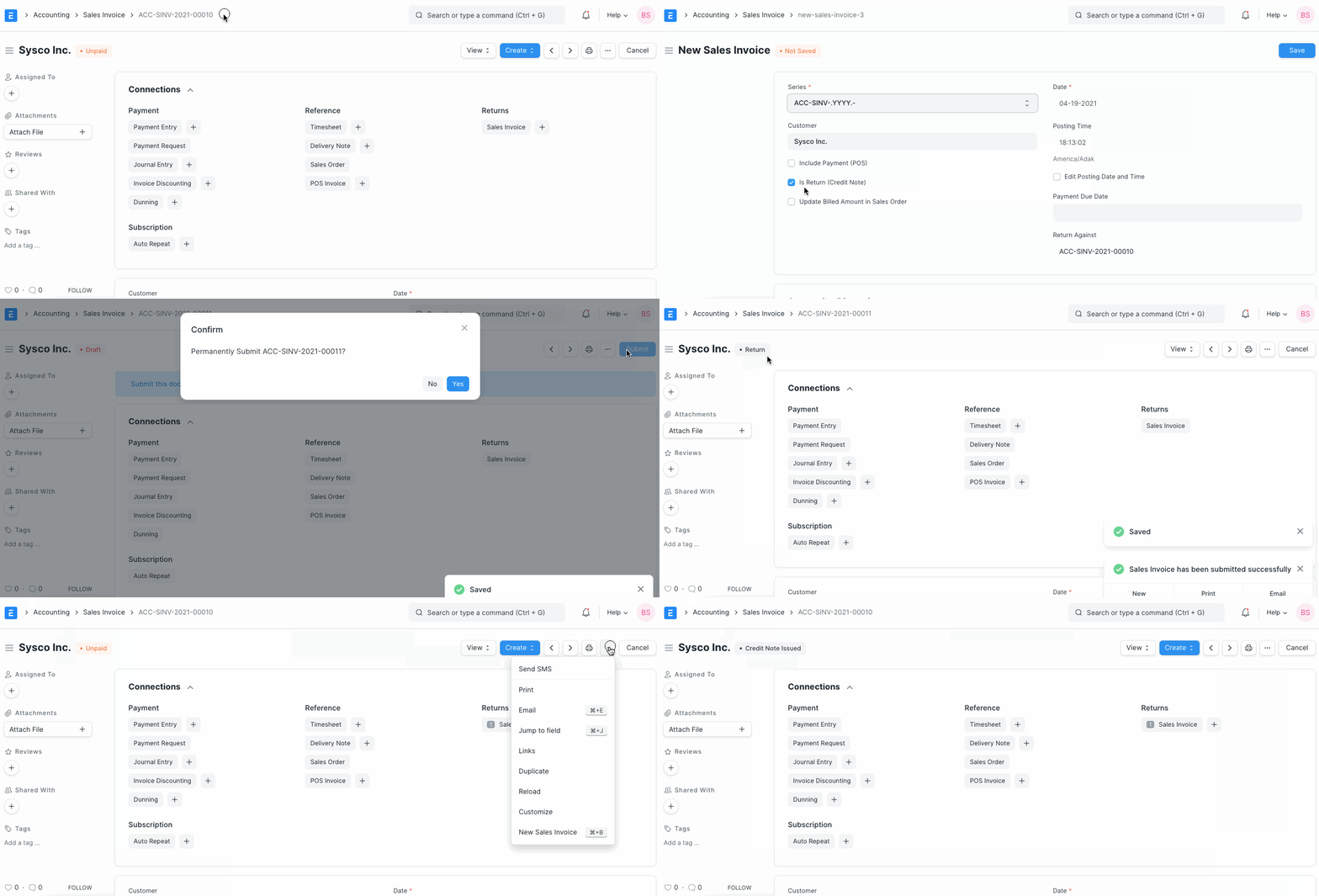
1.Go to the respective Sales Invoice and click on Create > Return / Credit Note.

2.The Customer and Item details will be fetched as set in the Sales Invoice.
3.If the Customer had paid partially or fully, make a Payment Entry against the original Sales Invoice. 4.Save and Submit.
The Customer and Item details will be fetched as set in the Sales Invoice.
If the Customer had paid partially or fully, make a Payment Entry against the original Sales Invoice. Save and Submit.
Due to the return, both the item quantity and payment amount will be negative.
1.1 How does Credit Note affect ledger
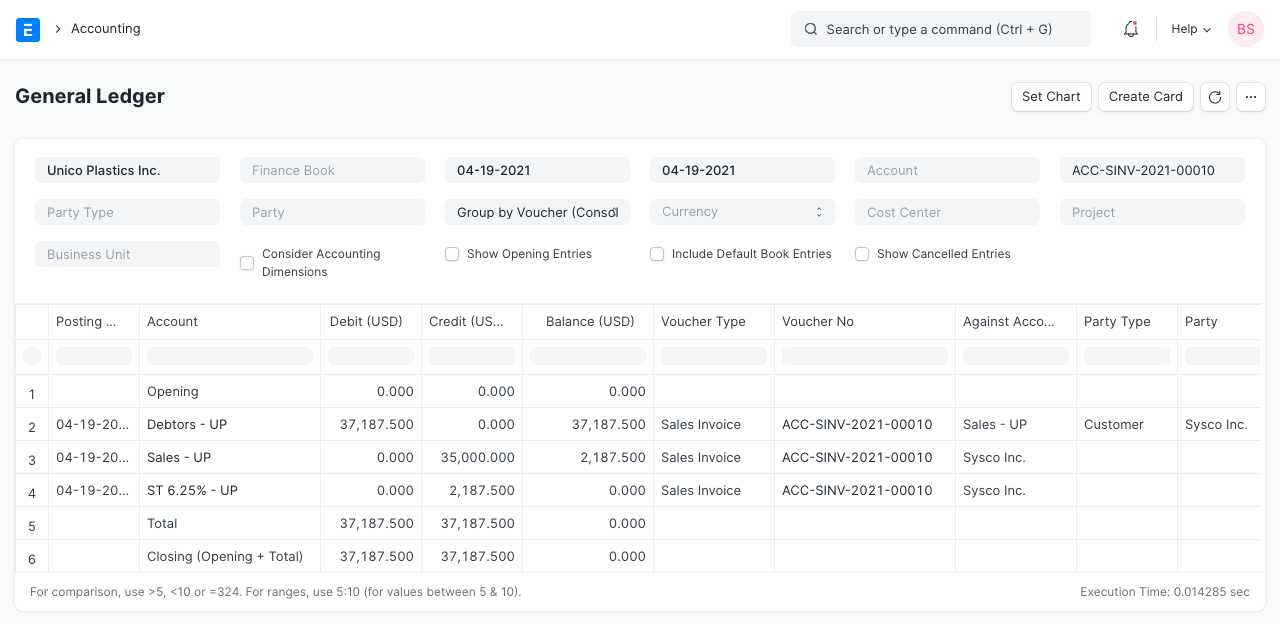
Once a Payment Entry has been made against the initial Sales Invoice, the sum will be placed to the customer's account in the negative direction so that it will be adjusted the following time they make a purchase.
The following is how the ledger is impacted by a payment entry made in relation to a rejected invoice:
For additional information, please see the Sales Invoice page.
1.2 No payment was made against Sales Invoice
You might simply cancel the sales invoice in the event that no payment was made in relation to the initial invoice. The ledger can be updated by writing a credit note even if only 5 out of 10 items from an invoice are being returned.
2. Example
At the time of delivery, customer Rohan discovered that the PVC pipes he had ordered for Rs 300 plus taxes were broken. Following Rohan's return of the item, a credit note will be given.
The credit note and payment entry in ERPNext are as follows for the case above: