Designation
Designation
Employees are given designations as their official job titles.
A company's directors, officers, managers, and shareholders are just a few of the stakeholders that help it manage itself so that its business goals are achieved.
You can designate several roles using ERPNext, and you can specify the abilities needed for each role.
Go to: to access Designation.
Home > Human Resources > Employee > Designation
1. How to create a Designation
1.Click New on the Designation list page.
2.the name of the designation.
3.Put "Description" and "Skills Needed" (optional).
4.Save.
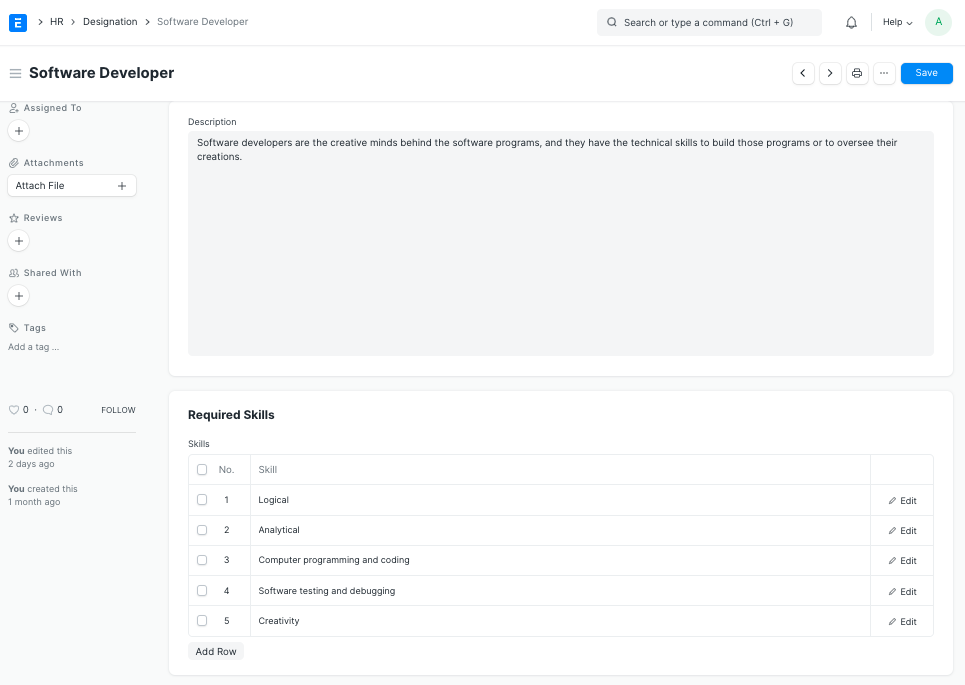
Note: To assess an employee's performance based on his skills, the required skills for an Employee of a specific Designation that are listed in the "Required Skills" section of the Designation doctype can be directly fetched in the Employee Skill Map.