Common Party Accounting
Common Party Accounting
Common Party Accounting in ERPNext involves accounting of unusual transactions like creating a Sales Invoice against a primary Supplier.
Let's assume an ERPNext user who has been making Purchase Invoices against a Supplier, wants to make a Sales Invoice against the same supplier and adjust this Sales Invoice against one of the previous purchases.
The above can be achieved by enabling Common Party Accounting.
Steps:
1.Go to Accounts Settings and enable Common Party Accounting.
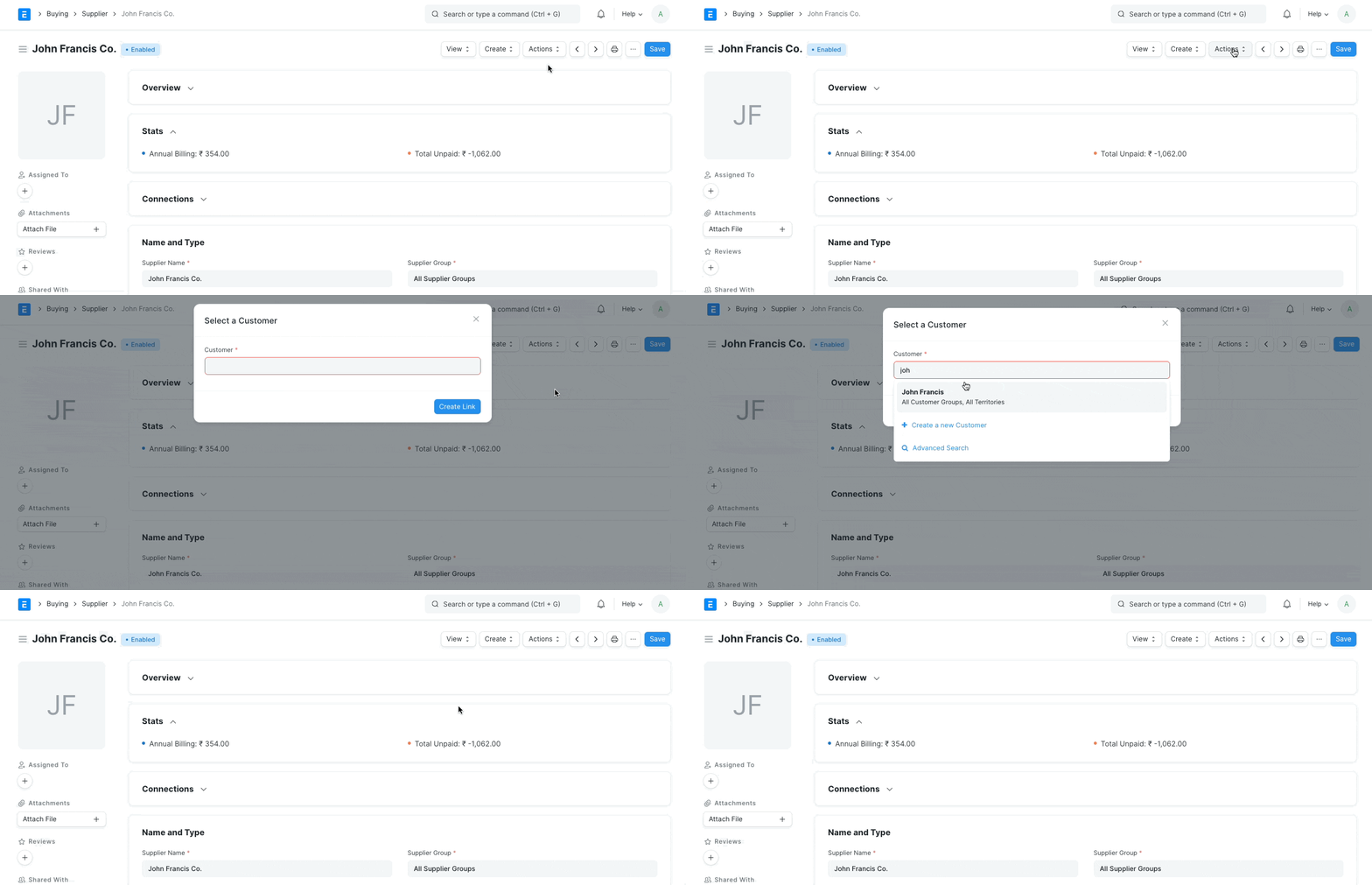
2.Create a link between two parties
*If the primary role of the party is Supplier, then go to the Supplier Master and Click on Actions -> Link with Customer *If the primary role of the party is Customer, then go to the Customer Master and Click on Actions -> Link with Supplier
- Create a Sales Invoice against the Customer that was set as Secondary Party in the 4th step.
4.On submitting the Sales Invoice, a Journal Entry will be posted automatically that will create an advance balance against the linked Supplier.
.png)
- Now this Journal Entry advance can be then used to reconcile against a Purchase Invoice.