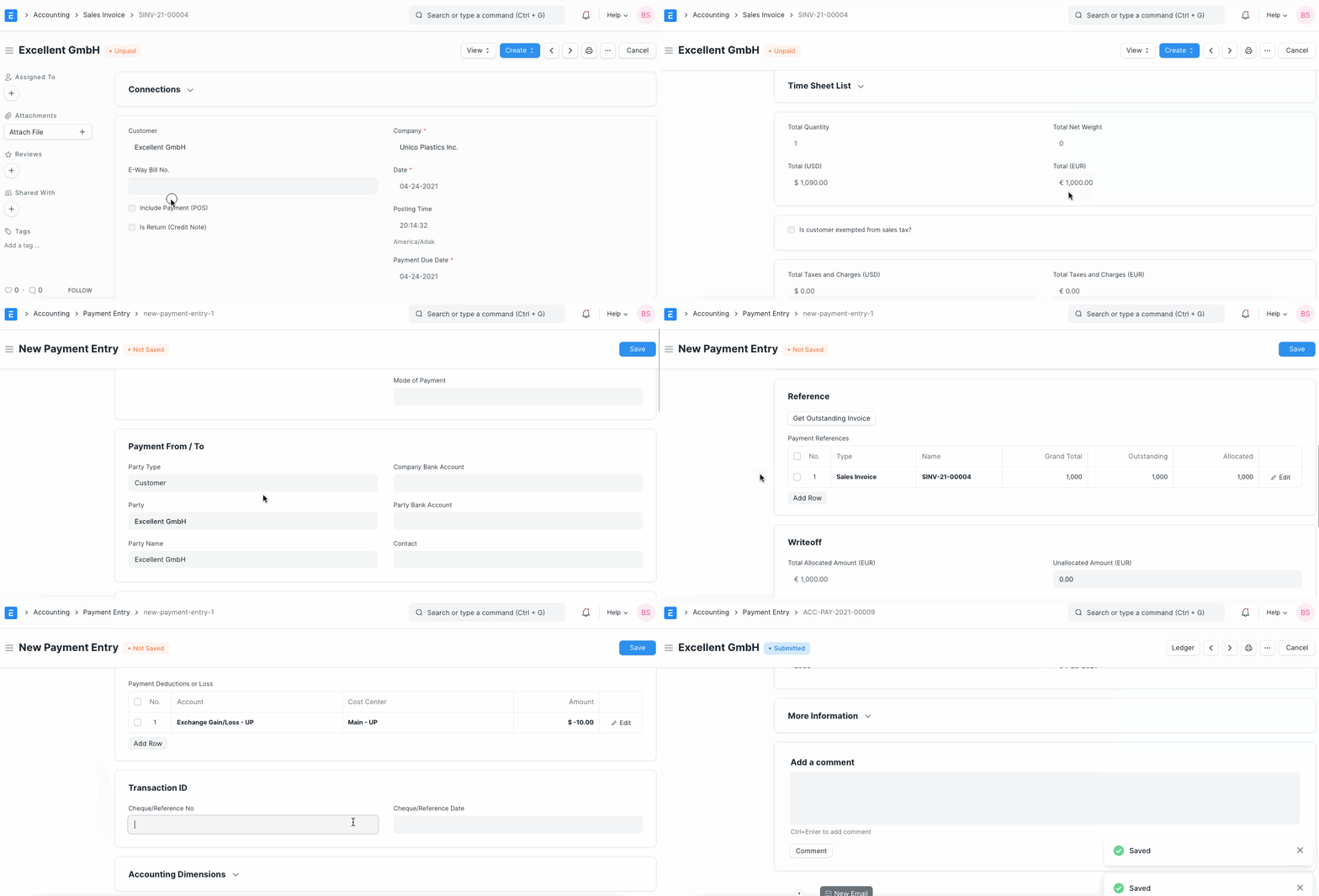
Manage Foreign Exchange Difference
Manage Foreign Exchange Difference
You can create transactions in foreign currency using ERPNext. When a transaction is created in a foreign currency, the system updates the current exchange rate relative to the customer/currency supplier's and the company's base currency. Due to the constant fluctuation of the Exchange Rate, one may receive payment from the client at a different exchange rate than that stated on the Sales/Purchase Invoice. Following are instructions on how to manage payment entry amounts that have changed due to fluctuations in the exchange rate.
Add Expense Account To manage currency difference, create Account Exchange Gain/Loss. Typically, this account is created on the Expense side of the profit and loss statement. However, you may classify it under a different category based on your accounting needs.
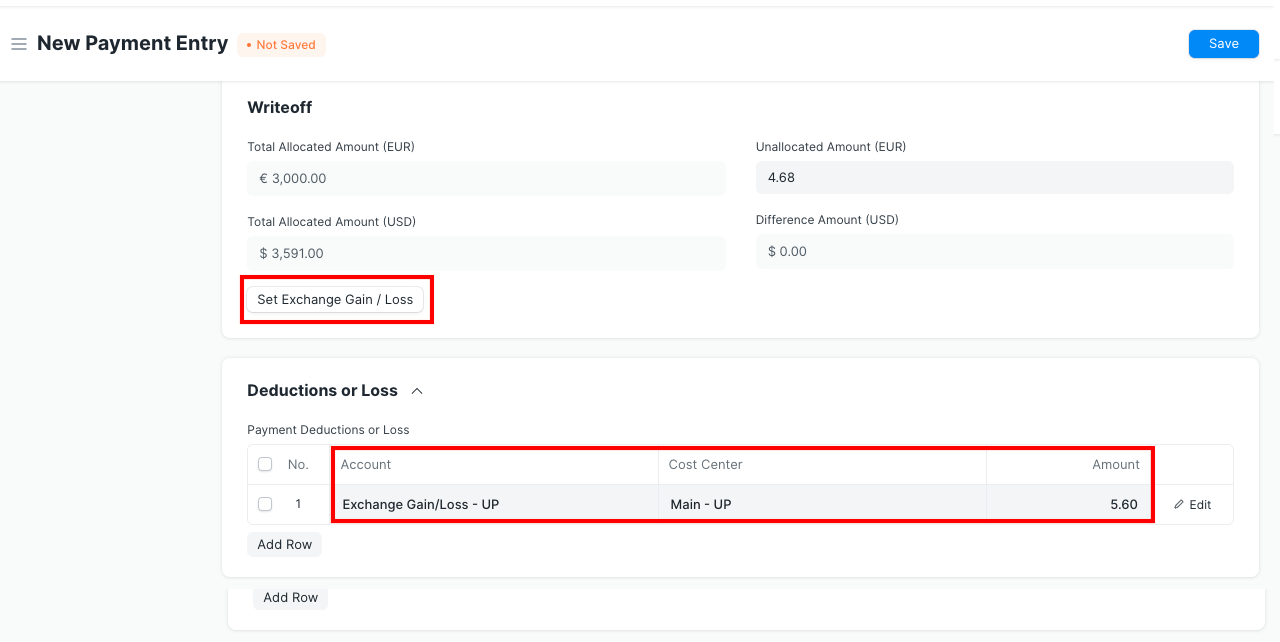
Book Payment Entry