Loan Management Process
Loan Management Process
The Loan Management feature in ERPNext allows for the management of loans issued to employees by the business.
The following procedures must be taken in order to use the ERPNext loan management system:
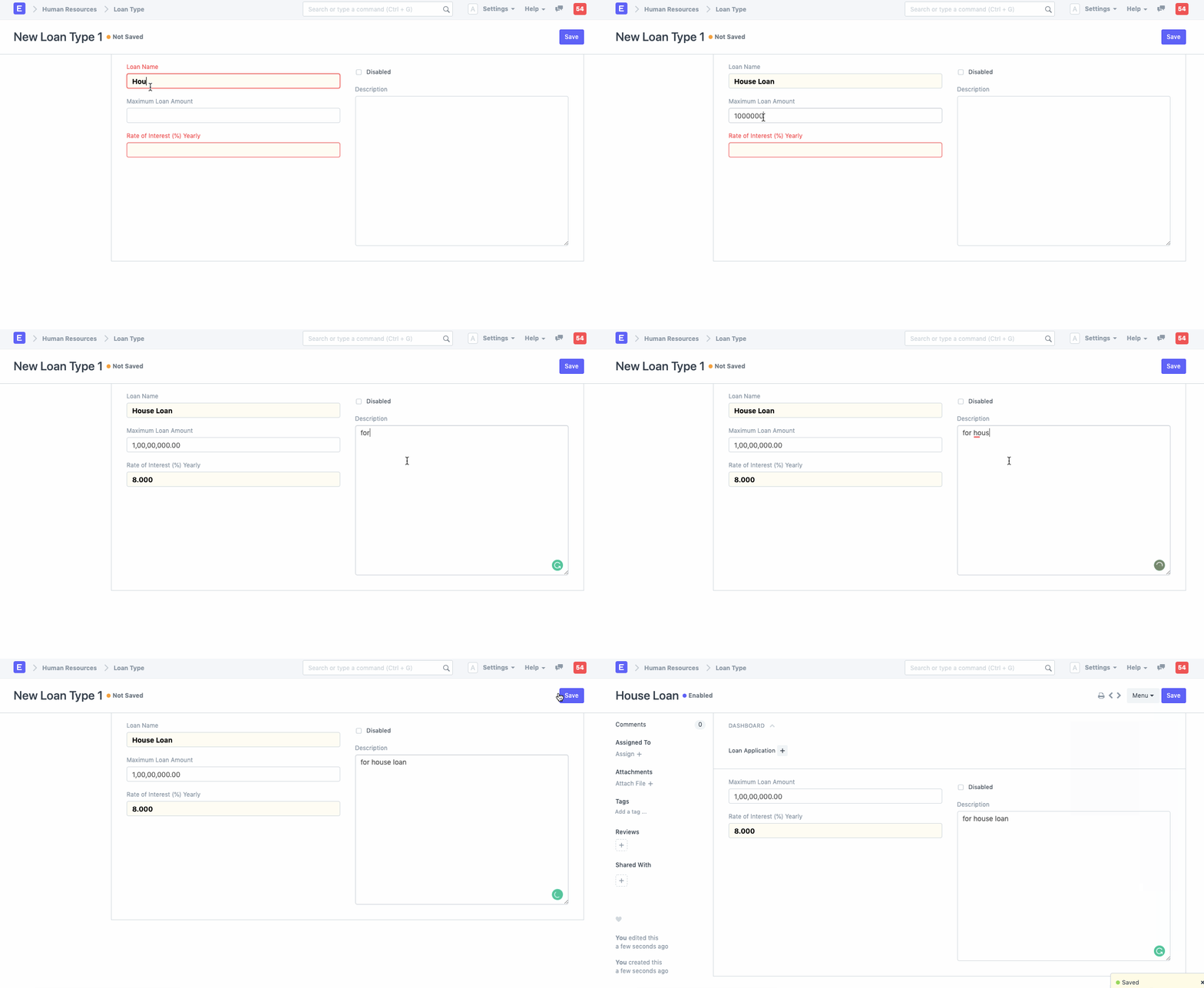
- To get started, you must first create a loan type and fill out the required fields, including Loan Name and Annual Percentage Rate (APR). Moreover, you can specify the Maximum Loan Amount and any description here.
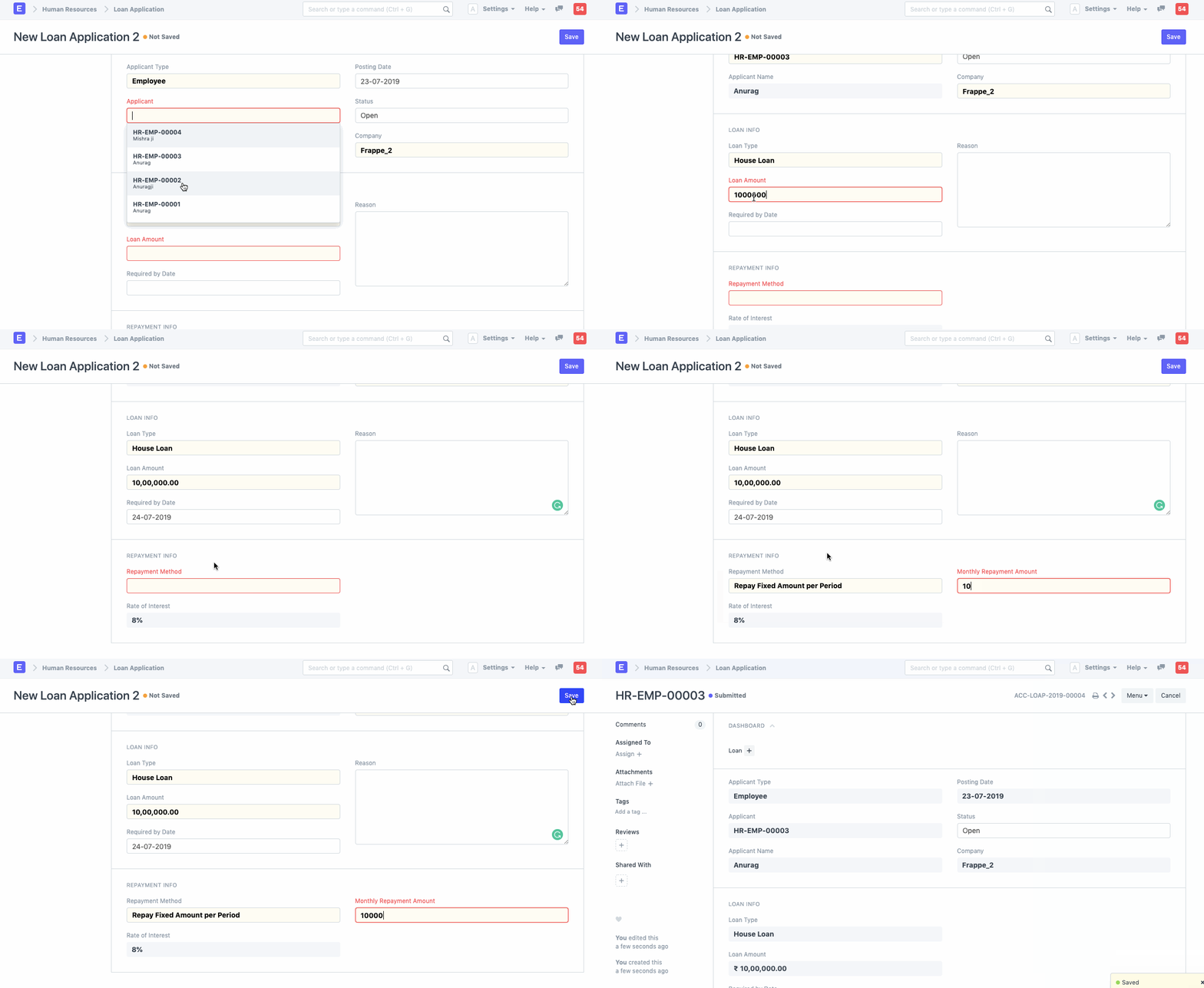
- After finishing this, Employee can submit a loan application. Fill out the Loan Type, Loan Type, Loan Amount, and Repayment Method fields to apply for a loan.
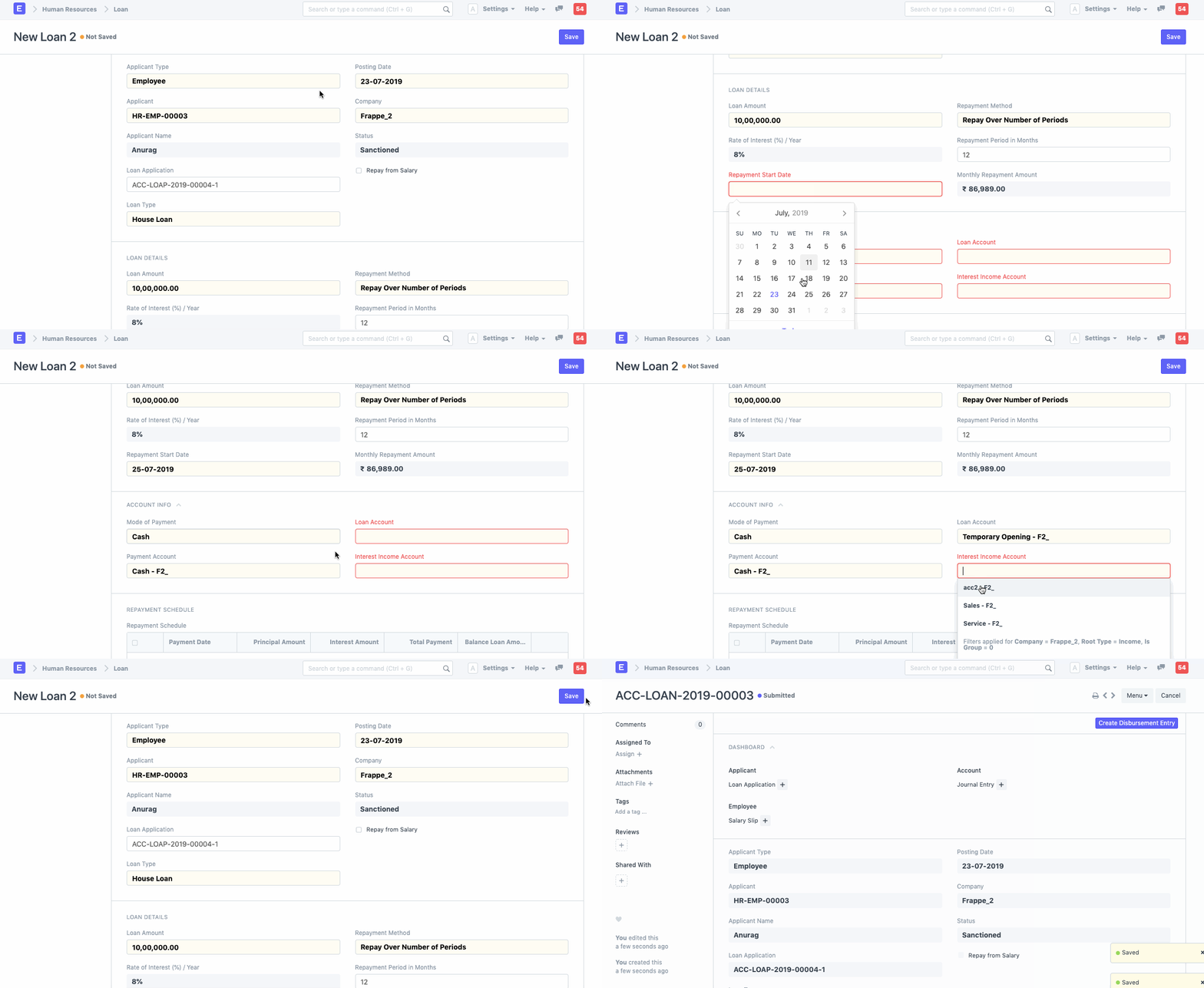
- The Loan Approver must now make a Loan for the relevant Loan application. He or she must complete various necessary fields, including Repayment Start Date, Method of Payment, Payment Account, Loan Account, and Interest Income Account. The loan status is initially approved. The employee has the option to return the loan amount from his salary by checking the "Repay from Salary" checkbox.
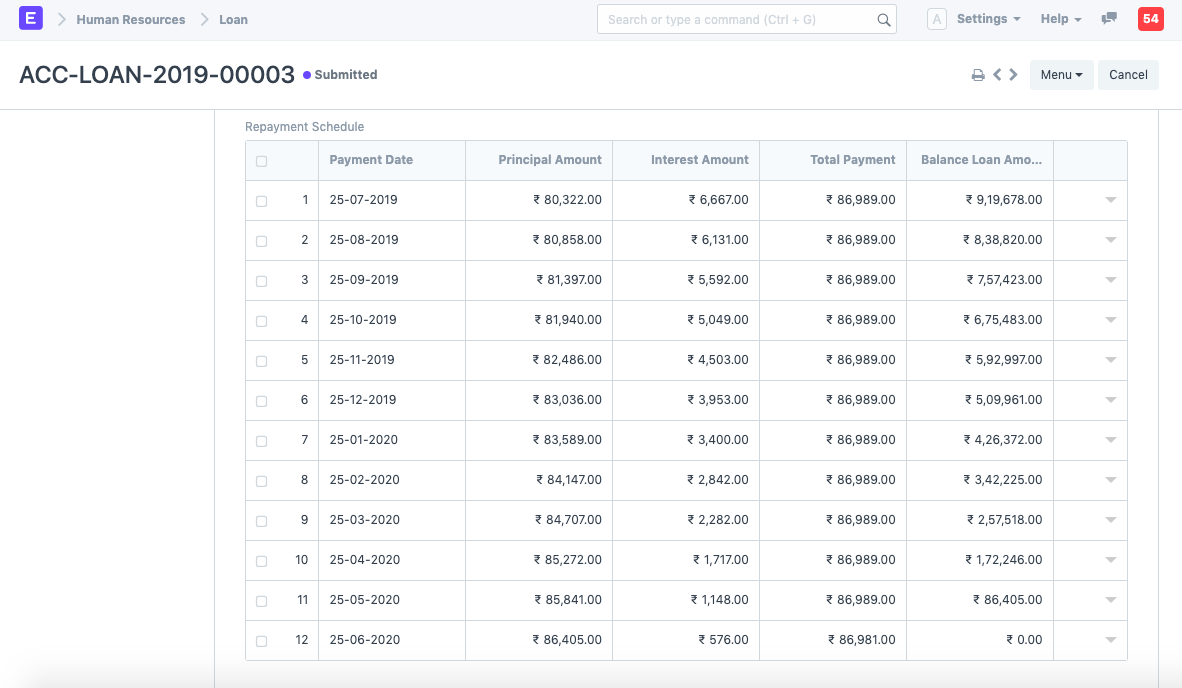
Following submission, a Loan Repayment Schedule is generated, as seen below:
- Create the Disbursement Entry at this point. by using the "Create Disbursement Entry" button located in the Loan Document's top right corner. A Diary Entry for Loan Disbursement is produced as a result.
