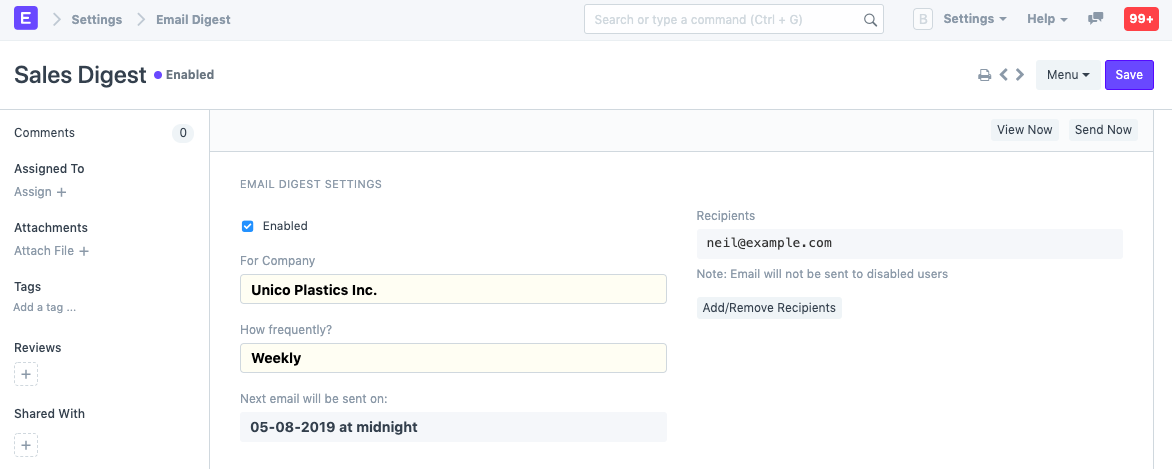
Email Digests allow you to get regular updates about your sales, expenses and other critical numbers directly in your Email Inbox.
By employing email digests, top managers may simply keep track of crucial statistics like "Sales Booked," "Amount Collected," "Invoices Raised," etc.
To set up Email Digest, go to.
Home > Settings > Email Digest
- Give the Email digest a name.
- Set the number of emails to be sent each day.
- Change the recipients' list.
- Choose the items that will be in the digest.
- Save.
Example:
Email Digest
gues edited 2 years agoIntroduced in v12
Document Follow is a feature that allows users to track changes in documents via email notifications.
1. How to Activate Document Follow
- Activate Settings > My Settings.
- Select "Send Notifications for documents followed by me" in the "Document Follow" section.
- Decide how often you wish to receive emails.
- Email notifications are now available for the documents you follow.
1.1 How to Follow documents
- Go to any document, you'll see an option to follow the document.
- Click on 'Follow'.
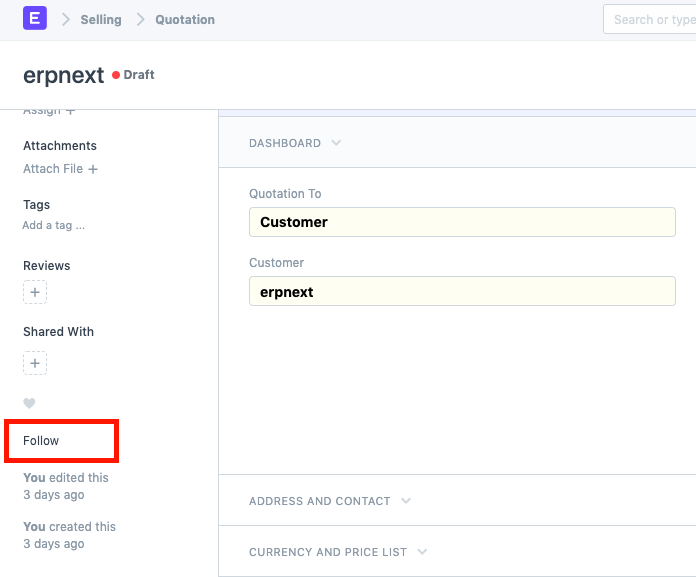
- You can unfollow a document after following it.
- Keep in mind that only documents whose track changes are enabled can be followed.
- Go to Menu > Customize > select the Track Changes checkbox to enable track changes.
1.2 Automatic Follow
Activating Document Follow under the following circumstances will cause the document to be automatically followed:
- whenever you start a fresh document.
- any time you change a document.
- utilize the heart icon to indicate your liking for a document.
- You will be following the document if another user shares it with you or adds you to it.
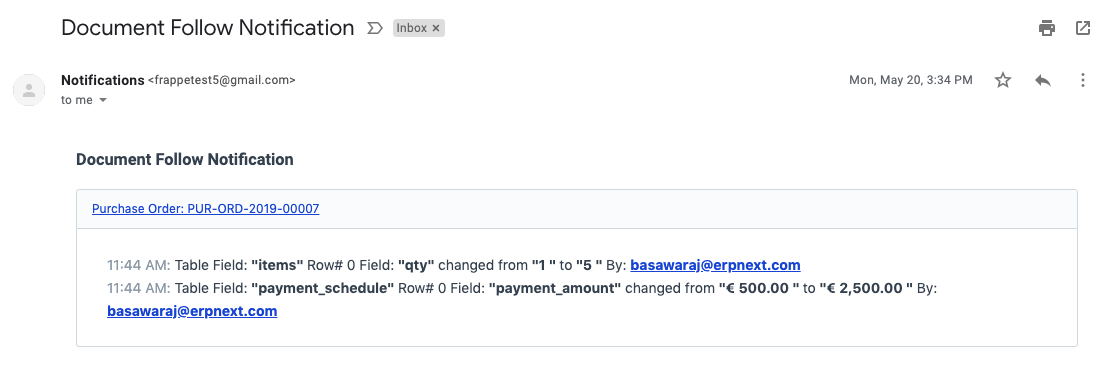
An email notification for Document Follow will seem as follows: