Round off Account Validation Message
Round off Account Validation Message
Question What does it mean when an invoice submission request asks for a round off account? How can it be updated?
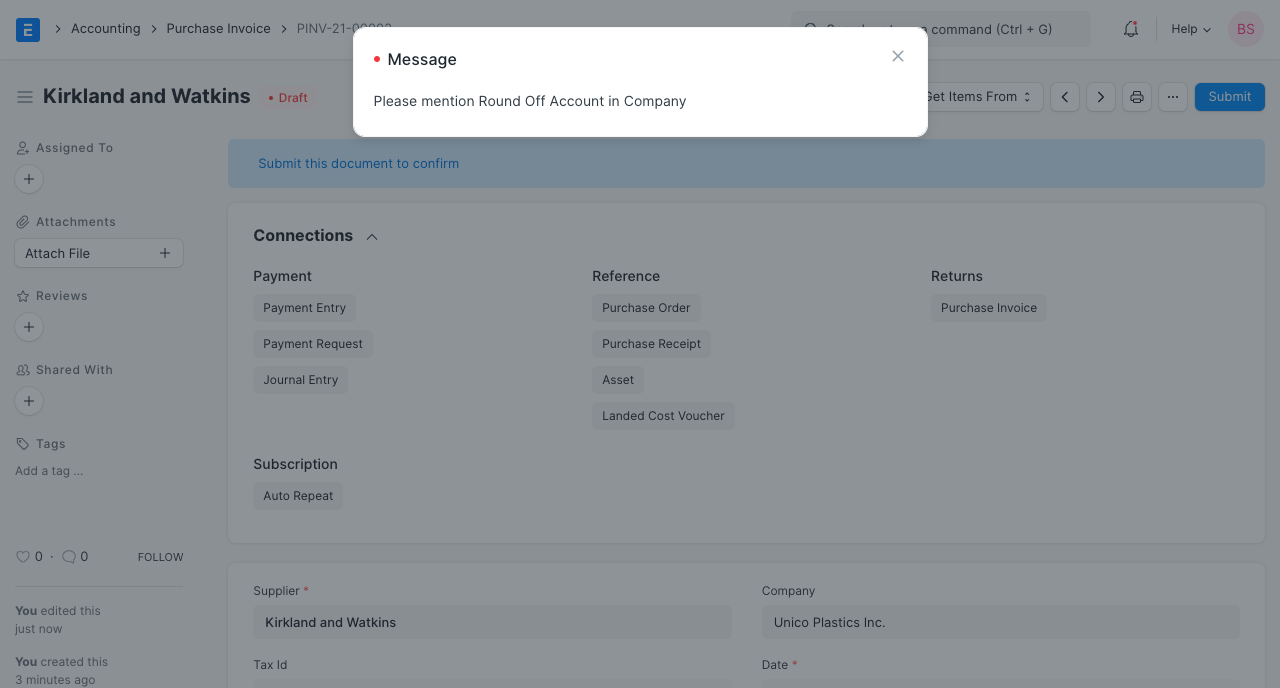
Answer The Purchase Invoice's Grand Total is determined using a number of calculations, including:
1.Rate * Quantity = Amount
2.Each item has a tax and other fees.
3.There is a discount on some or all of the items.
4.When dealing with numerous currencies, multiplying by the exchange rate
The final sum can include some rounding error due to many calculations. In most cases, this rounding loss is extremely little, like 0.034. However it must be posted in the accounts in order for the accounting to be accurate. So, in order to book the money derived from a rounding loss, a default Round-Off account needs to be defined in the Company master.
In the Chart of Accounts, you must create a round-off account and change it there. a few steps.
1.Chart of Accounts > Accounts
2.Check the box or add a new account under Expenditure > Direct Expense in the Chart of Account. If there is an existing account for this purpose, ignore it.
3.Visit the Company master Account > Company page.
4.Open the Business for updating the Round-Off account.
5.Go to Accounts Settings in the Company master and choose Round-Off account and Cost Center.
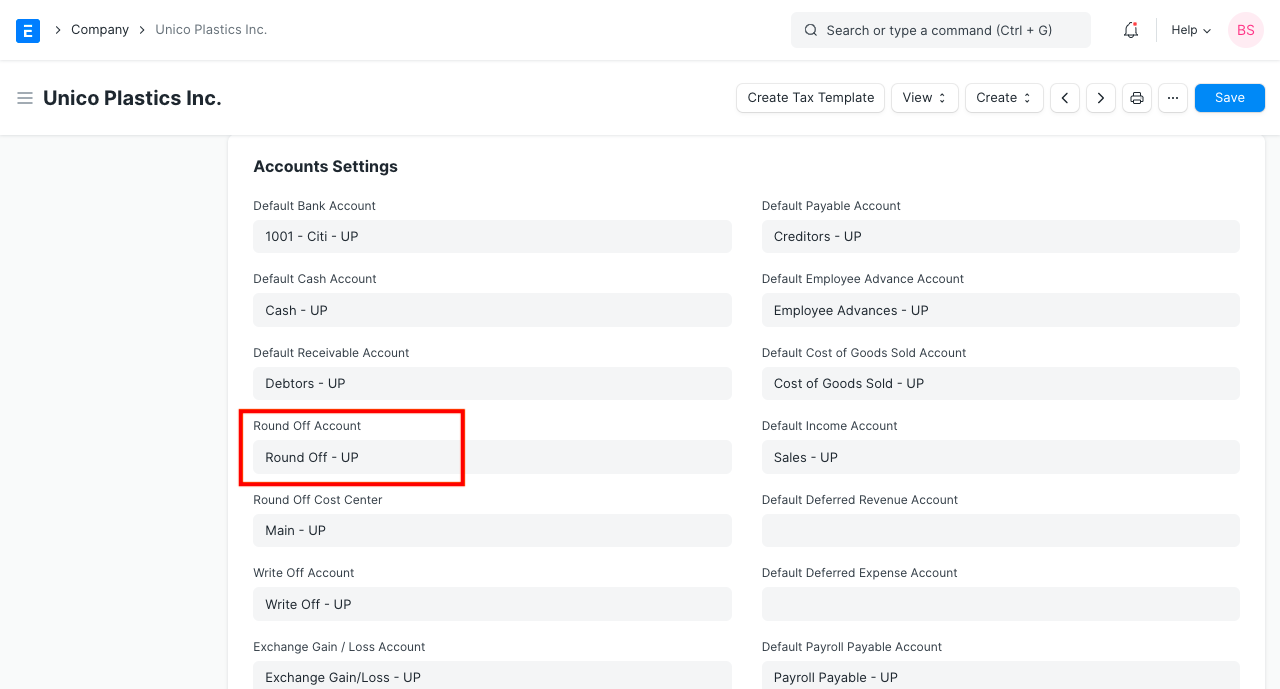
Once the Round-Off account in the Company master has been modified, try submitting the Purchase Invoice once more.