Support Reports
Support Reports
The Support module's different reports provide information on a variety of topics, including the types, priorities, dates, and more of the issues that support employees dealt with and how quickly they did so.
1. First Response Time for Issues
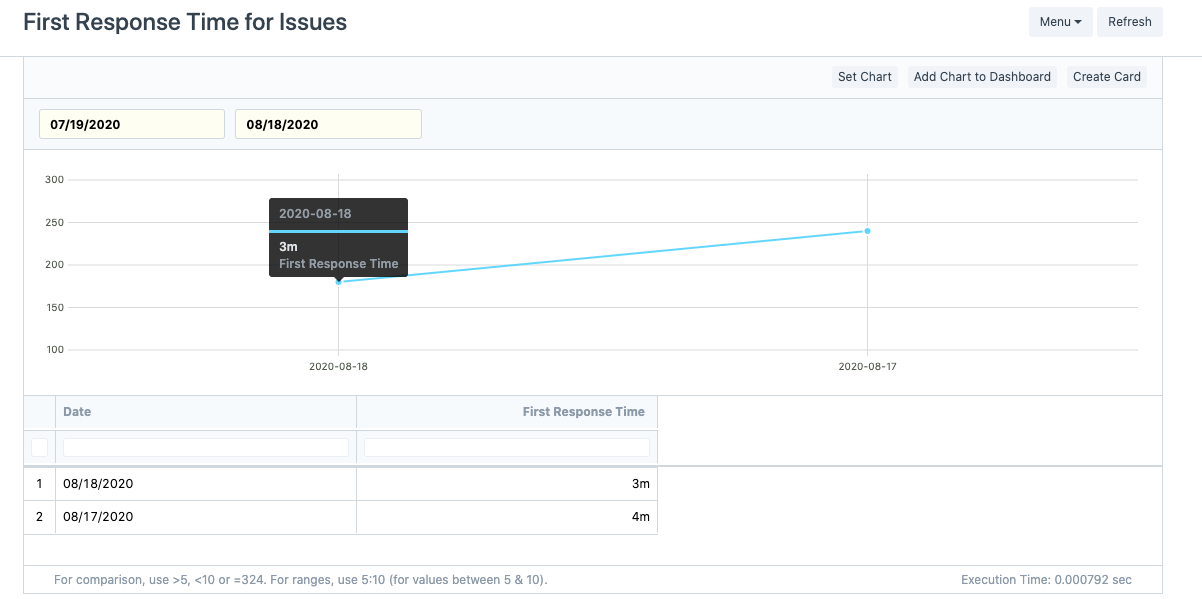
The Average Initial Response Time for Problems reported within the chosen time period is summarized by date in this report. It will show the date along with the "Average First Response Time" needed to address all complaints raised on that particular date.
The Initial Response Time for Problems report may be found at:
Home > Support > Reports > First Response Time for Issues
2. Issue Summary
The issues reported based on the filters are summarized in great detail in this report. You can filter how the summary appears using the following criteria:
- Customer
- Assigned To
- Issue Type
- Issue Priority
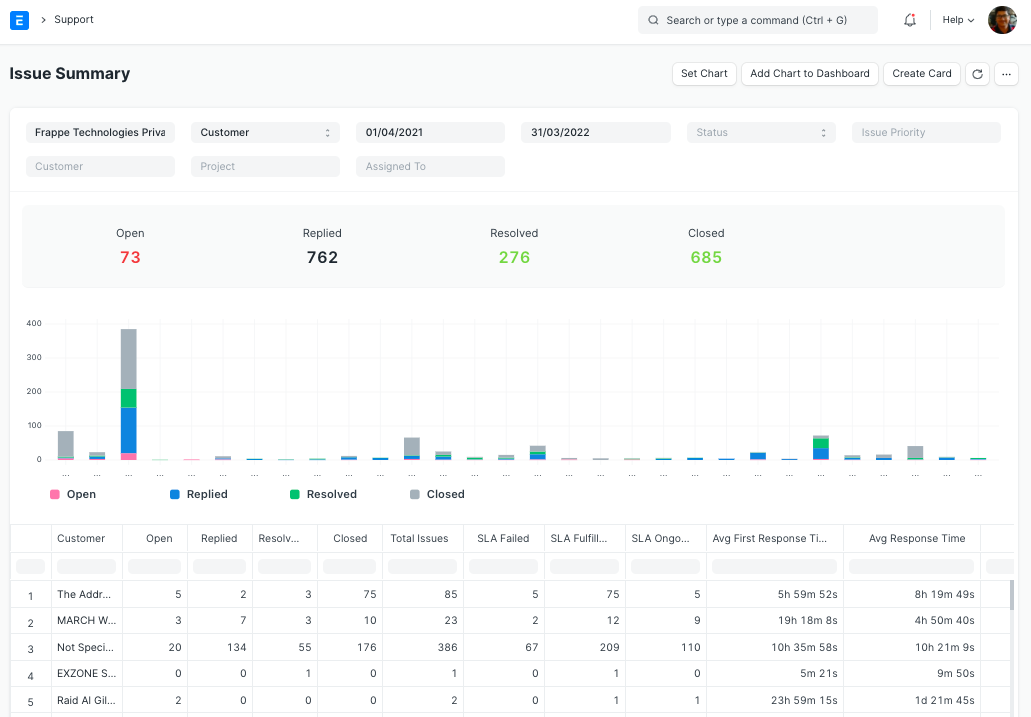
For instance, if we choose the Customer Report, it will display a list of every Customer along with the following information for each Customer based on the filters used:
Number of issues that are Open, Answered, Resolved, and Closed.
Total number of issues that consumer has reported.
Number of issues for which the SLA has succeeded, failed, or is still in effect.
Average customer service measures include average hold times, average first response times, average response times, and average resolution times.
The stacked chart displays the total number of issues for each client, broken down by status. The total number of Open, Answered, Resolved, and Closed issues in the whole report is displayed in the Report Summary.
Go to: to get the Problem Summary report.
Home > Support > Reports > Issue Summary
3. Issue Analytics
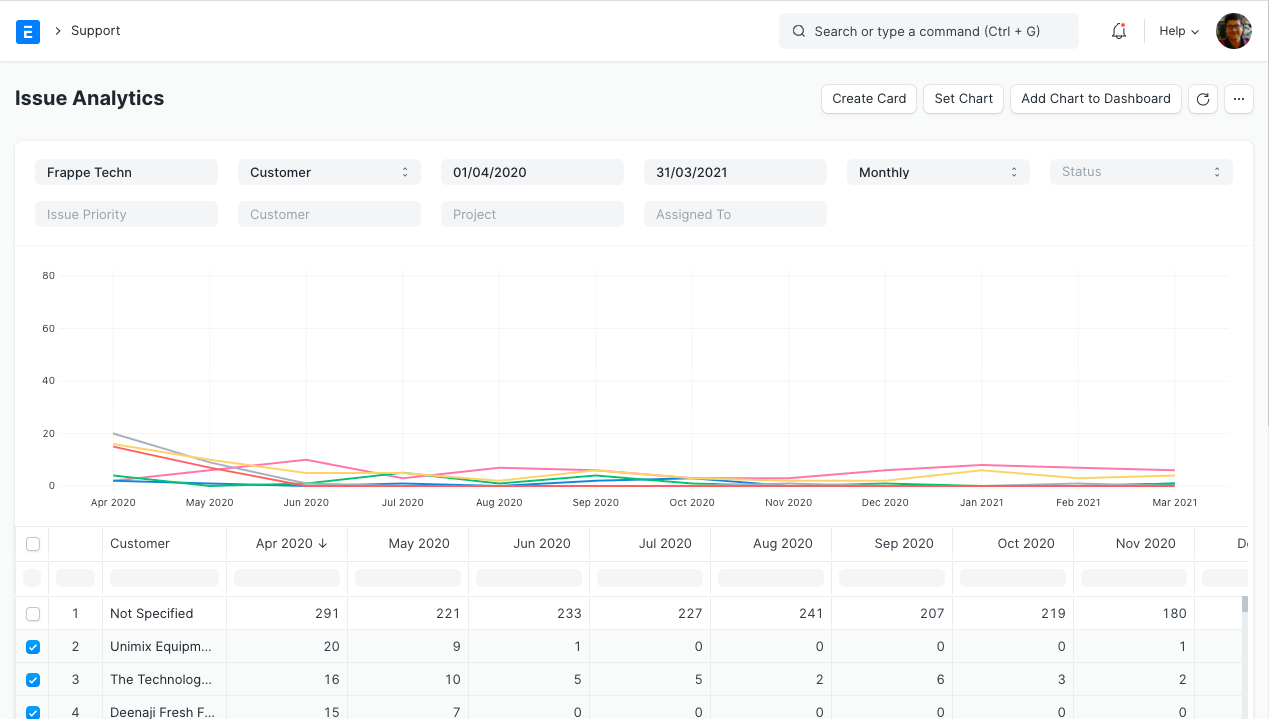
Based on the following criteria, this report provides a count of issues for weekly, monthly, quarterly, and annual time series:
- Customer
- Assigned To
- Issue Type
- Issue Priority
To access the Issue Analytics report, go to:
Home > Support > Reports > Issue Analytics