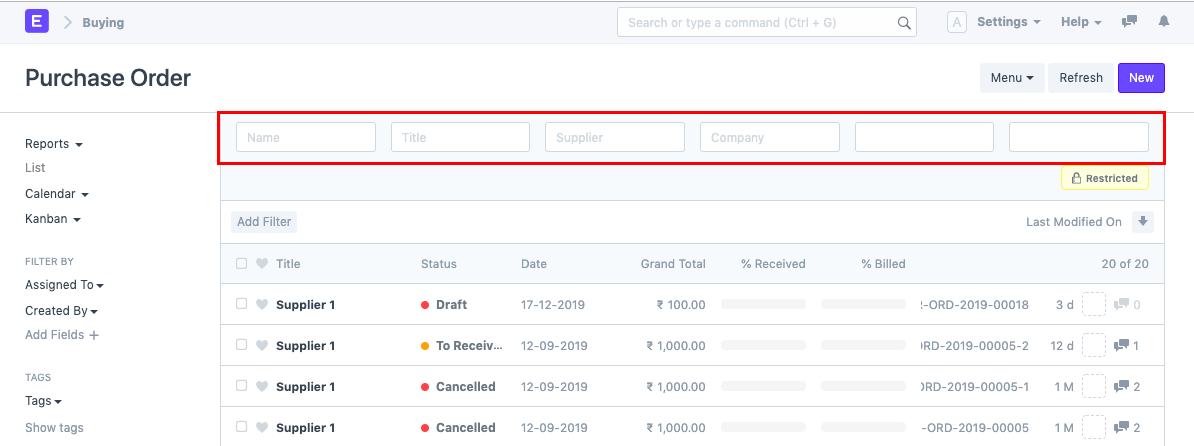
Search Filter
Search Filter is an option that allows you to filter the records based on a particular value of a specific field in a Document.
A document type's List View and Report Builder both have search filters accessible.
There are three fields for each filter choice.
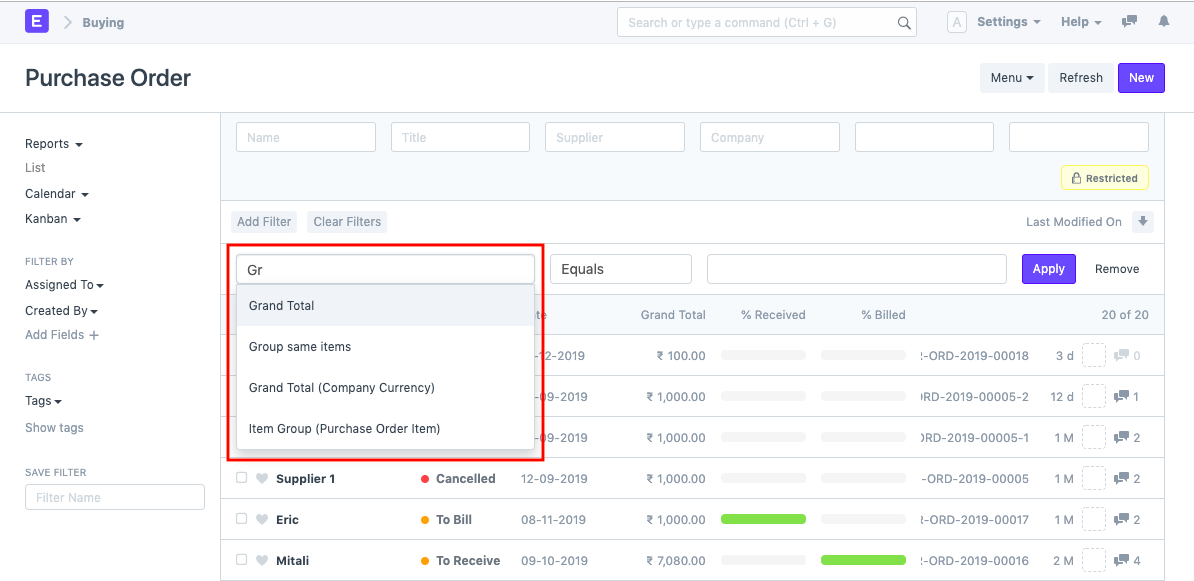
Field
Choose the document's field from which you want to filter the results. In this list, every field on a form will be available for selection.
Based On
You will need to enter a value for the field in the field. You can specify criteria on which the machine will search the document in the "based on" field.
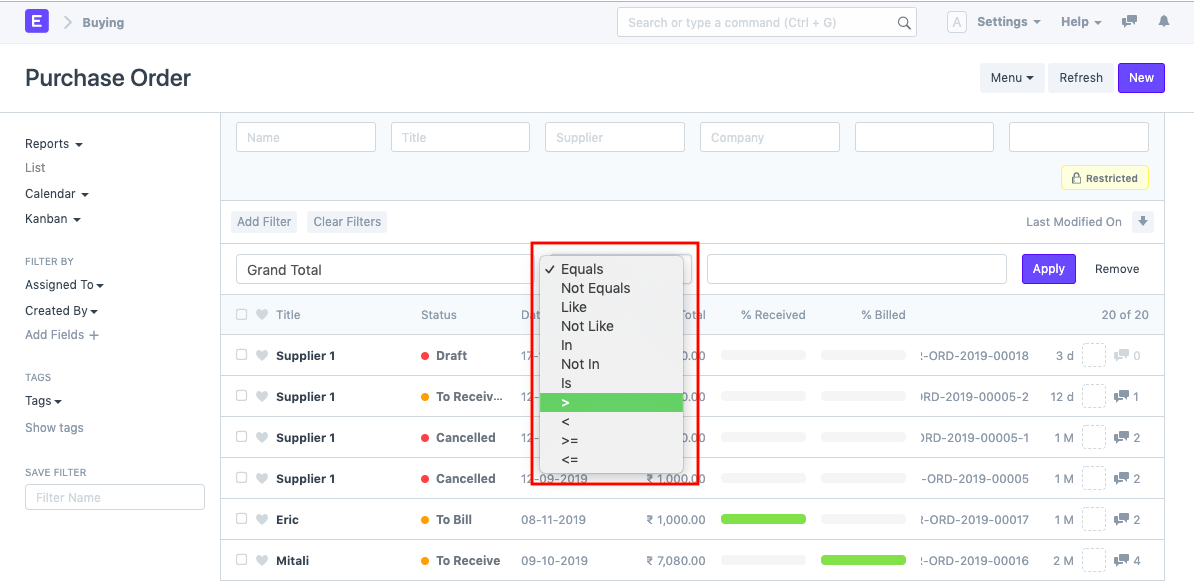
The various criteria on which the filters are based are as follows:
'=' : *
Value
The value for which you are conducting the document search must be entered here.
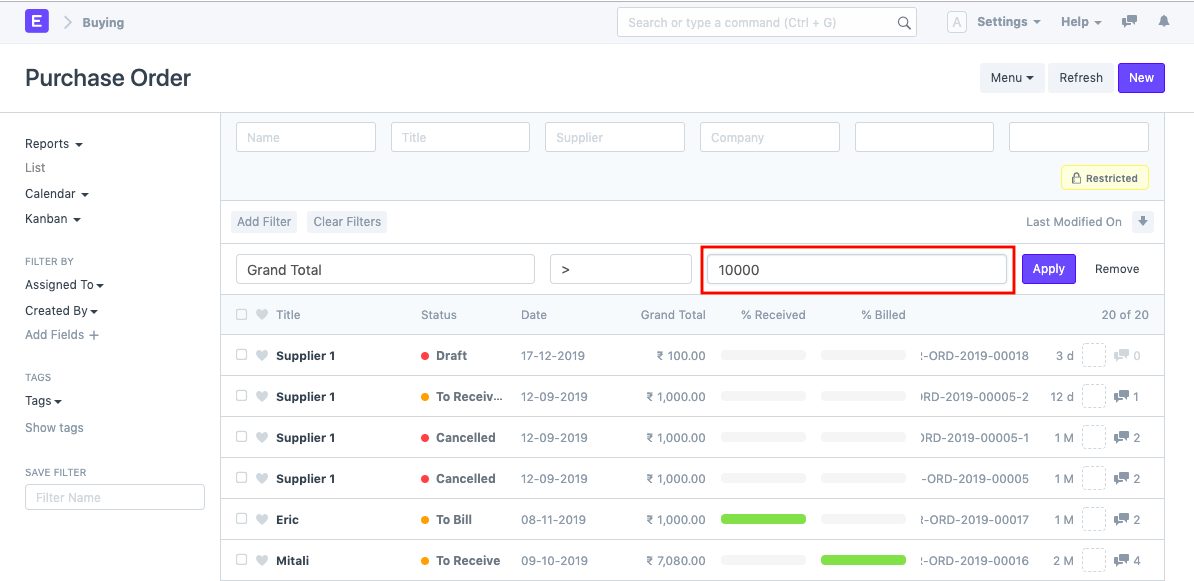
As a result, a formula or algorithm for document searching will be developed, enabling you to retrieve the documents you want.
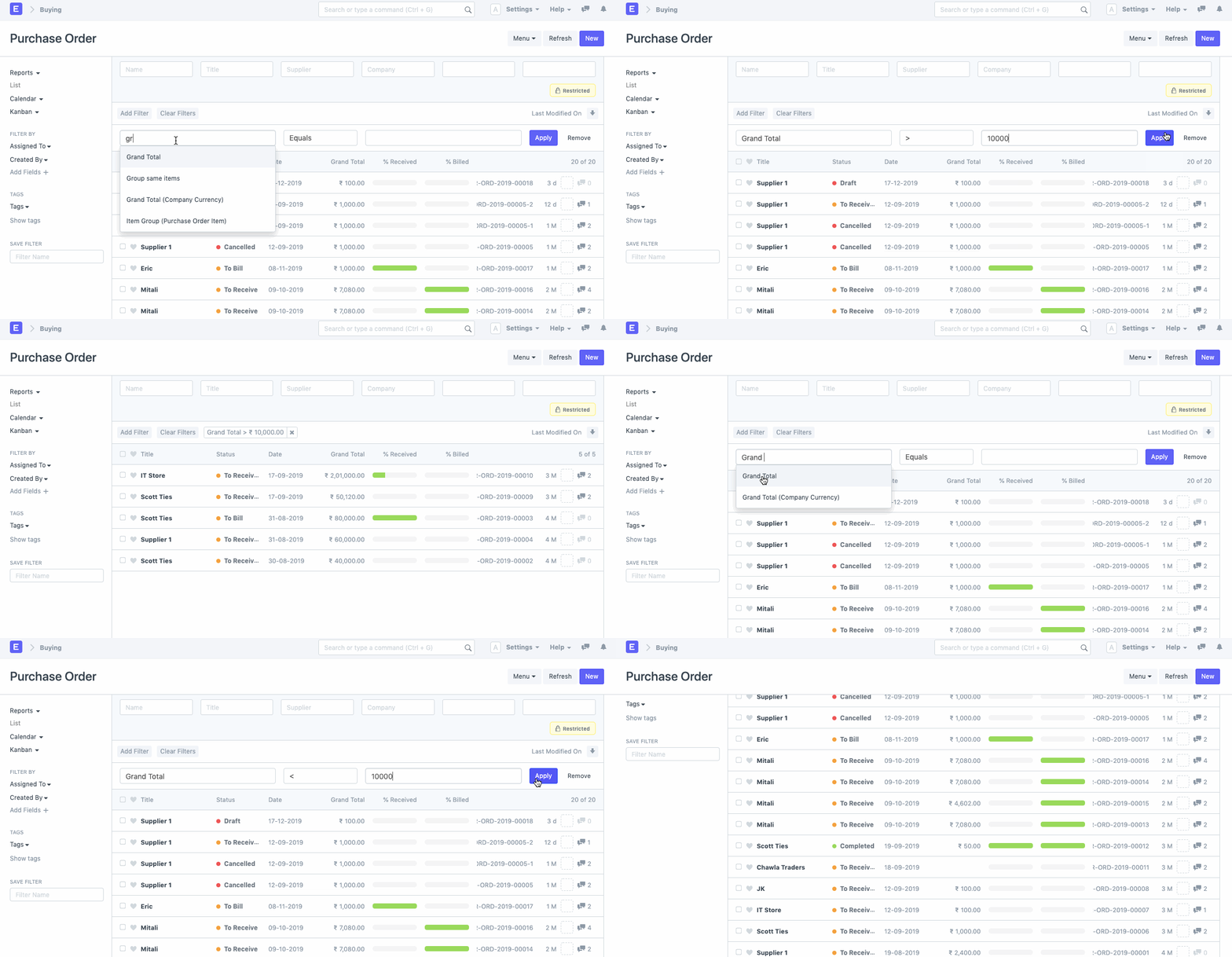
Additionally, you can use several filters simultaneously. Simply click the "x" on a filter's icon to delete it.
Default Filters
There are various filters available for the views right out of the box that can be used to filter the search results. The Customize Form option allows you to set the default filters for any Document Type.