Shift Assignment
Shift Assignment
An employee is given a specific shift type for a predetermined amount of time through the creation of a shift assignment.
1. Prerequisites
These must first be created before you can make a shift assignment:
- Employee
- Shift Type
2. How to create a Shift Assignment
Employees may be given shifts by their employers in some organizations or may request a shift in others. Employees can create a Shift Request in the latter scenario. When a shift request is approved and submitted, a shift assignment for an employee is automatically created.
Go here: to immediately establish a shift assignment.
Home > Human Resources > Shift Management > Shift Assignment
Choose New.
Choosing the employee
Choose a shift type.
Decide on a Start Date. Set an End Date if you want to assign this shift for a defined amount of time.
Publish and save.
After submission, you can make the Assignment inactive as well.
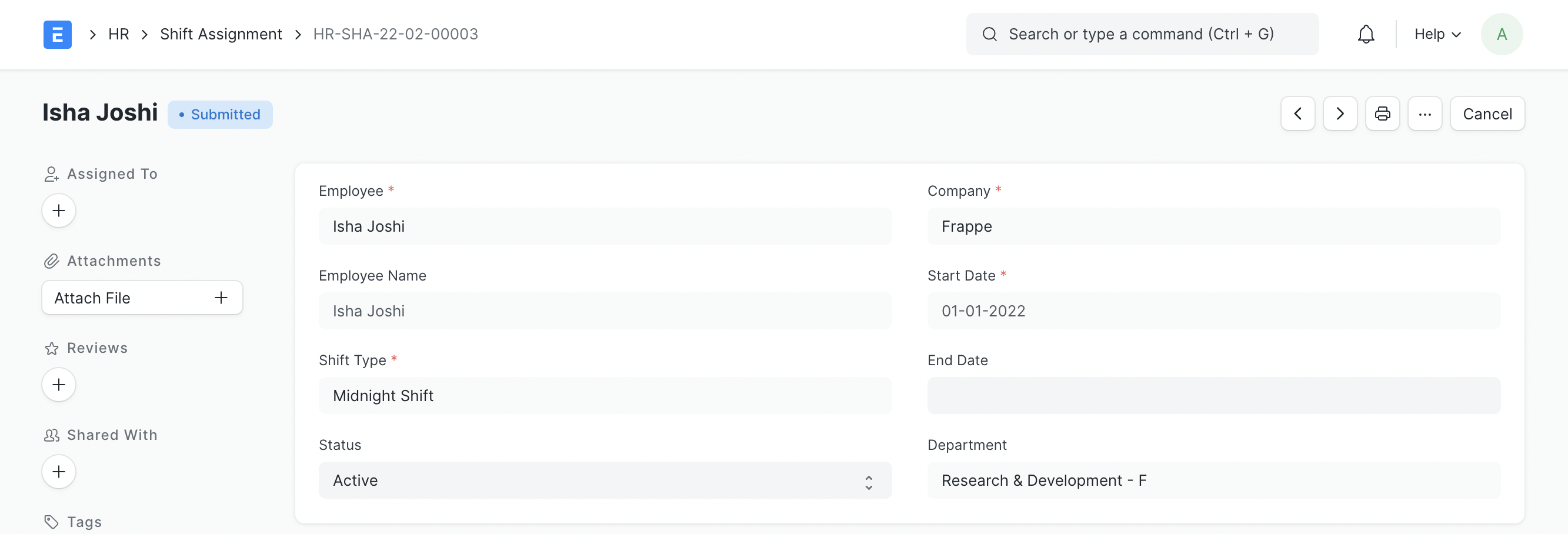
Note: If an End Date is included, the Assignment for an Active Shift Type will be for a definite duration; otherwise, it will be regarded as an Ongoing Shift with No End Date. Even after the document has been submitted, users can change the End Date and status.