Setting Flexible Benefits against a Benefit Claim
Setting Flexible Benefits against a Benefit Claim
Flexible benefit Plans enable employees to access the benefits they require or want from a variety of programs that a business offers. These could consist of things like health insurance, pension plans, phone costs, etc.
The steps below should be followed to configure Flexible Benefits in ERPNext:
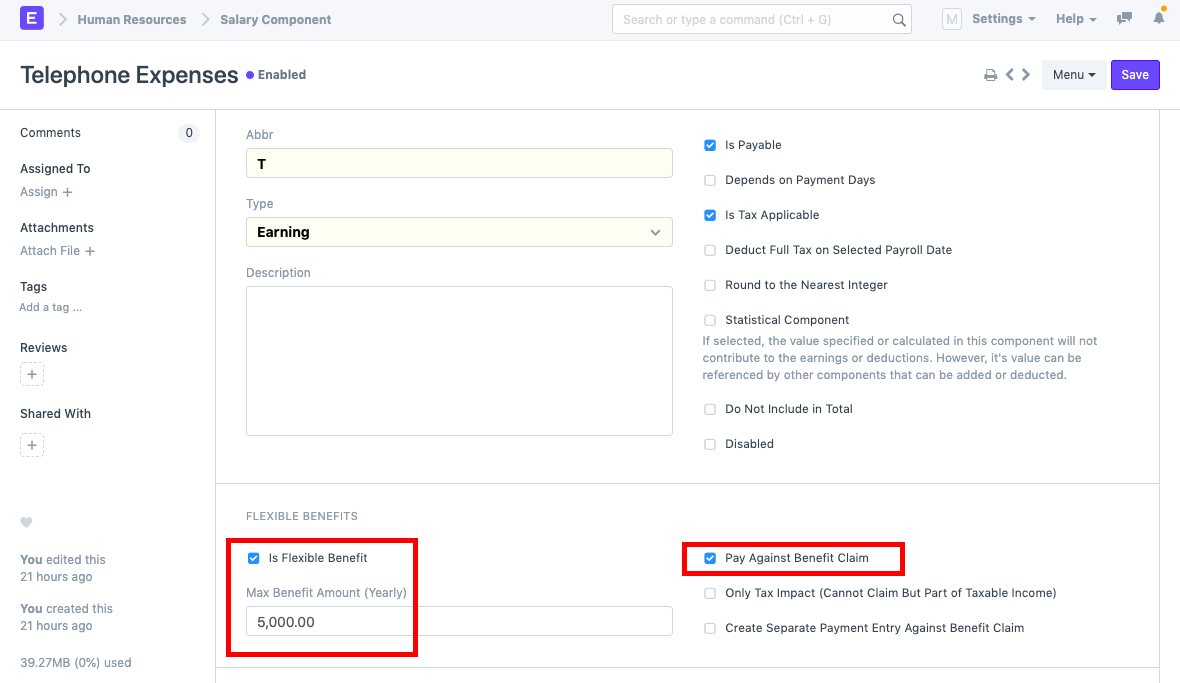
1) Choose the "Is Flexible Benefit" checkbox under the salary component for which flexible benefits are to be set. Type in the Annual Maximum Benefit Amount. To access the flexible benefits through a benefit claim, click the "Pay Against Benefit Claim" option.
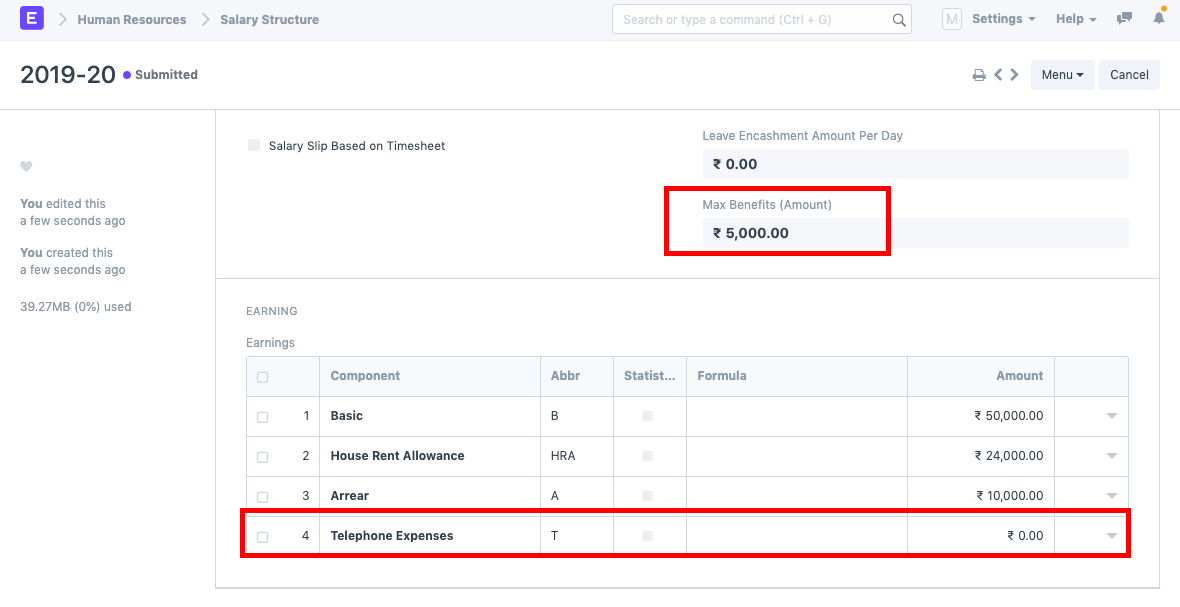
2) Create a salary structure with this salary component for the employee. Amount should be set to 0. Enter the Max Benefits Amount applicable to this Salary Structure as well.
3) Use Salary Structure Assignment to provide the employee access to the Salary Structure.
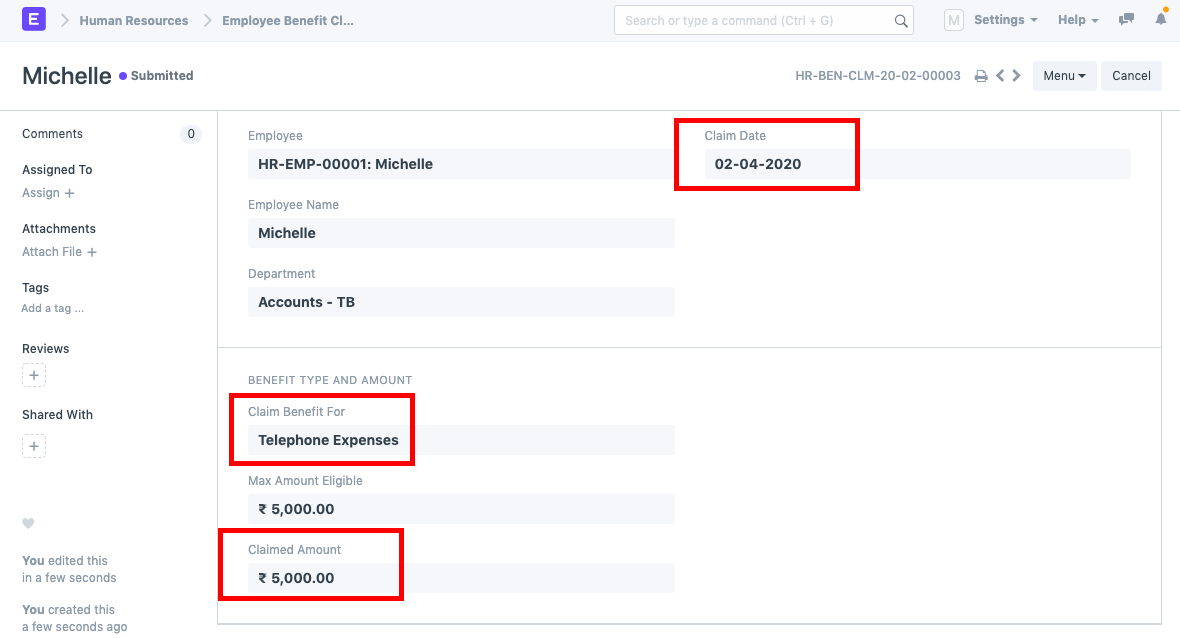
4) Make a claim for this employee's employee benefits. Enter the claimed amount after choosing the claim date and component.
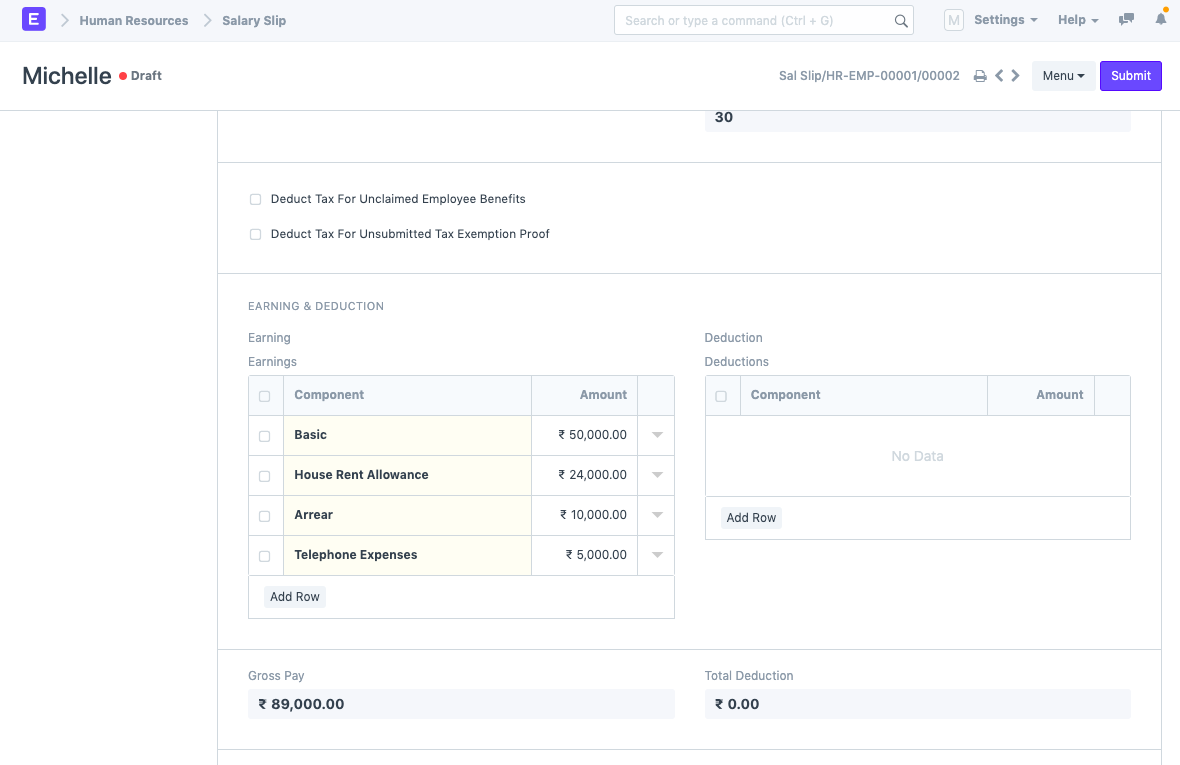
Five) Execute the payroll entry. The amount will be fetched in relation to the component shown below in the salary slip.