Terms and Conditions
Terms and conditions contain the terms and conditions of a service/product offered by a seller to a buyer
A set of your contract's terms should preferably be included in each quotation or sales order. Terms and conditions are typically added to specify the terms of service, the requirements for utilizing any service, or even to restrict the seller's liability in the event that the buyer suffers harm as a result of using the offered goods or services. Generally speaking, it is a good idea to create a template for your Terms and Conditions so that you have a consistent set of rules.
Go here: to view the Terms & Conditions template.
Home > Selling > Terms and Conditions Template
1. How to create Terms and Conditions Template
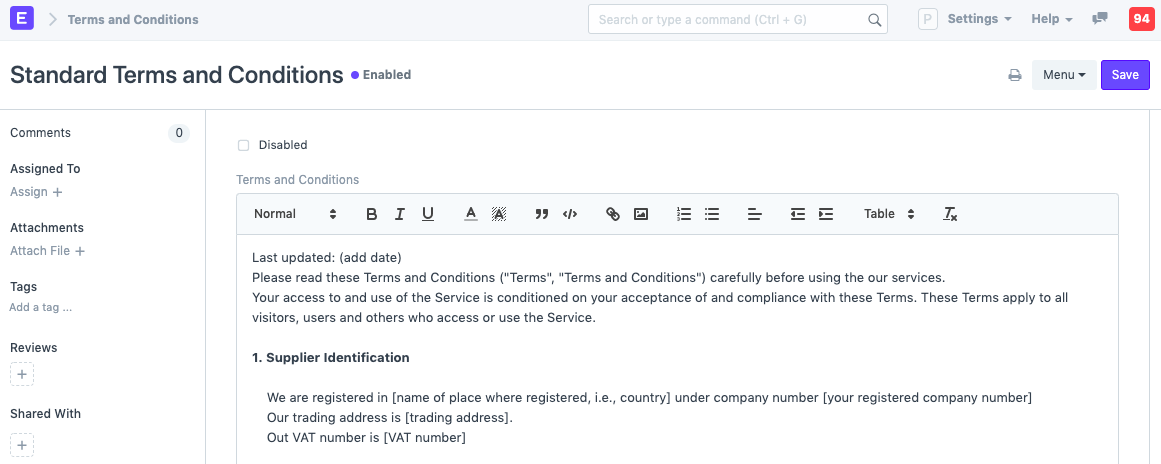
- Go to the Terms and Conditions Template list, click on New.
- Add the Terms and Conditions.
1.1. Select in Transaction
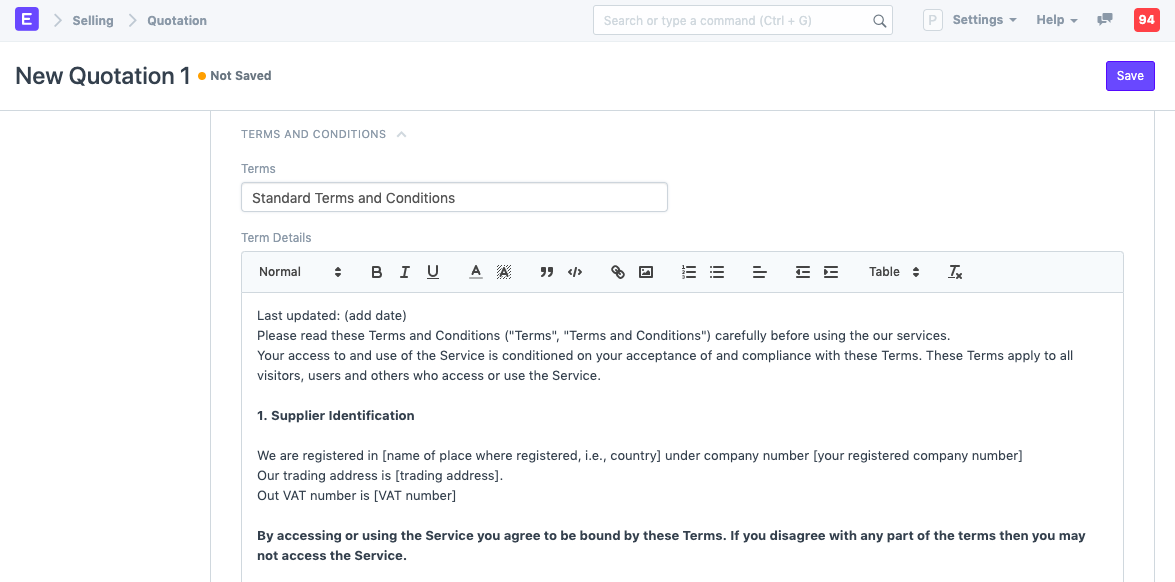
You can look for and retrieve the necessary Terms and Condition master under the Transactions part of the Terms and Conditions.
1.2 Terms and Conditions when printing
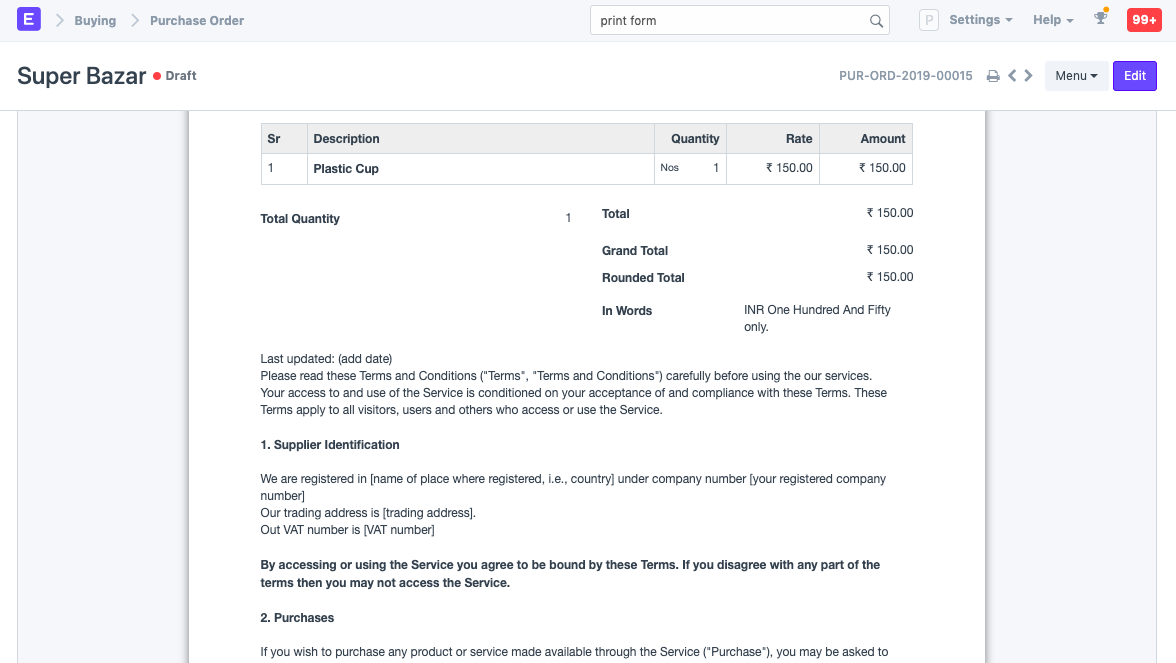
When printing a Sales/Purchase transaction after the Terms and Conditions have been set:
1.3 What should Terms and Conditions contain?
The following are some typical subjects that terms and conditions should cover:
- Validity of the offer.
- Payment Terms (In Advance, On Credit, part advance, etc).
- What is extra (or payable by the Customer).
- Safety/usage warning.
- Warranty if any.
- Return Policy.
- Terms of shipping, if applicable.
- Ways of addressing disputes, indemnity, liability, etc.
- Address and Contact of your Company.
The general and particular arrangements, provisions, requirements, rules, specifications, and standards that a corporation adheres to are referred to as terms and conditions. An agreement or contract that the business enters into with its clients, partners, or suppliers must include these standards.