Share Transfer
Share Transfer
A share transfer is the sale, purchase, or issuance of company shares to a third party.
You might occasionally desire to alter the share structure of your company, either by including new shareholders or by redistributing the current share allocation among shareholders. The practice of moving current shares from one person to another, whether through a sale or a gift, is known as a share transfer.
A new Shareholder must first be issued shares before being created. Only after that can a Folio Number be seen and a subsequent transfer utilizing that Shareholder be completed.
Go to: to access the Share Transfer list.
Accessing Accounts, Managing Shares, and Transferring Shares
1. How to create a Share Transfer
1.Go to the Share Transfer list and click on New.
2.Select the Transfer Type, for first ever Shareholder transaction this will be 'Issue'.
3.Set a date for the transfer.
4.Select the From and To Shareholders.
5.Select the from and to Folio Numbers.
6.Set the Liability and Asset accounts.
7.Select the share type whether Preference or Equity (more share types can be added if needed).
8.Select the number of shares to be transferred.
9.Select the From and To number of shares. For example 1 to 3,000.
10.Set the rate of one share, the amount will be calculated based on the number of shares.
11.Save and Submit.
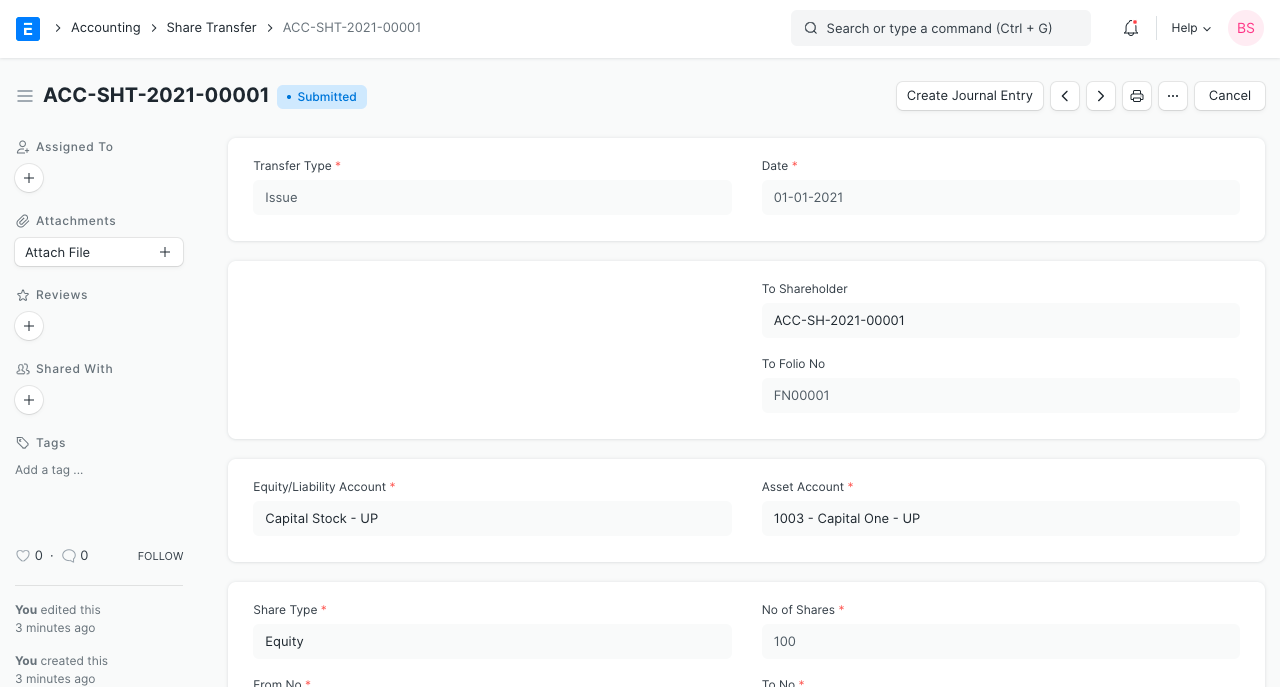
Using the Make Journal Entry button after submission, a journal entry can be made to update the ledger.
Note: Shares must first be issued before they can be purchased or transferred between shareholders.
1.1 Terminology
Transfer Types:
*Problem: The Corporation is issuing Shares to an existing Shareholder.
*Purchase: From a current Shareholder, the Corporation is repurchasing shares.
*Transfer: A shareholder is transferring shares to another shareholder.
The Folio Number is a number that is used to specifically identify a Shareholder and their transaction.
Preference and Equity are the two options available by default in ERPNext for share type. This merely denotes the type of share; additional shares may be added in accordance with the structure of your company.*