Training Result
Training Result
Based on the trainer's evaluation, employee-specific training outcomes can be stored after the training event.
With the help of the Training Outcome doctype, ERPNext enables you to build training results and share them with the staff.
Go to: to access Training Outcome.
Home > Human Resources > Training > Training Result
1. Prerequisites
It is recommended that you generate the following papers before establishing a Training Result:
- Training Program
- Training Event
- Employee
2. How to create a Training Result
1.Click on New in the Training Outcome list.
2.Choose a training session.
3.In the box next to the employee's name, enter the hours, grade, and comments.
4.Save and Send
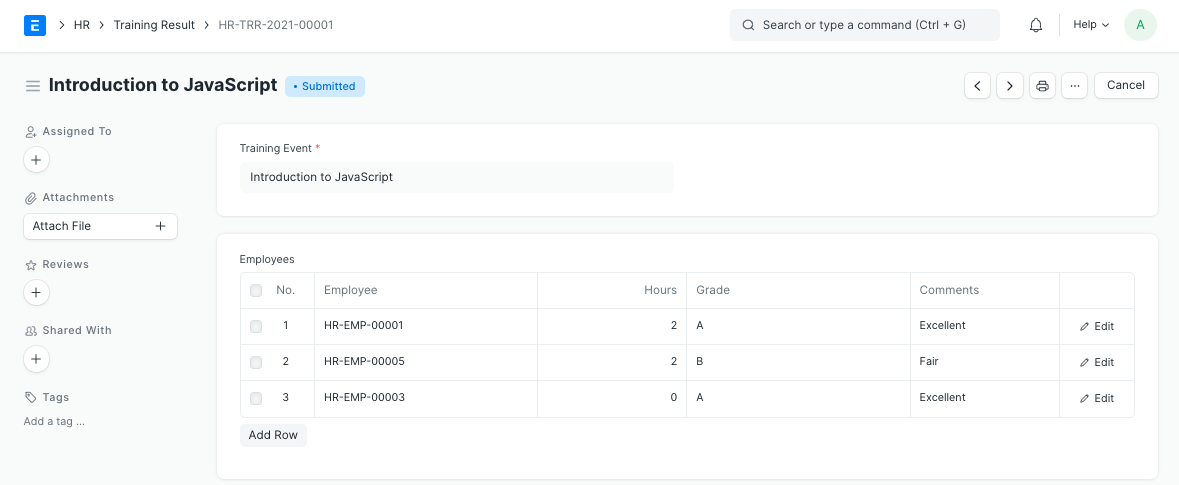
All of the employees will get an email after the training result is submitted reminding them to provide comments via Training Feedback. You can also alter this alert because it is administered via email.
Reminder: The Training Event dashboard also has a direct link to the Training Outcome page.