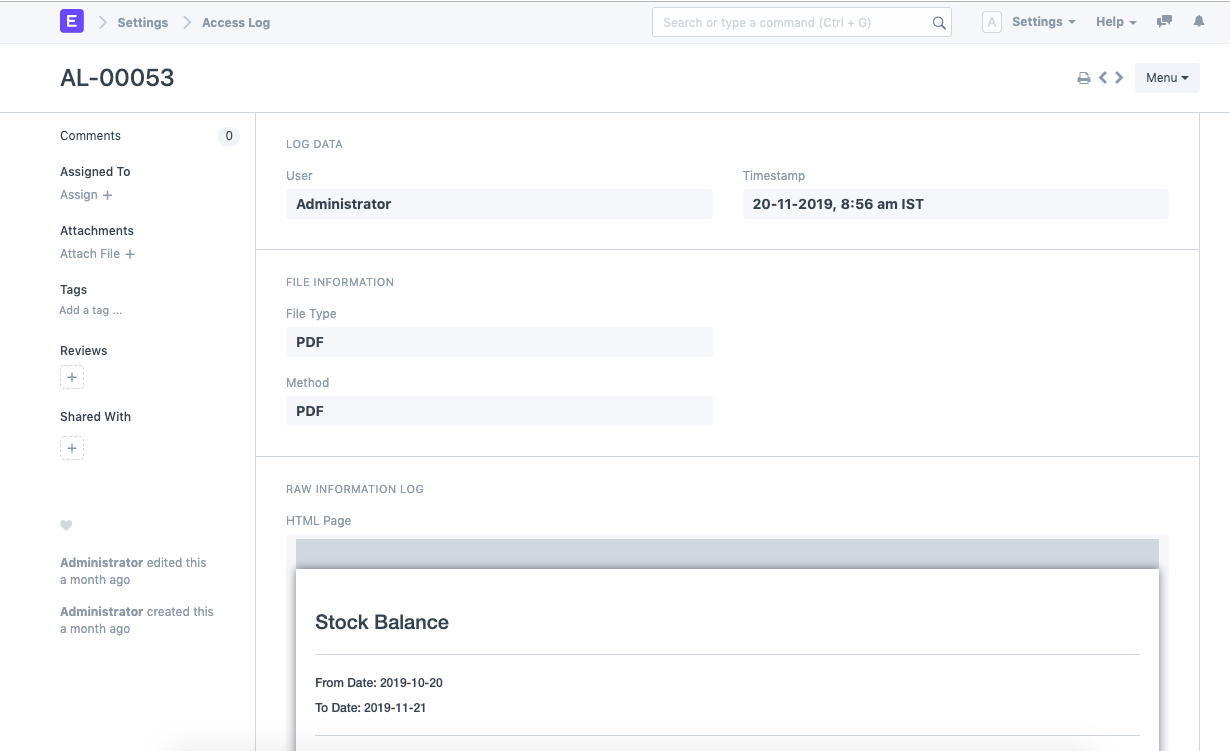
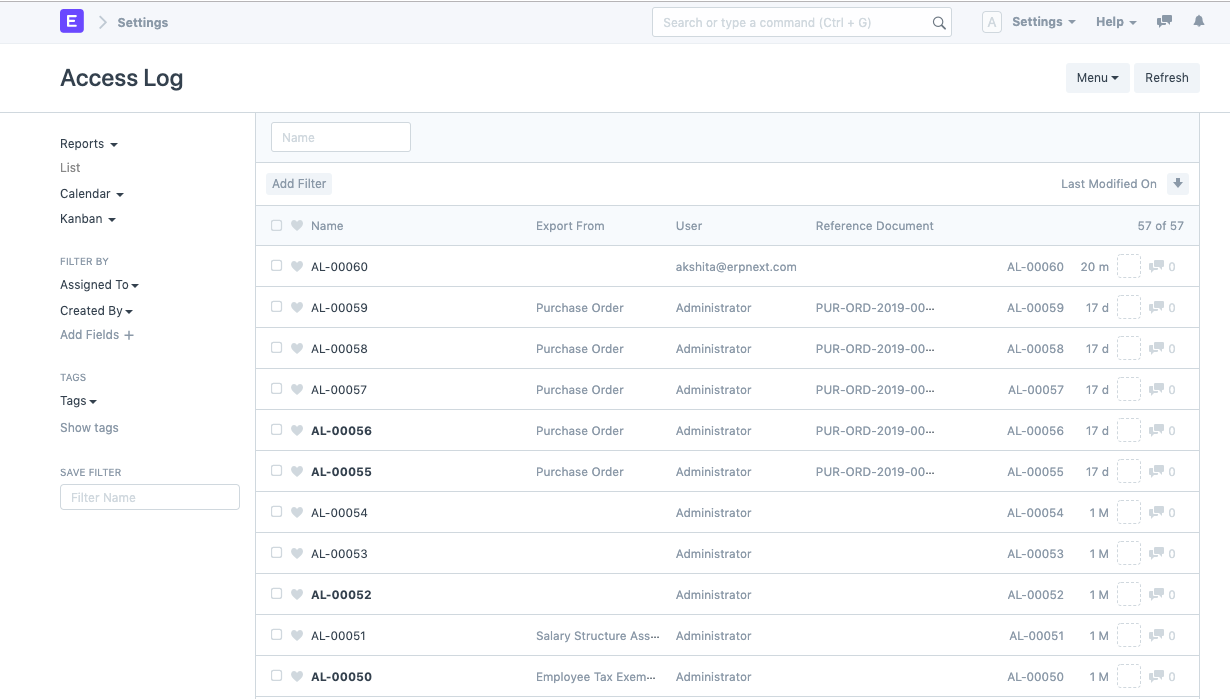
Access Log
Introduced in Version 13
Access Log is a security feature that logs all data exports by all users in the system.
It is a program that System Managers can use to keep track of the files users on the system have accessed or exported. Tracking sensitive information about your business, such as transactions or financials, is advantageous.
Access logs are created in the following events:
- Printing of all Forms and Reports
- Private file downloading
- Exporting via XLSX/CSV formats
System Managers in Geer ERP have access to the Access Log. They can do so by utilizing the Global Search or by:
Home > Users and Permissions > Logs > Access Log
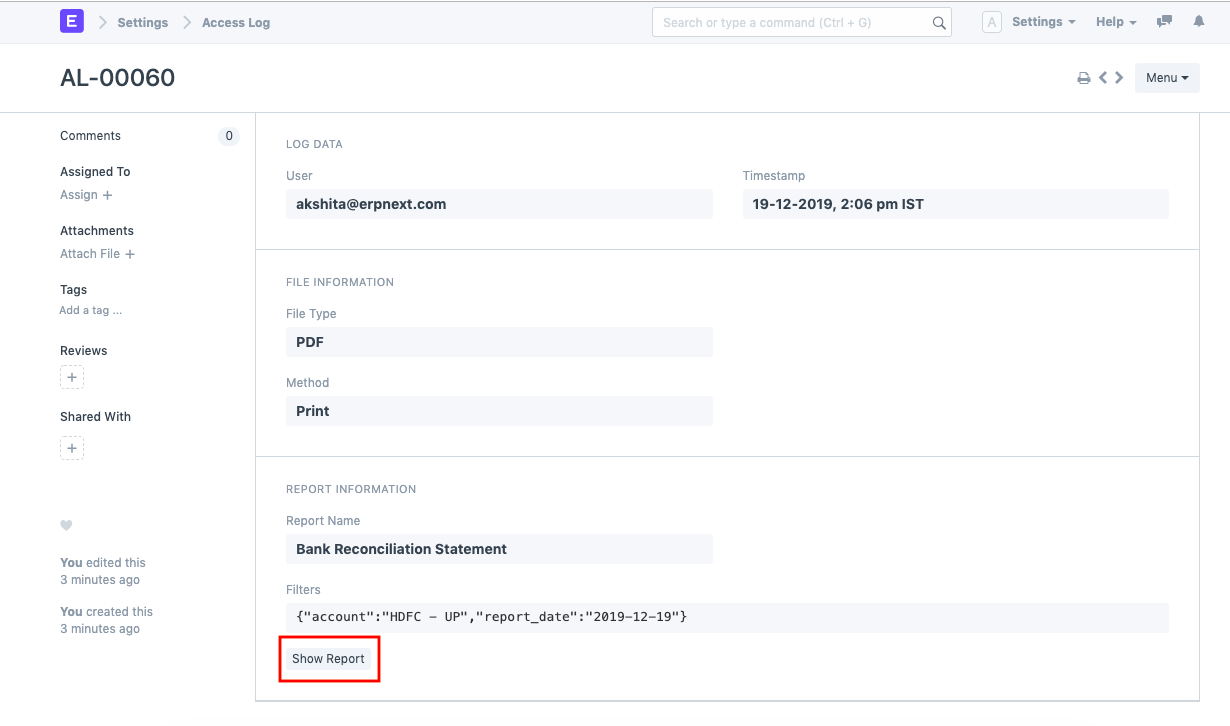
A Show Report button will be generated in the relevant log if an access log is made on the occasion of exporting a report. By using this button, the exported report and the selected filters can be seen.
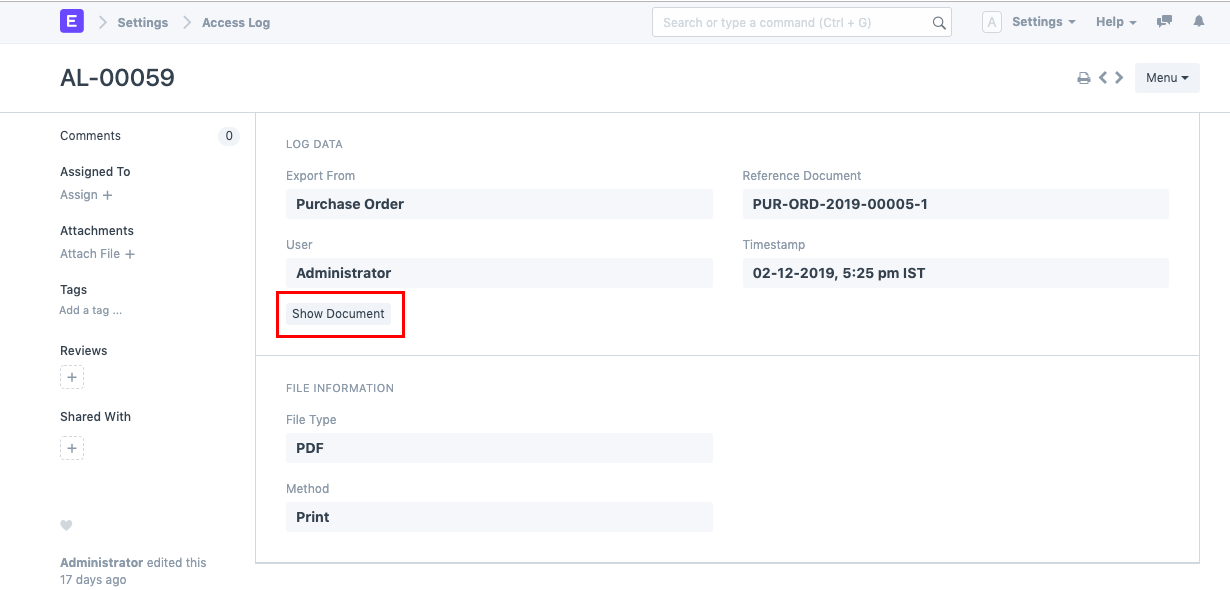
Similar to this, when a document-related event occurs directly, such printing a document or downloading a private file, a Show Document button is generated.
Events like raw printing save data together with the document's specified template.