Putaway Rule
Putaway Rule
For incoming stock, a putaway rule specifies a warehouse assignment strategy.
In a company, a putaway rule is specifically described for an item-warehouse combination. Priority and Warehouse Capacity are taken into account.
The Putaway Rules are applied and Items are automatically distributed to Warehouses based on the provided strategy in Purchase Receipts and Stock Entries (Material Receipt & Material Transfer).
This is especially helpful for managing capacity in sizable warehouses with numerous sites.
Go to: to access a putaway rule.
Home > Stock > Stock Transactions > Putaway Rule
1. Prerequisites
It is suggested that you first create the following before making and applying a putaway rule:
- Stock Item
- Warehouse
2. How to create a Putaway Rule
Click New in the Putaway Rule list.
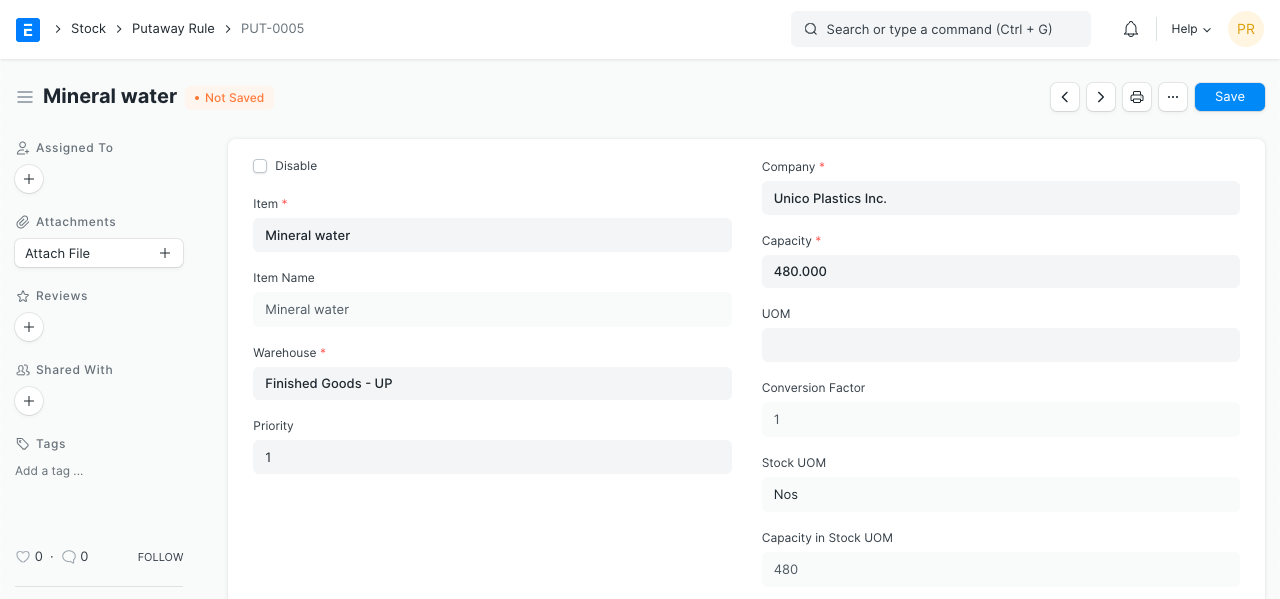
Choose an item and enter the company.
Decide which Warehouse this rule applies to.
Define the capacity. If you want to set the Capacity in a different UOM, you can also choose a UOM. The Stock UOM Capacity will be automatically set.
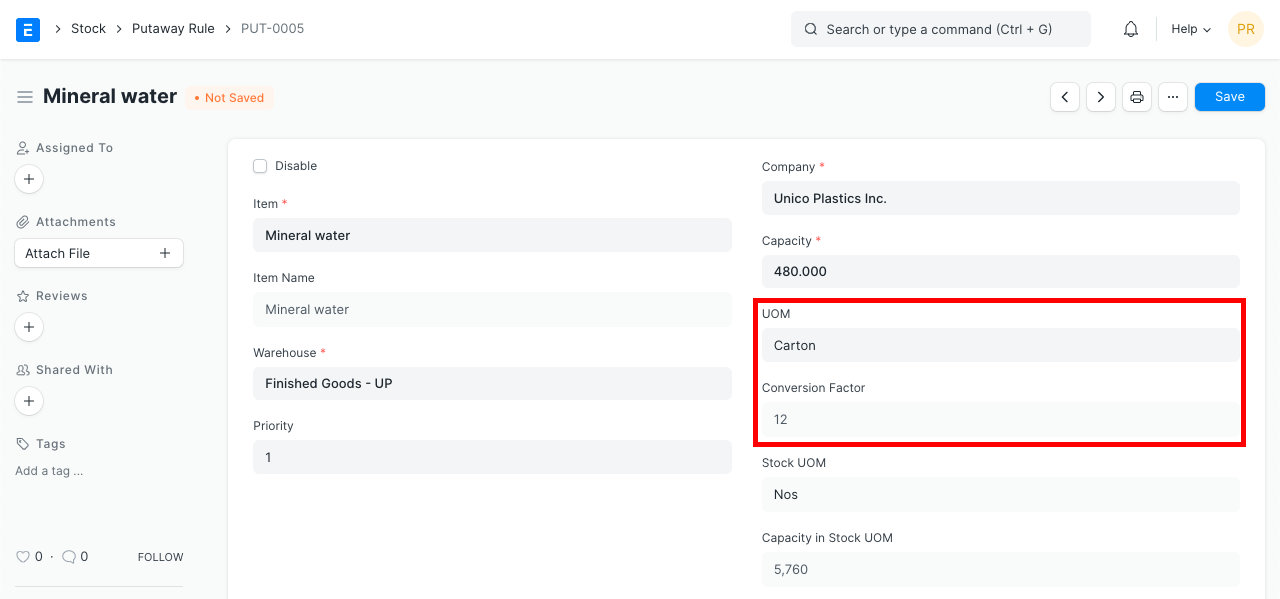
Decide on a priority. The order of priority can start at 1, with 1 being the highest.
Save.
Moreover, a putaway rule can be disabled.
Each item-warehouse combination has a different exception to the rule.
3. How Putaway is strategized
Here, the strategy is solely driven by capacity and priority.
Up until they are filled to capacity, warehouses will be allotted automatically.
Priority will be given consideration first. then a blank space will come. When two rules have the same priority, the rule with the most available free space will be assigned.
ERPNext will notify you if you are operating at full capacity (there is no available space in any Warehouse).
4. How it works
The Putaway Rules are applied to Buy Receipts and Stock Entry, as was previously stated (Material Receipt & Material Transfer).
Apply Putaway Rule is a checkbox that will assign things to warehouses according to the putaway rules.
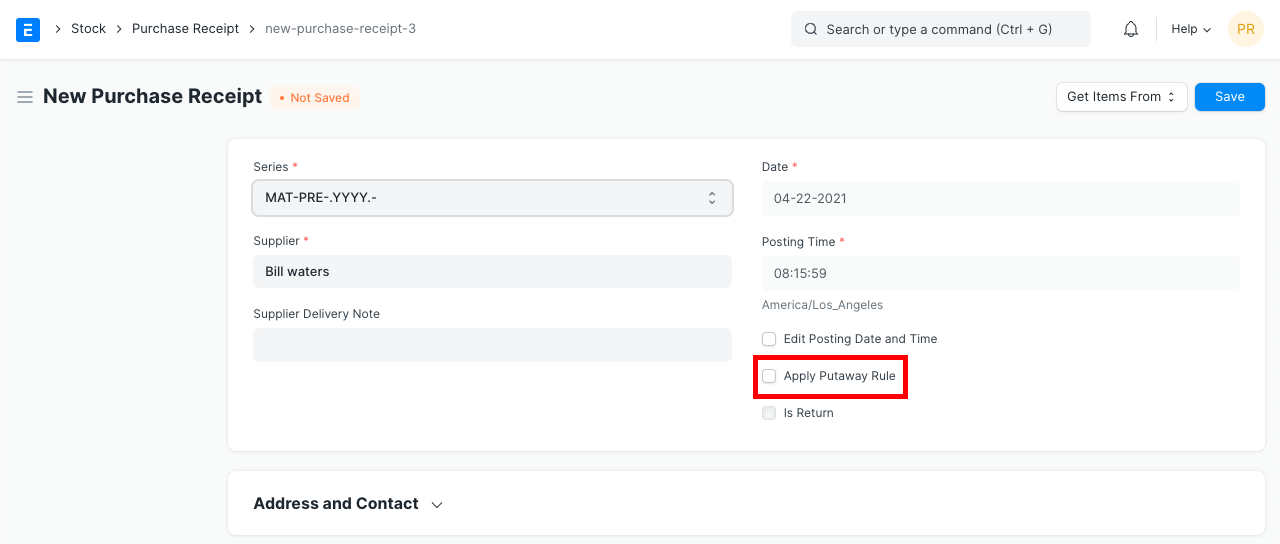
The Putaway Rules are applied when this checkbox is selected. If you check this box, they are also applied again when you save the page.
Let's observe how it works:
- The following Purchase Order details the need for 5 Carton (60 No.) of Mineral Water.

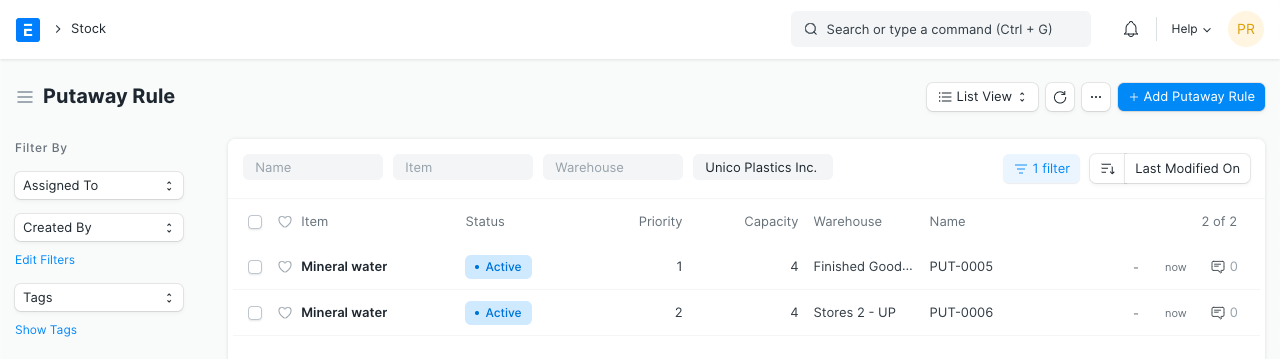
- Below are two active putaway rules that each have a capacity of four cartons (48 numbers). One is more important than the other.
This purchase order generates a purchase receipt.
One row of five cartons is divided and distributed in accordance with the rules after selecting Apply Putaway Rule.
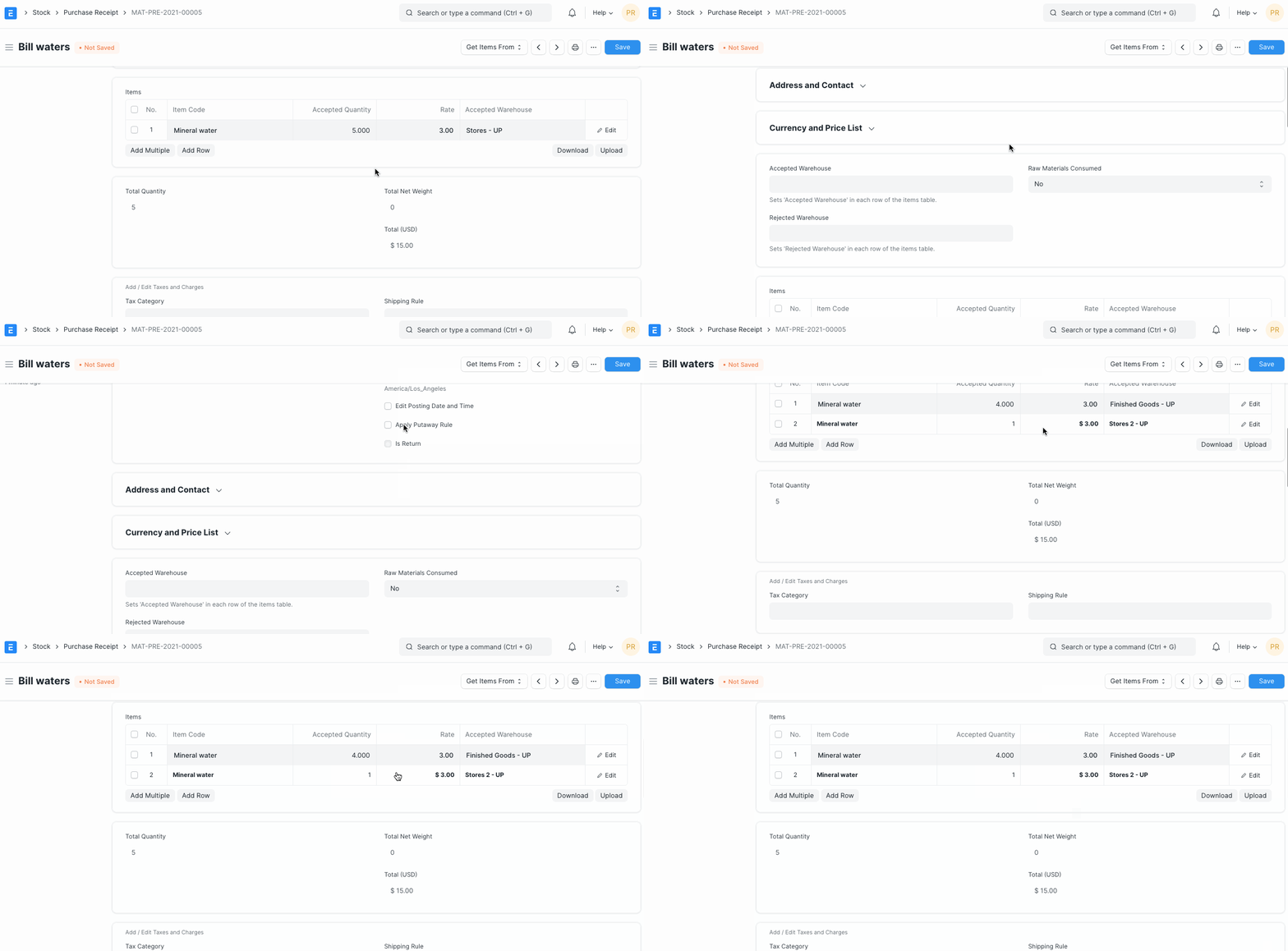
- Initially, the "Finished Products - UPI" Warehouse can hold 4 out of 5 Cartons. When this Warehouse is full, the remaining inventory (1 Carton) is transferred to the "Stores - UPI" Warehouse.
5. Warehouse Capacity Summary
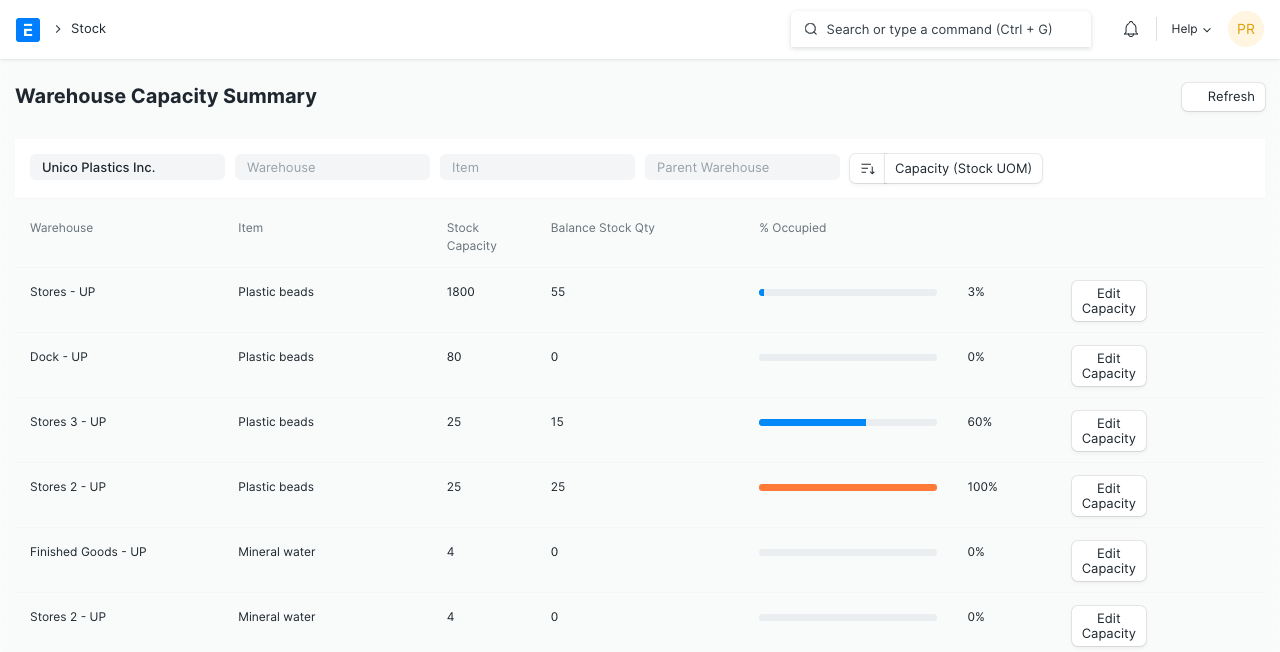
The warehouse capacities and corresponding stock levels are displayed in the warehouse capacity summary report.
These warehouses will only be included if they have putaway rules. The Putaway Rule capacity can be modified by clicking the Modify Capacity button.
6. Types of Putaway Application
6.1. Direct Putaway
Direct Putaway is explained by the example in the previous section.
In essence, it involves directing incoming product to specific Warehouses in accordance with a plan.
A Purchase Receipt makes exercising this simple.
6.2. Indirect (Combined) Putaway
Frequently, temporary or staging Warehouses receive stock first.
From there, it is stored in the Warehouse in the proper areas.
This is known as a combined or indirect putaway.
Simple Purchase Receipts without Putaway can be made in the temporary Warehouse in ERPNext to imitate this.
From here, one can do a Stock Entry (Material Transfer), where Putaway Similar rules to those for purchase receipts can be used.