Income Tax calculation in Geer ERP
Income Tax calculation in ERPNext
Define the income tax slabs during the payroll period in accordance with the law. If the government offers any standard deductions, such sums may also be included here.
Add them to the "Employee Tax Exemption Declaration" if the employee has any investments or tax declarations, such as PPF, insurance, mutual funds, HRA, etc. image of a screen:
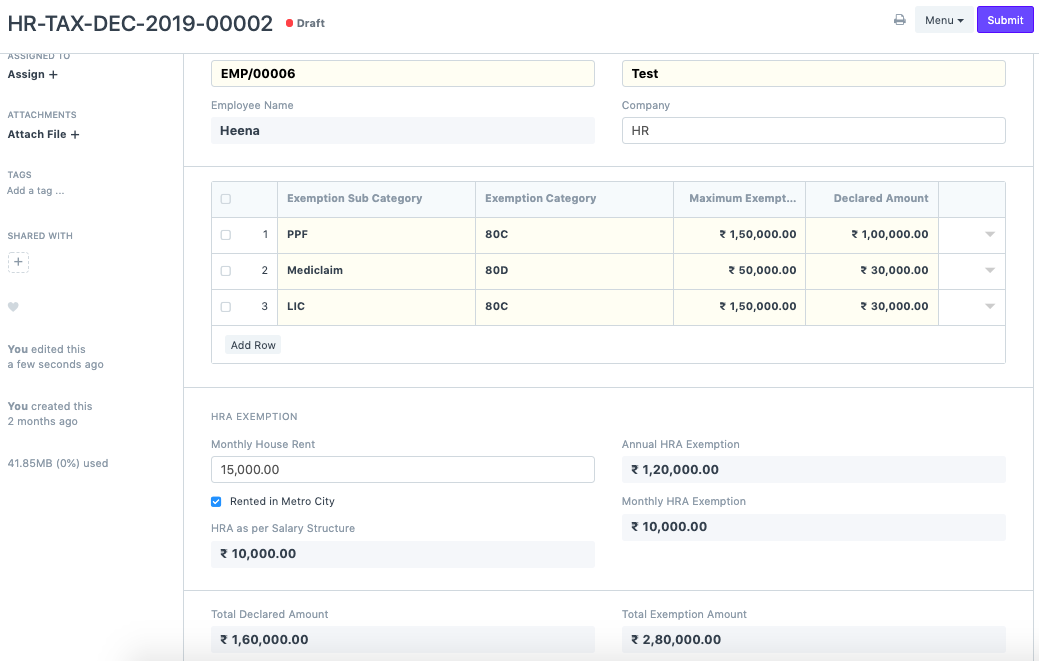
Choose "Variable Based On Taxable Salary" when setting the salary component of the income tax. By checking this box, income tax will be calculated automatically while taking into account the payroll period and tax declarations.
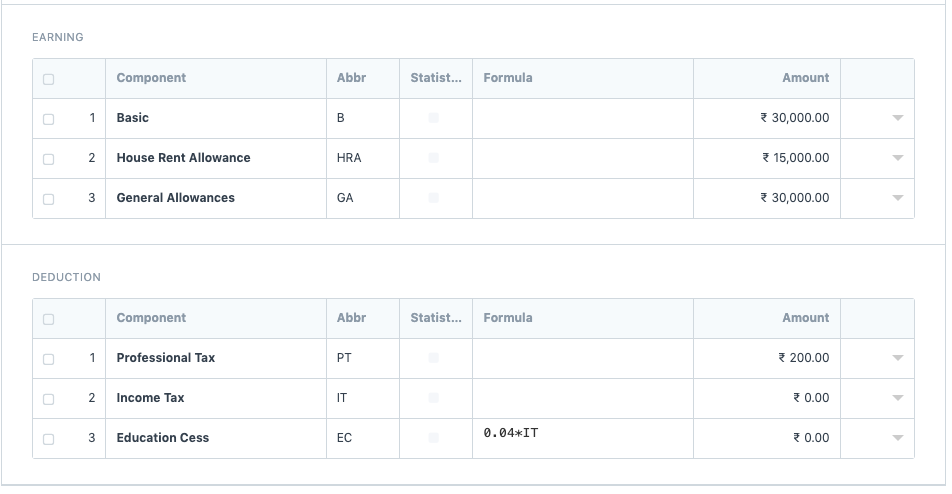
Make a pay structure and leave the amount part blank while adding income tax to the deductions section. Please also include the Education Cess, which will be calculated according to a formula. image of a screen:
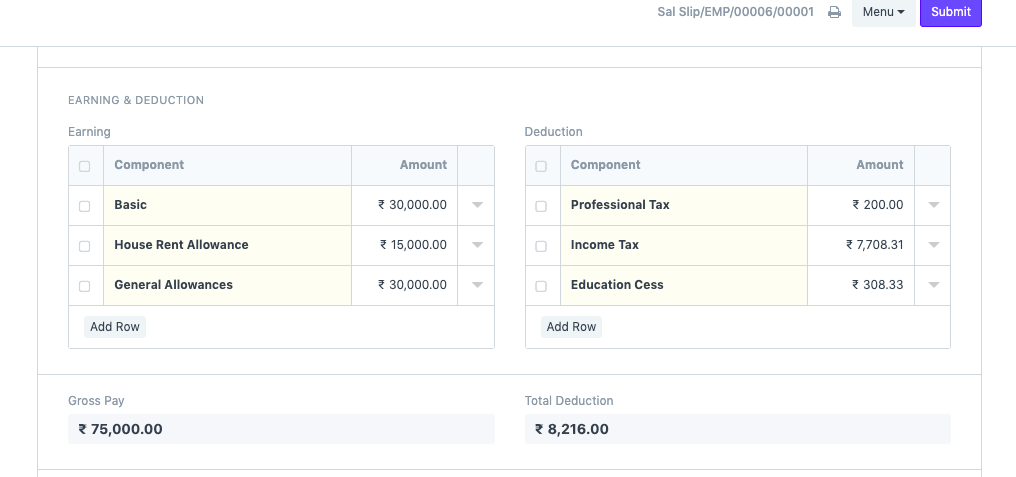
- Make a payroll entry, then produce pay stubs. Both income tax and the education cess will be calculated automatically. image of a screen: