Serial Number
Serial Number
For each quantity of an item that is serialized, as explained on the item page, a Serial Number (Serial No) record is kept. This data aids in tracking the serial number's location, as well as its warranty and end-of-life (expiration) details.
You can keep track of the Supplier from whom you bought the Serial No. and the Customer to whom you sold it. You may learn the current inventory status from the Serial No status.
If your item is serialized, you must enter the serial numbers in the related column on separate lines for each serial number. With the help of a serial number, you can preserve individual serialized products.
Go to: to see the Serial Number list.
Home > Stock > Serial No and Batch > Serial No
1. Prerequisites
It is suggested that you first create the following before creating and utilizing a serial number:
- Item
- Enable 'Has Serial No' in the Item master

2. How to create a Serial Number
Typically, when a transaction is made against a serialized item, a serial number is automatically generated. Only when "Has Serial No" is enabled and a series is specified in the item master does this function.
For instance, the series "PB2L.#####" was set for the following item. After then, a stock entry was made to get the item. Therefore, the Serial Numbers were generated.
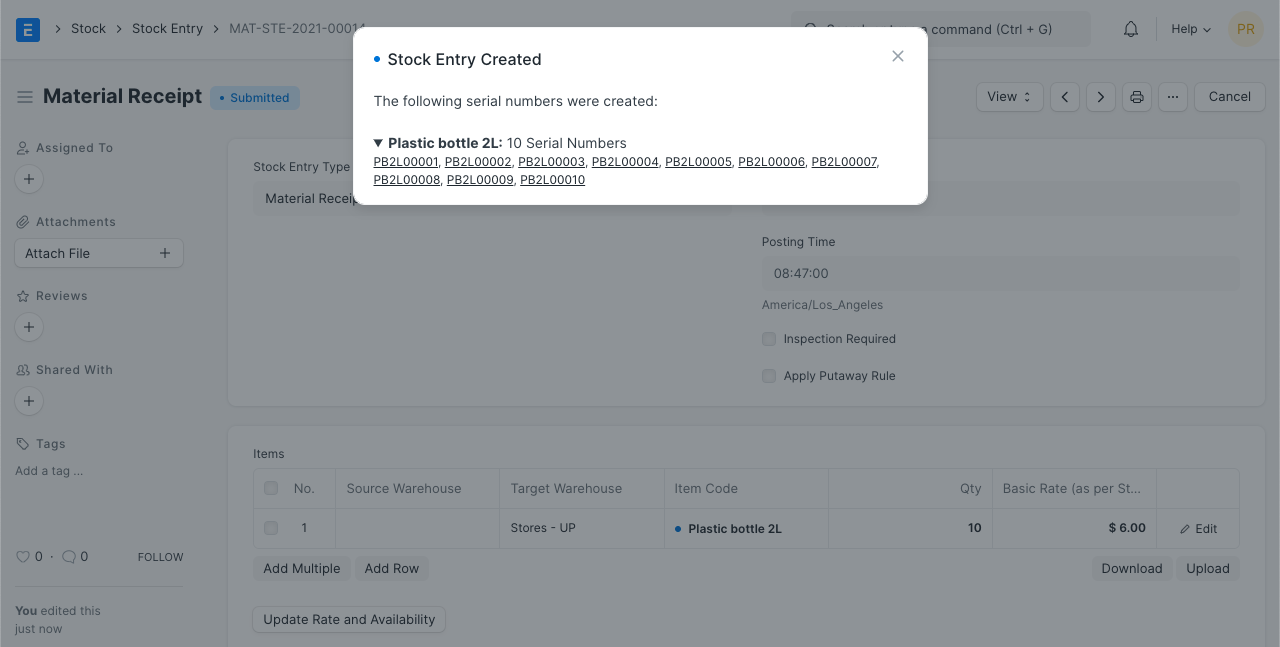
To create a Serial No. manually, however, follow these instructions:
Click New from the Serial Number list.
Provide a serial number.
Details will be fetched after the item code is entered.
Serial Numbers cannot be set or unset once a transaction has been completed on an item.
Save.
Only when the Serial No is transacted through a stock transaction may inventory of an item be changed (Stock Entry, Purchase Receipt, Delivery Note, Sales Invoice). A new Serial No. cannot have its Warehouse set when it is created directly.

2.1 Notes about Serial Number
The Stock Entry is used to determine the Status.
Deliveries are only possible for Serial Numbers with the status "Available."
A stock entry or purchase receipt can be used to automatically generate serial numbers. It will automatically construct such serial numbers if you mention them in the Serial Nos section.
You can omit the Serial No column in a stock entry or purchase receipt if the Serial No Series is mentioned in the item master. That series' serial numbers will be automatically set.
3. Features
3.1 Purchase/Manufacture details
It will display the document from which the Serial Number was generated. If you bought it from a Supplier, a link to it will be provided here.
3.2 Delivery Details
The customer will be connected here if the serial number was produced from a sales order.
3.3 Warranty/AMC Information
The expiration dates for any warranties or AMCs (Annual Maintenance Contracts) that may be in place for the item can be determined.
3.4 More Details
You can enter any more details about this particular Item unit under "Serial Number Details."